LogoTopAIHubs
icon of JoyPix AI

JoyPix AI

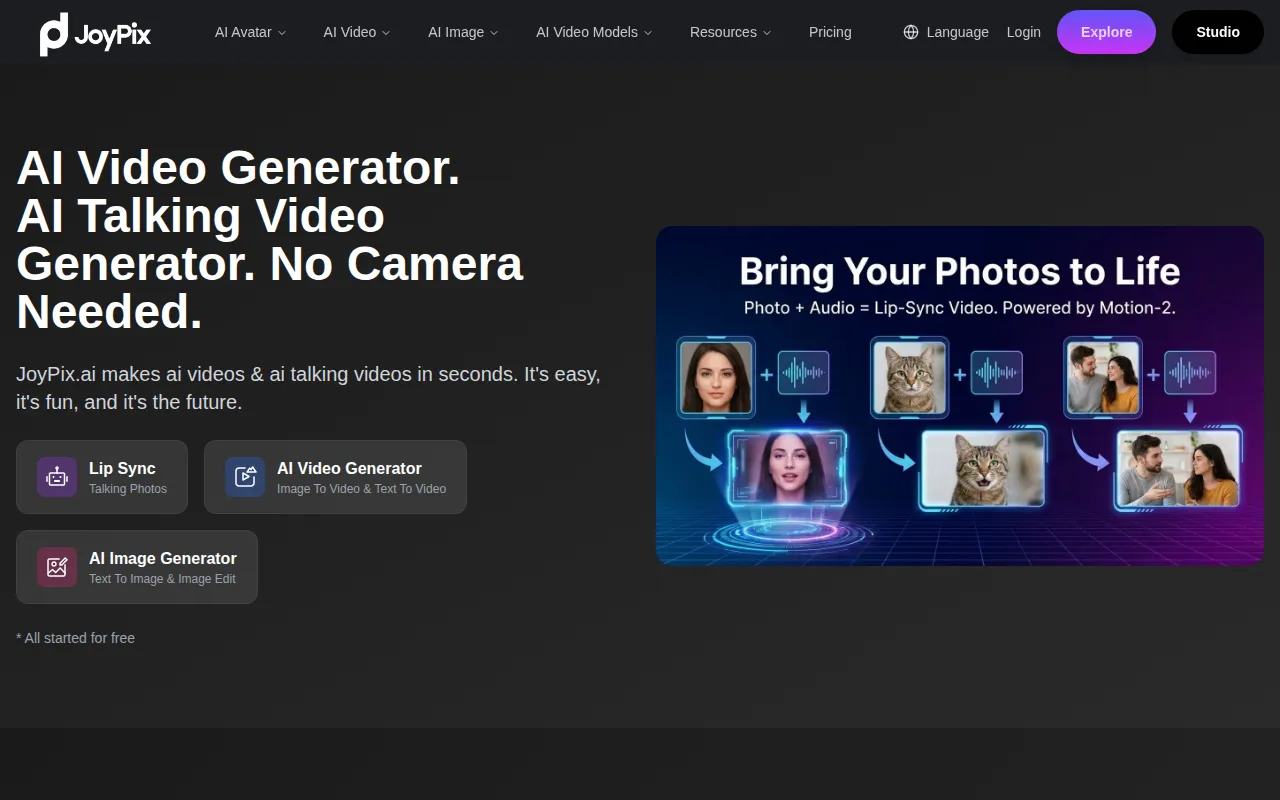
Create lifelike talking avatars and AI videos from photos, audio, or text—fast, easy, and customizable.

Introduction

What is JoyPix AI

JoyPix AI is a powerful platform that allows users to create lifelike talking avatars and AI videos from photos, audio, or text. It aims to make visual storytelling easy and fun, catering to content creators, gamers, and social media users.

How to use JoyPix AI

JoyPix AI simplifies the process of creating animated talking videos into three main steps:

  1. Upload Photo: Start by uploading a photo of your choice.
  2. Generate Avatar: Use the avatar generator to create a unique digital avatar from your photo.
  3. Make Talking Video: Utilize the talking avatar feature to create a speaking or singing video from your avatar and audio.
Features of JoyPix AI
  • Talking Photo: Transform any photo, including pets, into a speaking avatar with AI lip-sync technology.
  • Avatar Generator: Create artistic AI images in over 40 styles, such as oil painting, anime, and 3D cartoon.
  • Avatar Library: Choose from a library of over 50 pre-made avatars to start creating instantly.
  • All-In-One Video Generator: Access multiple AI video generators like Wan2.1, Vidu, and Seedance on a single platform.
  • Free Voice Cloning: Clone any voice from a 10-second audio sample and use it in multiple languages and emotional tones.
  • Text To Speech: Generate multilingual voiceovers in over 40 languages and accents.
  • Motion-2 Model: Features advanced lip-syncing that includes head pose, body posture, and micro-expressions for enhanced realism. It also offers identity lock for consistent appearance and supports two-character dialogues.
Use Cases of JoyPix AI

JoyPix AI is suitable for various users and applications:
  • Content Creators: Easily create engaging video content for social media platforms.
  • Gamers: Develop unique avatars for gaming or streaming.
  • Social Media Users: Enhance social media posts with dynamic talking avatars.
  • Visual Storytelling: Bring photos to life for more immersive storytelling.
FAQ
  • Can I create my own avatar? Yes, JoyPix allows you to create and customize your own unique avatar.
  • How long does it take to generate a video? JoyPix can generate videos in just minutes, allowing for quick and efficient video production.
  • How many voices and languages are available in JoyPix? JoyPix offers 100+ voices in 20+ popular languages, allowing for a diverse range of voice options.
  • Can I add my own audio to the videos? Yes, JoyPix supports audio uploads. You can record or upload your voice to create a personalized avatar experience.
  • Can we access JoyPix though API? Yes, API documentation can be found at /openapi/. The API for the Motion-2 lip-sync model is currently released.

Newsletter

Join the Community

Subscribe to our newsletter for the latest news and updates