What is LongTerMemory AI Study tool
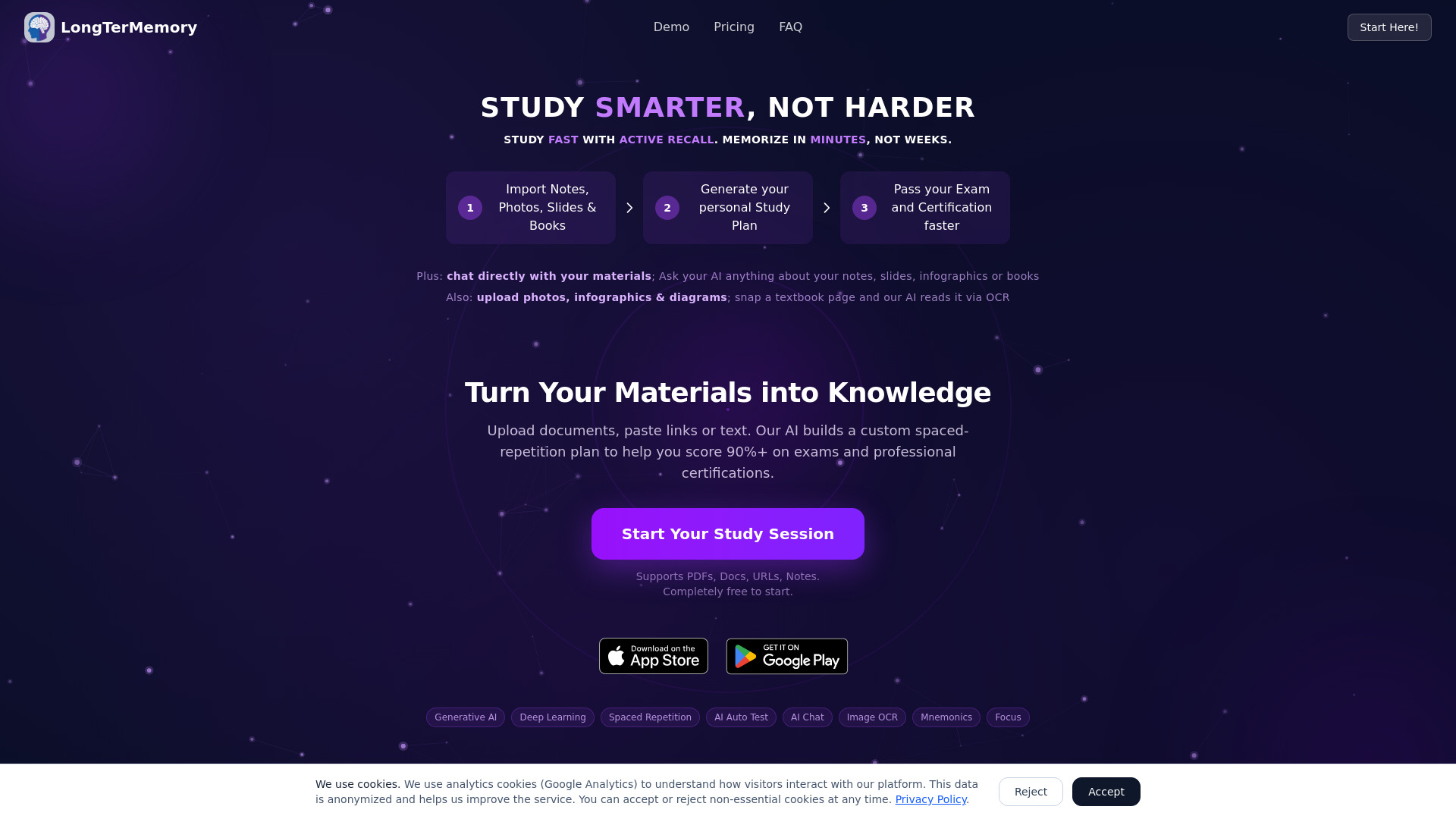
LongTerMemory is a web application in the educational technology sector designed to help users prepare for exams, tests, and professional certifications. It uses AI-powered question-answer generation and spaced repetition scheduling to transform uploaded study materials into personalized study plans. The platform supports importing notes, slides, photos of textbook pages, infographics, diagrams, documents, and web links. It also includes an AI chat feature that allows users to query their materials directly.
How to use LongTerMemory AI Study tool
- Import your materials: Upload notes, photos, slides, books, infographics, images, diagrams, or paste web links. Supported formats include JPG, PNG, WEBP, TIFF, BMP (via OCR), TXT, Markdown, PowerPoint, Excel, PDF, Word, ODT, and URLs.
- Generate your study plan: The AI automatically analyzes your content and creates question-answer pairs, then schedules them using spaced repetition at optimal intervals.
- Study and review: Follow the personalized study plan. The system tracks your performance and schedules reviews right before you're about to forget.
- Chat with your materials: Use the built-in AI chat to ask questions about your specific notes, slides, or documents.
Features of LongTerMemory AI Study tool
- AI-powered question-answer generation: Automatically creates contextual Q&A pairs from uploaded materials using RAG (Retrieval-Augmented Generation) with OpenAI.
- Spaced repetition scheduling: Evidence-based technique that schedules reviews at increasing intervals for long-term retention.
- Image OCR: Upload photos of textbook pages, infographics, and diagrams; the AI reads them via OCR.
- Document and web link processing: Supports PDFs, Word, PowerPoint, Excel, ODT, TXT, Markdown, and URLs.
- Personalized study plans: Tailored to your specific exam or certification goals.
- AI chat: Ask questions directly about your study materials; the AI draws exclusively from your uploaded content.
- Progress tracking: Monitor your performance in real-time.
- Multiple project management: Create up to 6 projects (depending on plan).
- Passwordless authentication: Sign in with Google or magic link (no password needed).
- Mobile apps: Available on iOS and Android.
Use Cases of LongTerMemory AI Study tool
- Medical students preparing for board exams.
- IT professionals pursuing AWS, CompTIA, or other certifications.
- Law students studying for the bar exam.
- Anyone facing a challenging test who wants to achieve 90%+ retention rates.
- Busy professionals who need to pass certifications quickly while working full-time.
FAQ
Is this a subscription? No. You pay once for the access period you choose (4 or 12 months). No recurring charges, no automatic renewals.
How does LongTerMemory work? Upload your notes, slides, books, or any document. The AI generates question-answer pairs and schedules them using spaced repetition for optimal review intervals.
What file formats can I upload? Photos (JPG, PNG, WEBP, TIFF, BMP via OCR), notes (TXT, Markdown), slides (PowerPoint), spreadsheets (Excel), books/documents (PDF, Word, ODT), and web links (URLs).
What is spaced repetition? A science-backed technique that schedules reviews at increasing intervals. Studies show it can achieve 90%+ retention compared to 20% with cramming.
How does the AI generate study questions? Using RAG (Retrieval-Augmented Generation) with OpenAI to analyze your materials and create contextual Q&A pairs.
Can I ask questions directly about my study materials? Yes. Open the built-in AI chat inside any project and ask anything. The AI draws exclusively from your specific notes, slides, and documents.
Are the AI-generated questions accurate? The AI produces high-quality questions in most cases, but may occasionally make errors. Review generated content and report issues.
How secure is my data? HTTPS/TLS encryption for data in transit, passwordless authentication, encrypted databases. Data is never sold to third parties.
Who can see my uploaded documents? Only you. Content is processed by OpenAI for Q&A generation (governed by their privacy policy). No other third parties.
How do I sign in without a password? Two options: sign in with your Google account (one click) or use magic link (enter email, receive secure link).
What payment methods do you accept? All major credit and debit cards via Stripe. One-time payment only.
What's your cancellation policy? There is nothing to cancel because there is no subscription. Contact support for issues with a recent purchase.