Newsletter
Join the Community
Subscribe to our newsletter for the latest news and updates
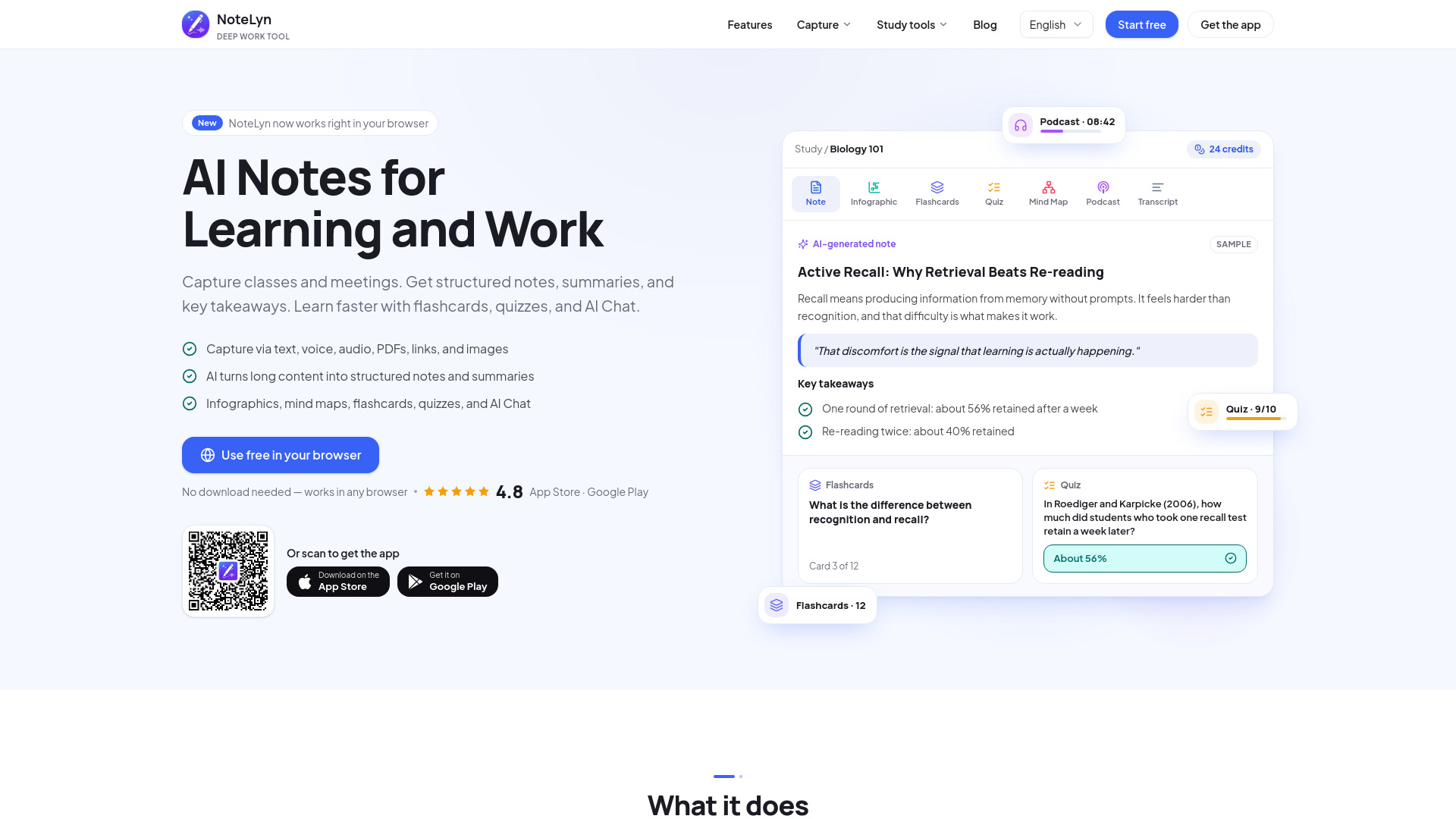
AI note taker and study guide maker: turn lectures, meetings, PDFs, YouTube videos and audio into structured notes, summaries, flashcards, quizzes, mind maps and podcasts. Web, iOS and Android.
NoteLyn AI is an AI-powered note-taking application designed for learning and work. It captures content from various sources—including lectures, meetings, PDFs, YouTube videos, and audio—and transforms it into structured notes, summaries, flashcards, quizzes, mind maps, and podcasts. The app is available on web, iOS, and Android platforms.
NoteLyn AI offers a free starter plan with free AI notes and no credit card required. Pro plan removes the note limit. Podcasts are a Pro feature and use credits, charged only when an episode is generated successfully.
Is NoteLyn for students or professionals?
Both. It works great for lectures and meetings — anywhere you need clear notes, summaries or action items.
What content can I add?
Type text, record voice, upload audio, import PDFs, add web links or scan images with OCR.
Do I need internet?
Yes. Creating notes and AI processing need an internet connection. If a recording is interrupted, it stays saved on your device so you can still turn it into a note.
Can I export notes?
You can share any note, including minutes and summaries, with a link, and download infographics and mind maps as images. Exporting notes as files isn't available yet.
How does privacy work?
Your notes stay yours. You can delete your account to remove all data. See our Privacy Policy for details.
Which languages are supported?
OCR and transcription support multiple languages. Contact support for specific needs.
Is my data used to train models?
No, your content is never used to train third‑party models. See our Privacy Policy.
How accurate are transcripts and summaries?
We aim for high accuracy, but results vary by input quality. You can quickly edit and regenerate.
Is NoteLyn free?
You can start for free. New accounts include free AI notes, with no card required. Pro removes the note limit. Podcasts are a Pro feature and use credits, which are charged only when an episode is generated successfully.
Can I use NoteLyn on my computer?
Yes. The NoteLyn web app runs in a modern browser on Windows, macOS or Linux, with nothing to download. Sign in with the same account you use on iOS or Android and your notes are already there.
What can I share, and does the other person need an account?
You can share any note with a link. People who open it don't need an account: they see a read-only copy, including its flashcards and quizzes. Infographics and mind maps can also be downloaded as images.
What makes NoteLyn different?
NoteLyn starts from what you capture. Record a lecture or meeting in the mobile app or your browser, upload audio or a PDF, snap photos or paste a link, and each one becomes a structured note with its original source kept alongside. From that note you can study with flashcards and a quiz, ask AI Chat about it, or share it with one link.