What is Moxo
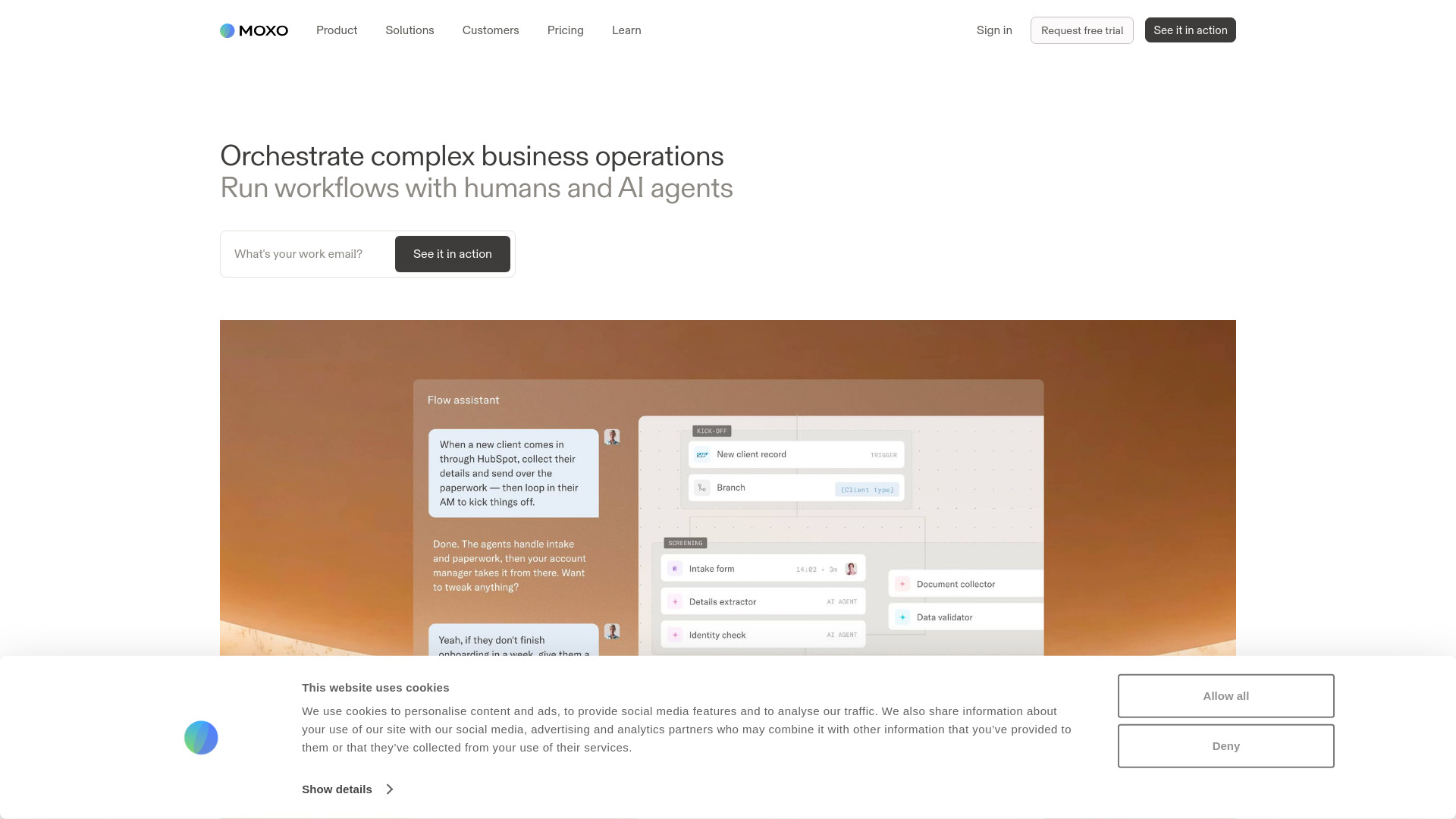
Moxo is an AI workflow automation platform for business operations. It orchestrates processes that involve humans, AI agents, and systems, across departments and external parties like clients and vendors. The platform allows users to describe a process and have Moxo build it as a workflow of human actions, AI agents, and complex logic that runs itself.
How to use Moxo
- Describe your process: Use natural language, diagrams, or voice to describe the process you want to automate.
- Build the workflow: Moxo's AI flow builder creates a workflow with steps for humans, AI agents, and system automations.
- Customize with the flow designer: Use the flow designer with 36 step types to refine the workflow, including human actions, controls, AI and system automations.
- Deploy and run: Launch the workflow. It runs automatically, handling branches, exceptions, and escalations.
- Monitor and adjust: Use flow monitoring with AI-generated status summaries and needs-attention alerts. Ask questions about operations in plain language to track progress and adjust running flows.
Features of Moxo
- AI flow builder: Create workflows through natural conversation, diagrams, or voice.
- Flow designer: 36 step types including human actions, controls, AI and system automations.
- Template gallery: Pre-built templates for client onboarding, lending, claims, compliance, HR, vendor management, and more.
- Agent Foundry: Build, test, and supervise AI agents with knowledge bases, skills, and versioning.
- Supervisor agents: Review other agents' work and escalate to humans when needed.
- AI automation steps: Extract, summarize, translate, transcribe, and generate content.
- Human action steps: Approvals, e-signatures, reviews, form fills, data collection, decisions, acknowledgements, and time bookings.
- Branded portals: Magic-link access for external participants, no accounts or downloads required.
- Flow monitoring: AI-generated status summaries and needs-attention alerts.
- Due dates with automated escalation: Notify, auto-extend, reassign, skip, or escalate.
- Reporting and SLA dashboards: Pulse Score, cycle time, throughput, and conversational analytics.
- Audit log: Granular decision tracing.
- Native integrations: Slack, Microsoft Teams, Salesforce, HubSpot, DocuSign, Stripe, QuickBooks, Zapier.
- REST API, webhooks, MCP server, and SDKs: For embedding (iOS, Android, JavaScript, React Native, Cordova).
- Enterprise security: SAML SSO, role-based access control, KMS-encrypted storage.
Use Cases of Moxo
- Client onboarding: Streamline the process of bringing new clients on board.
- Lending: Automate loan origination and approval workflows.
- Claims: Manage insurance or warranty claims efficiently.
- Compliance: Ensure processes adhere to regulatory requirements.
- Vendor management: Onboard and manage vendors.
- HR: Automate HR processes like onboarding and approvals.
- Professional services: Coordinate client projects and deliverables.
- Real estate: Streamline property deals and transactions.
- Healthcare: Enhance patient engagement and care coordination.
- Financial services: Deliver personalized service in wealth management and banking.
Pricing
Moxo offers three pricing tiers:
- Free: $0 per month, includes 2 flows and 500 AI credits per month.
- Business: $99 per month, includes 10 flows and 1,000 AI credits per month, billed monthly.
- Pro: $499 per month, includes 45 flows and 5,000 AI credits per month, billed monthly.
FAQ
Q: What is Moxo? A: Moxo is an AI workflow automation platform that runs business processes with humans, AI agents, and systems.
Q: How does Moxo handle AI agents? A: AI agents participate in processes like people do, assigned to roles and steps, working within defined permissions, and supervised. They handle preparation, review, routing, and follow-up, while humans stay accountable for approvals and decisions.
Q: Can external participants use Moxo without accounts? A: Yes, Moxo provides branded portals with magic-link access, so external participants like clients and vendors can take action without needing accounts or downloads.
Q: What security measures does Moxo have? A: Moxo includes SOC 2 Type II, GDPR, SAML SSO, audit trail, data encryption, and role-based access control.
Q: Does Moxo integrate with other tools? A: Yes, Moxo has native integrations with Slack, Microsoft Teams, Salesforce, HubSpot, DocuSign, Stripe, QuickBooks, and Zapier, plus a REST API and webhooks.
Q: Is there a free trial? A: Moxo offers a free plan with 2 flows and 500 AI credits per month, and you can request a free trial from the website.