What is Muse Video - 1
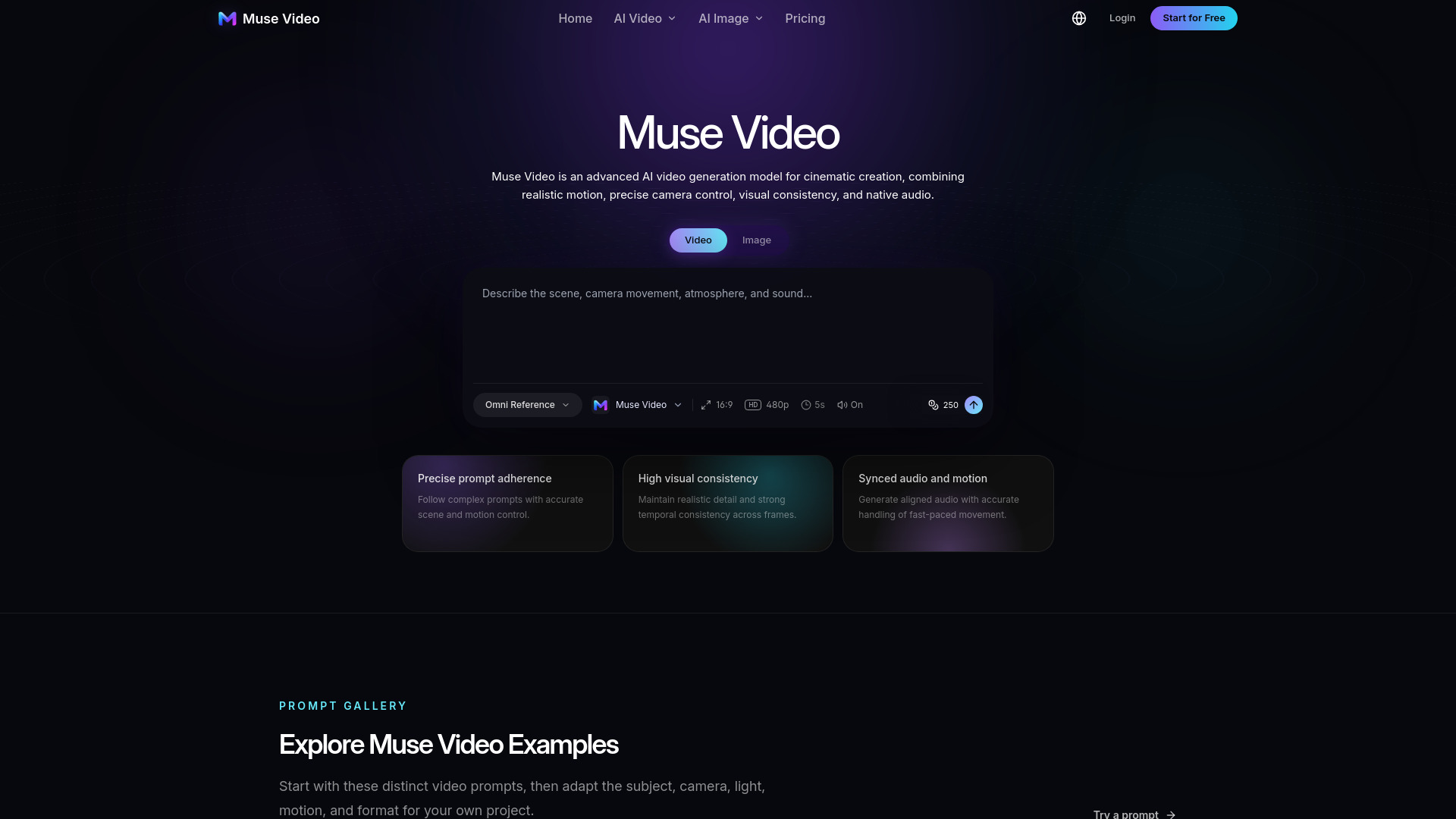
Muse Video is an advanced AI video generation model designed for cinematic creation. It transforms detailed text prompts and reference images into dynamic, high-quality videos. The model combines realistic motion, precise camera control, visual consistency, and native audio to produce coherent visual experiences.
How to use Muse Video - 1
- Access the Generator: Navigate to the video generator section on the Muse Video platform.
- Enter a Prompt: Describe the scene, camera movement, atmosphere, and sound in the text area. For example: "A slow tracking shot through a rain-soaked night market, warm lantern reflections on the pavement, natural crowd movement, cinematic depth of field."
- Configure Settings: Adjust options such as aspect ratio (e.g., 16:9, 4:3, 21:9, 9:16, 1:1), resolution (HD), duration (e.g., 5s), and toggle audio on or off.
- Select a Model: Choose the Muse Video model from the available options.
- Generate: Click the generate button to create your video. The system uses 250 credits per generation.
Features of Muse Video - 1
- Precise Prompt Adherence: Follows complex prompts with accurate scene and motion control.
- High Visual Consistency: Maintains realistic detail and strong temporal consistency across frames.
- Synced Audio and Motion: Generates aligned audio with accurate handling of fast-paced movement.
- Text-to-Video and Image-to-Video: Supports both generation modes.
- Flexible Output Options: Offers multiple aspect ratios (16:9, 4:3, 21:9, 9:16, 1:1), HD resolution, and adjustable duration.
- Native Audio: Includes sound effects, dialogue, and ambience.
Use Cases of Muse Video - 1
- Cinematic Scenes: Create film-like sequences with realistic motion and depth.
- Product Videos: Generate luxury commercial styling with controlled lighting and movement.
- Portraits: Produce close-up character studies with natural lighting and mood.
- Landscapes: Capture aerial or scenic shots with dynamic camera work.
- Fashion: Develop editorial-style fashion walks with precise tracking.
- Animation: Generate stop-motion or animated content with tactile textures.
- Social Media Content: Craft engaging videos for various platforms.
- Advertisements: Produce high-quality promotional videos.
- Storytelling: Bring narrative concepts to life with coherent visuals and audio.
FAQ
What is Muse Video?
Muse Video is an advanced AI video generation model for cinematic creation, combining realistic motion, precise camera control, visual consistency, and native audio.
What input types does Muse Video support?
It supports both text-to-video and image-to-video generation.
What aspect ratios are available?
Muse Video offers multiple aspect ratios including 16:9, 4:3, 21:9, 9:16, and 1:1.
Can I control the duration of the video?
Yes, the duration can be adjusted (e.g., 5 seconds).
Does Muse Video generate audio?
Yes, it generates native audio that is synced with the motion, including dialogue, ambience, and sound effects.
How many credits does a generation cost?
Each generation costs 250 credits.