Newsletter
Join the Community
Subscribe to our newsletter for the latest news and updates

AI tool for creating structured music prompts and generating songs
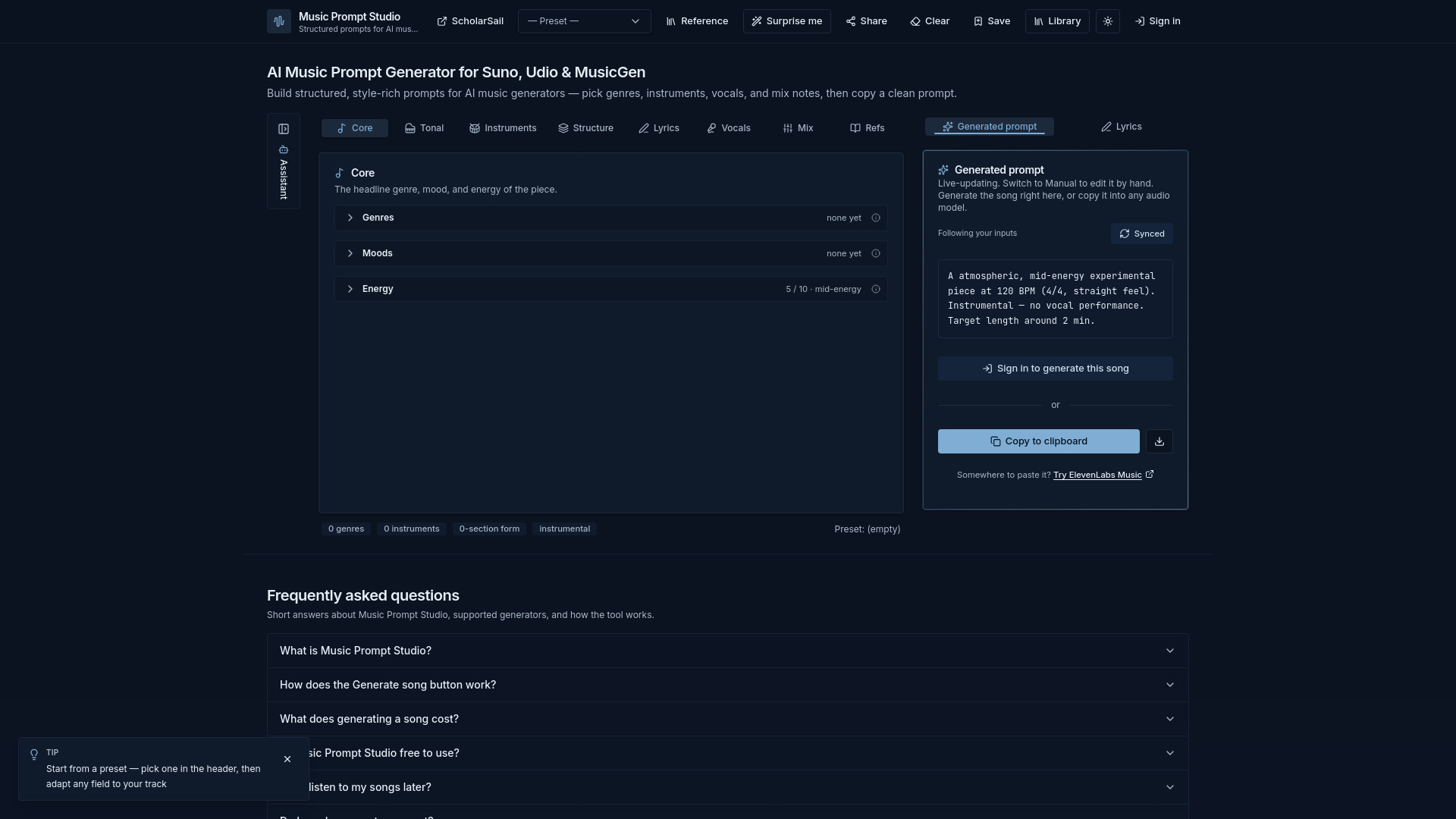
Music Prompt Studio is a web tool that helps you compose structured, detailed prompts for AI music generation. It supports popular generators like Suno, Udio, MusicGen, Riffusion, and Stable Audio. You can pick genres, moods, instruments, key, tempo, and song structure with guided controls, then generate the song right in the studio or copy the prompt into any other text-to-music model.
What is Music Prompt Studio? Music Prompt Studio is a web tool that helps you compose structured, detailed prompts for AI music generation. Pick genres, moods, instruments, key, tempo, and song structure with guided controls — then generate the song right in the studio, or copy the prompt into any other text-to-music model.
How does the Generate song button work? Sign in, then press Generate under the prompt. Songs are composed with the ElevenLabs Music model and played back inline. Generation honors your full duration setting and the sections you arranged in the Structure tab, and every song is saved to your library automatically.
What does generating a song cost? Generation uses AI credits — 10 credits per started 30 seconds of song, shown under the button before you press it. Free accounts refill to 30 credits monthly (about 1.5 minutes of music); credit packs start at $1 and Premium includes 1,000 credits a month. If a generation fails, the credits are returned.
Is Music Prompt Studio free to use? The prompt builder, audio previews, presets, reference guide, and share links are all free with no account required. A free account adds song generation with a monthly credit allowance, plus saving and sharing.
Can I listen to my songs later? Yes. Generated songs and saved prompt configurations live in your library (the Library button in the header) — play any generated track again, or load a saved configuration back into the builder. Because the library is tied to your ScholarSail account, your songs are also available for listening during study breaks on scholarsail.com.
Do I need a separate account? No — Music Prompt Studio uses your ScholarSail sign-in (email/password or Google), and your AI credits are shared across both sites. Creating an account here works on scholarsail.com too.
Which AI music generators do the prompts work with? Any text-to-music model. The prompt is written in natural language, which suits Suno, Udio, MusicGen, Riffusion, and most other generators — copy it and paste it wherever you like.
How do the audio previews work? Each genre, mood, instrument, and production style has a short illustrative preview generated by ElevenLabs sound-effect models. They are approximations meant to help you decide between options — not authoritative recordings.
Can I share a prompt with someone else? Yes. The Share button encodes your current selections into a URL fragment. Anyone who opens the link sees the exact same prompt configuration in their browser.
Do I need music theory knowledge to use it? No. Every field has tooltips explaining the term, and the visual aids — keyboard scale view, tempo pulse, time signature pattern, energy meter — let you make choices by ear and eye instead of by jargon.
Does it store my prompts or data? The builder itself runs entirely in your browser, and share links carry state in the URL. Nothing is stored on a server unless you choose to: saving a prompt or generating a song stores that prompt (and the audio) in your ScholarSail account, where you can delete entries from the library at any time.
How do I report a bug or request a feature? Email support@scholarsail.com with the details. Bug reports and feature requests are both welcome — there's also a Support link in the footer that opens a pre-filled message.