What is Skeylight
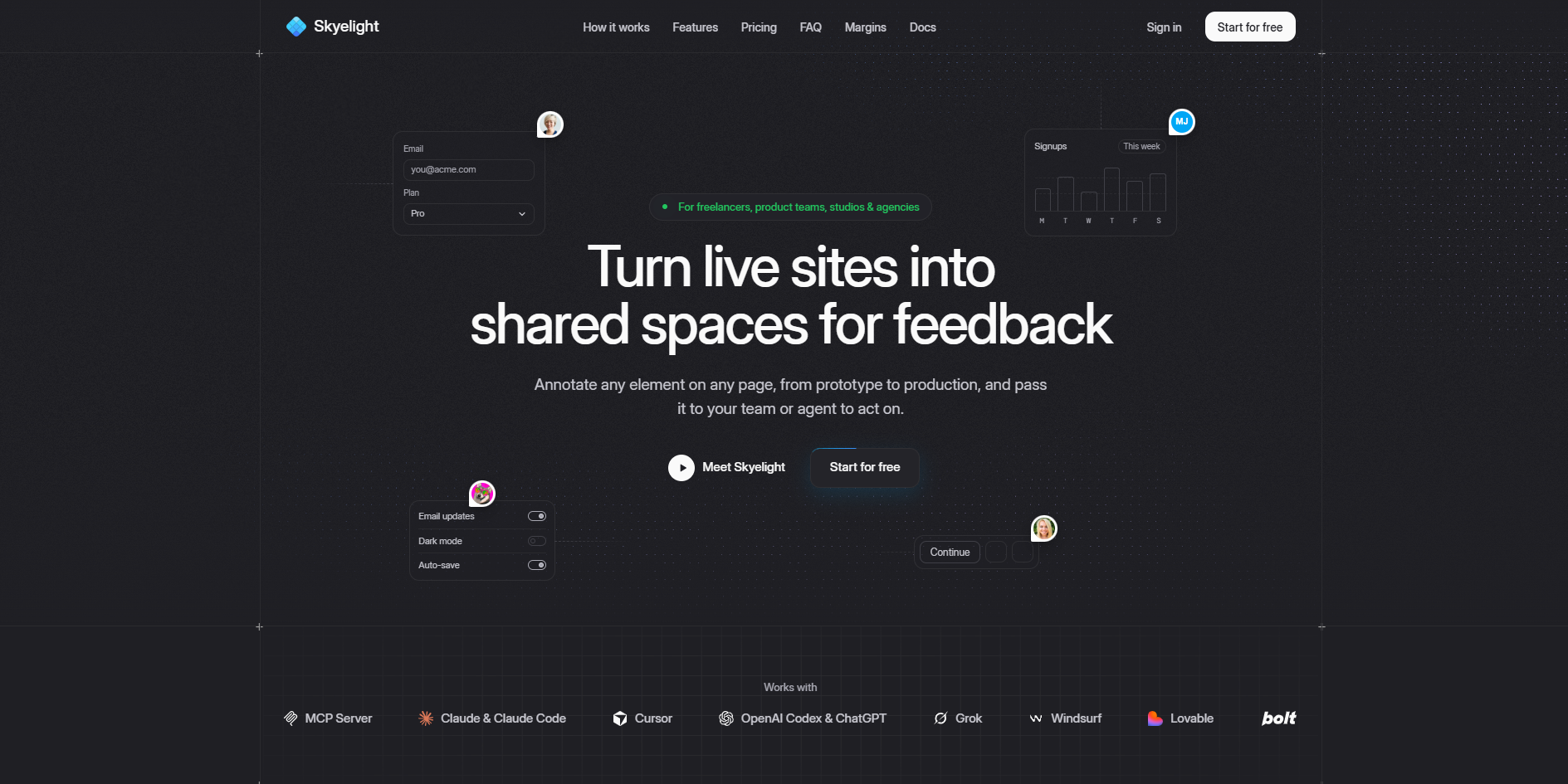
Skeylight is a website feedback tool that allows users to annotate any element on a live web page, from prototype to production, and pass feedback to team members or AI coding agents like Claude Code, Cursor, or Codex. It captures the page, element, and source line for each comment, enabling precise and actionable feedback.
How to use Skeylight
- Create an account and install the Chrome extension.
- Open any web page and press 'C' to activate the annotation tool.
- Click on any element to pin a comment. You can add text, categorize it (e.g., bug, feedback, idea), and attach screenshots if enabled.
- Share the feedback with your team or assign it to a coding agent via the MCP server.
- Reviewers can join as guests (on Pro and above) without an account, or as team members with paid seats.
Features of Skeylight
- Annotate any element on a live page with comments.
- Categorize feedback as bug, feedback, idea, design inspiration, or page copy.
- Capture element details, URL, redacted markup snapshot, browser info, and console errors.
- Integrate with coding agents (Claude Code, Cursor, Codex, Windsurf, etc.) via MCP server.
- Chrome extension works on any page, including staging and pages behind login.
- Optional screenshots (off by default, workspace setting).
- Guest feedback on Pro and above: reviewers can comment without an account.
- Skyelight Build (optional) adds source file, line, commit, and branch to each pin.
- Review badge for preview addresses, including Vercel previews with bypass secret.
- Privacy-focused: redacts sensitive data, never reads request content or cookies, and does not train models on your data.
Use Cases of Skeylight
- Freelancers, product teams, studios, and agencies can collect feedback on websites and prototypes.
- Teams can annotate live sites to report bugs, suggest improvements, or share design inspiration.
- Clients and stakeholders can leave feedback without creating an account (on Pro and above).
- Developers can pass feedback directly to coding agents for automated fixes.
- Works on staging, previews, and pages behind login, making it suitable for all stages of development.
Pricing
- Free: $0, for users managing one project. Includes basic features and limited MCP access (connect, list workspaces/projects, publish one hosted prototype).
- Pro: $29, for users working on multiple projects. Includes full agent access, guest feedback, and more.
- Team: $59, for users needing more flexibility. Includes all Pro features plus additional collaboration capabilities.
- Reviewers are free on every plan. Paid seats are for owners, admins, and collaborators.
FAQ
Do reviewers cost anything?
No. Clients and stakeholders join as reviewers, and reviewers are free on every plan. You pay for owners, admins and collaborators.
Can clients leave feedback without an account?
Yes, on Pro and above. Turn on guest feedback for a project and share a review link or the project's code. Guests type their name and pin comments like anyone else, see only their own threads, and take no seat.
What's the difference between paid seats and reviewers?
Paid seats (owners, admins and collaborators) run the work: they create projects, invite people, assign threads and hand them to a coding agent. Reviewers pin, reply and resolve any thread, but can't assign work, create projects or invite.
How long does setup take?
About five minutes. Create an account, install the Chrome extension, open a page and press C. No code changes are needed.
Do I need Skyelight Build on every project?
No. The Chrome extension works on any page without it. Add Skyelight Build to the projects where you want each pin to carry its source file, line, commit and branch, and where reviewers should get the review badge instead of installing the extension. It's one command.
Is the Skyelight MCP free to use?
Partly. On Free, your coding agent can connect, list your workspaces and projects, and publish one hosted prototype. Reading and working through feedback with an agent is on Pro and Team.
Which coding agents work with Skyelight?
Any MCP client, including Claude Code, Cursor, Codex, Windsurf, claude.ai and ChatGPT. Full agent access is included on the Pro and Team plans.
Does it work with my Claude or ChatGPT subscription?
Yes. Add Skyelight as a custom connector using the MCP server address, https://app.skyelight.ai/mcp, and sign in when it asks. We're working on listings in the Claude and ChatGPT connector directories, so this will soon be a one-click install.
Does it work on staging, previews and pages behind a login?
Yes. The Chrome extension works on any page you can open in Chrome. The review badge runs on the preview addresses you list for a project, and Vercel previews behind Deployment Protection work with a bypass secret.
What does Skyelight capture, and is my data used to train models?
Each thread saves the element, the URL, a redacted snapshot of the markup around it, the browser, and any errors, console warnings or failed requests from just before the pin. Private data stays out: form values, passwords and payment fields are never included, query strings, email addresses and access tokens are removed before anything is sent, request content and cookies are never read, and in screenshots every form field is painted out before the image is stored. Anything else you want hidden can be marked to be left out. Skyelight doesn't use your threads to train models.
Can I turn off screenshots?
Yes. Screenshots are off by default, and they're a workspace setting: owners and admins turn them on or off for the whole workspace in its settings.
How is this different from screenshots in Slack or a ticket?
The comment stays on the element it's about, with the page and the code behind it, so nobody has to work out what it meant. Each thread has an owner and a status, and the reply lands where the question was asked.
Can I cancel?
Yes. Move to the Free plan from the Billing page. Your paid plan keeps working until the end of the period you've paid for, and nothing is deleted. For account questions, or help deleting your Skyelight account, reach out to support@skyelight.ai.