What is OhMyGame
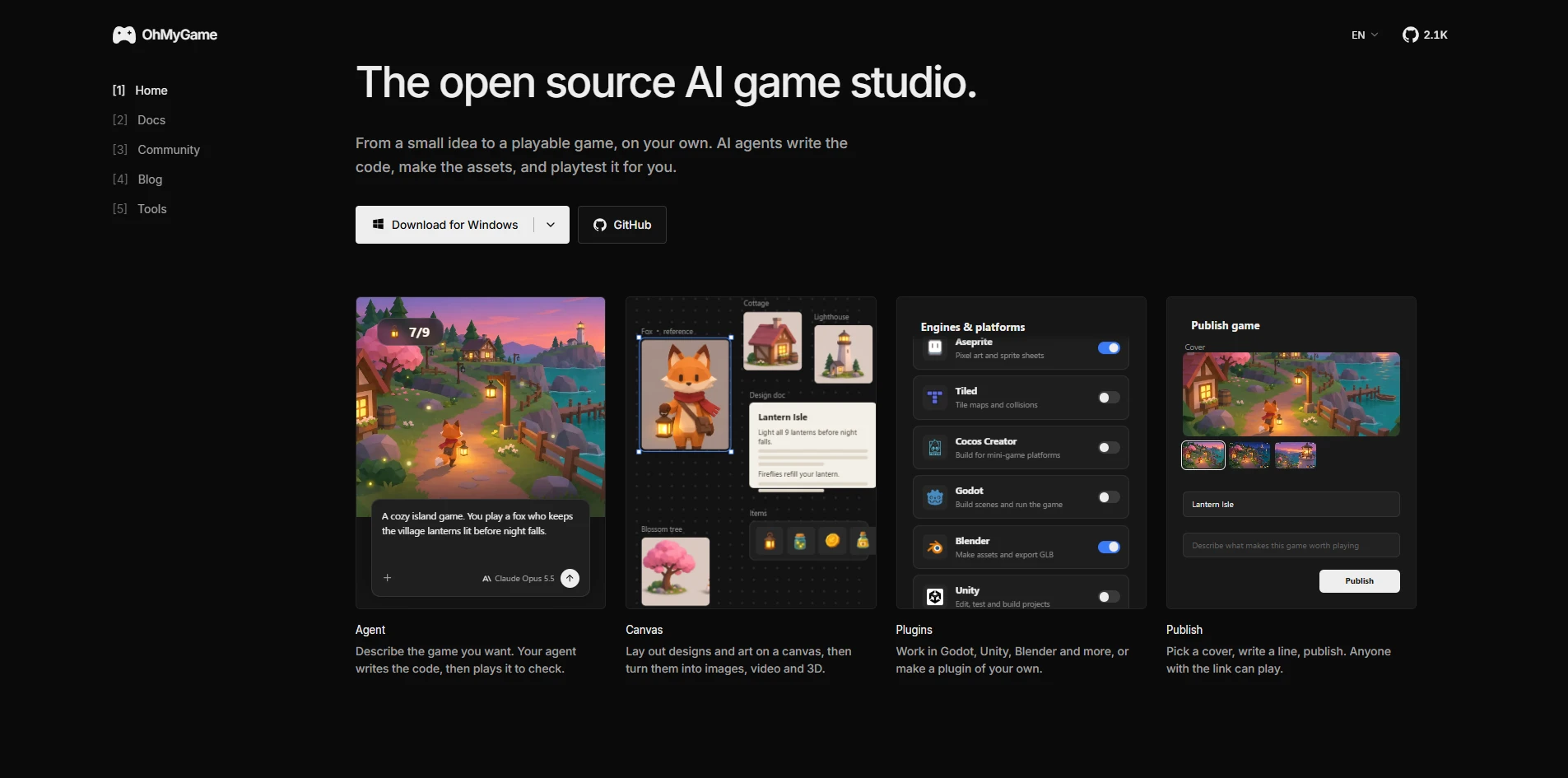
OhMyGame is an open-source AI game studio that turns ideas into playable games. It combines game design, asset generation, coding, testing, and publishing in one workspace. AI agents write the code, create assets, and playtest games, allowing users to go from a small idea to a playable game on their own.
How to use OhMyGame
- Download OhMyGame for macOS (Apple silicon) or Windows (64-bit).
- Open the app and describe the game you want in the chat interface.
- The AI agent writes the code, generates assets, and playtests the game.
- Use the canvas to lay out designs and art, then turn them into images, video, and 3D assets.
- Work with plugins for Godot, Unity, Blender, and more, or create your own plugin.
- Publish your game by picking a cover, writing a description, and sharing the link.
Features of OhMyGame
- Agent: Describe your game idea; the AI agent writes the code and plays it to check.
- Canvas: Lay out designs and art on a canvas, then generate images, video, and 3D assets.
- Plugins: Integrate with Godot, Unity, Blender, Aseprite, Tiled, and Cocos Creator, or build custom plugins.
- Publish: Pick a cover, write a line, and publish; anyone with the link can play.
- Model Support: Works with your own model keys from providers like Anthropic, OpenAI, Google, DeepSeek, Qwen, Kimi, GLM, MiniMax, xAI, Mistral, Groq, OpenRouter, Amazon Bedrock, Vercel AI Gateway, Gemini, and Meshy.
- Open Source: Licensed under Apache 2.0, with source code available on GitHub.
Use Cases of OhMyGame
- Rapid prototyping of game ideas without manual coding.
- Creating game assets (images, 3D models) using AI generation.
- Playtesting games automatically to identify issues.
- Publishing small games and sharing them via link.
- Integrating AI into existing workflows with Godot, Unity, or Blender.
Pricing
OhMyGame is free (price: $0). It is open source under the Apache 2.0 license. Users provide their own model keys for AI services.
FAQ
Is OhMyGame free?
Yes, OhMyGame is free and open source.
What platforms are supported?
OhMyGame runs on macOS (Apple silicon) and Windows (64-bit).
Do I need my own AI model keys?
Yes, you use your own model keys from supported providers.
Can I use OhMyGame with other game engines?
Yes, it integrates with Godot, Unity, Blender, and more via plugins.
How do I publish a game?
After building your game, use the publish feature to add a cover and description, then share the generated link.