What is OldRoll
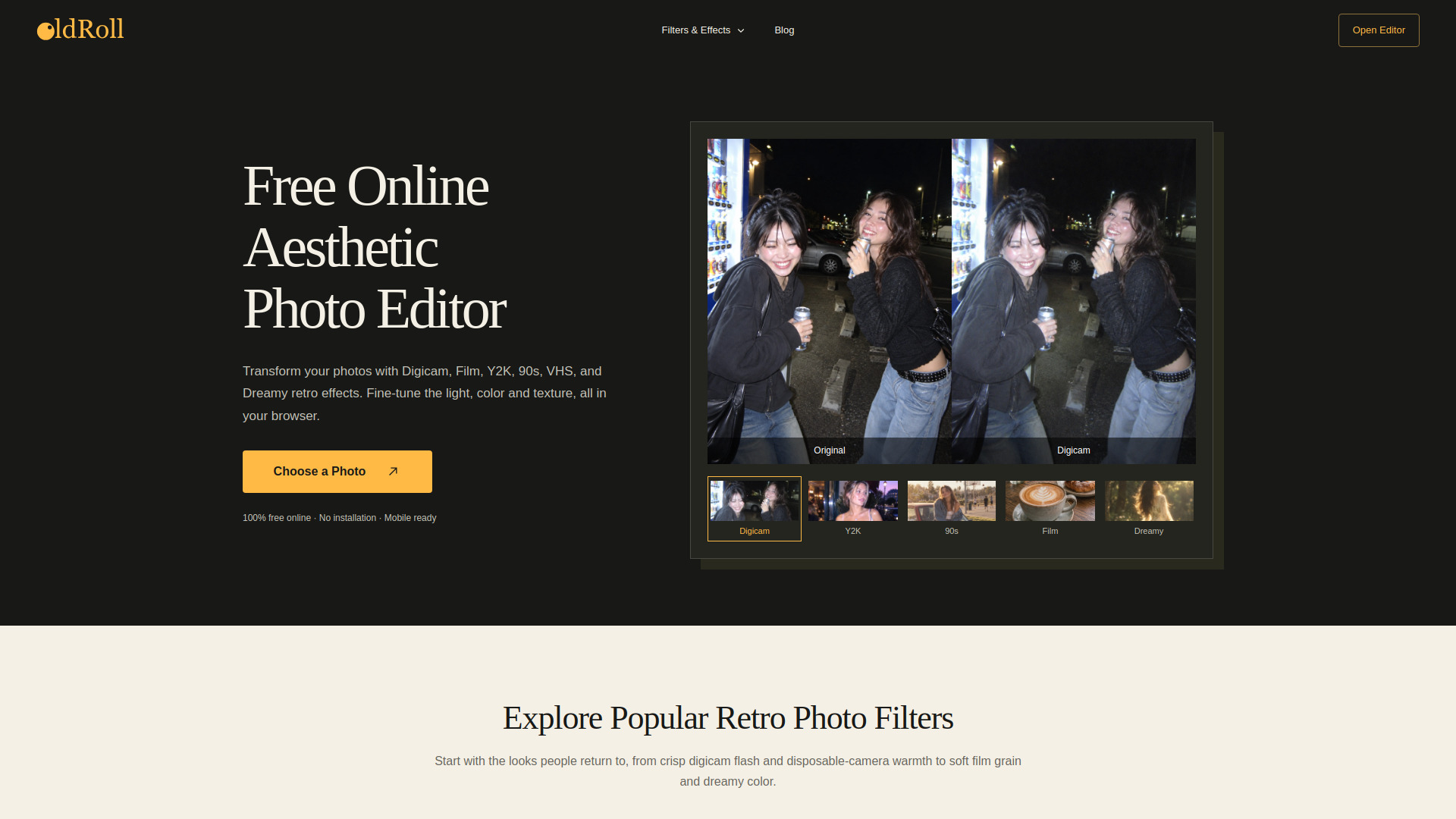
OldRoll is a free online editor for creating retro and aesthetic photo effects. It provides a platform to apply vintage filters, adjust photo parameters, and decorate images with frames, stickers, and layouts.
How to use OldRoll
- Upload a photo by clicking the upload button or dragging and dropping an image onto the designated area.
- Choose a filter from the available options such as Digicam, Y2K, Nineties, Mono, Film, Dreamy, VHS, Vintage, Grain, or Sunset.
- Adjust the intensity of the filter using the slider.
- Optionally, use additional editing tools to adjust brightness, contrast, saturation, and other parameters.
- Apply decorative elements like film prints, flower stickers, or light leaks.
- Select a layout for collages or strips.
- Export the edited photo.
Features of OldRoll
- Retro and aesthetic photo filters including Digicam, Y2K, Nineties, Mono, Film, Dreamy, VHS, Vintage, Grain, and Sunset.
- Adjustable filter intensity.
- Editing tools for brightness, contrast, saturation, and other parameters.
- Decorative options: film prints, flower stickers, light leaks.
- Layout options: grid and strip layouts for collages.
- Free to use online editor.
- Mobile app available for iOS and Android.
Use Cases of OldRoll
- Creating vintage-style photos for social media.
- Adding retro effects to personal photos.
- Designing aesthetic collages and photo strips.
- Enhancing photos with film-like grains and light leaks.
- Applying Y2K or nineties aesthetics to images.
Pricing
OldRoll is free to use. There is no mention of paid plans or tiers.
FAQ
- Is OldRoll free? Yes, OldRoll is a free online editor.
- What filters are available? Filters include Digicam, Y2K, Nineties, Mono, Film, Dreamy, VHS, Vintage, Grain, and Sunset.
- Can I adjust the filter intensity? Yes, there is a slider to adjust the intensity.
- Are there decorative options? Yes, you can add film prints, flower stickers, and light leaks.
- Is there a mobile app? Yes, OldRoll is available on iOS and Android.