What is OLVA.ai
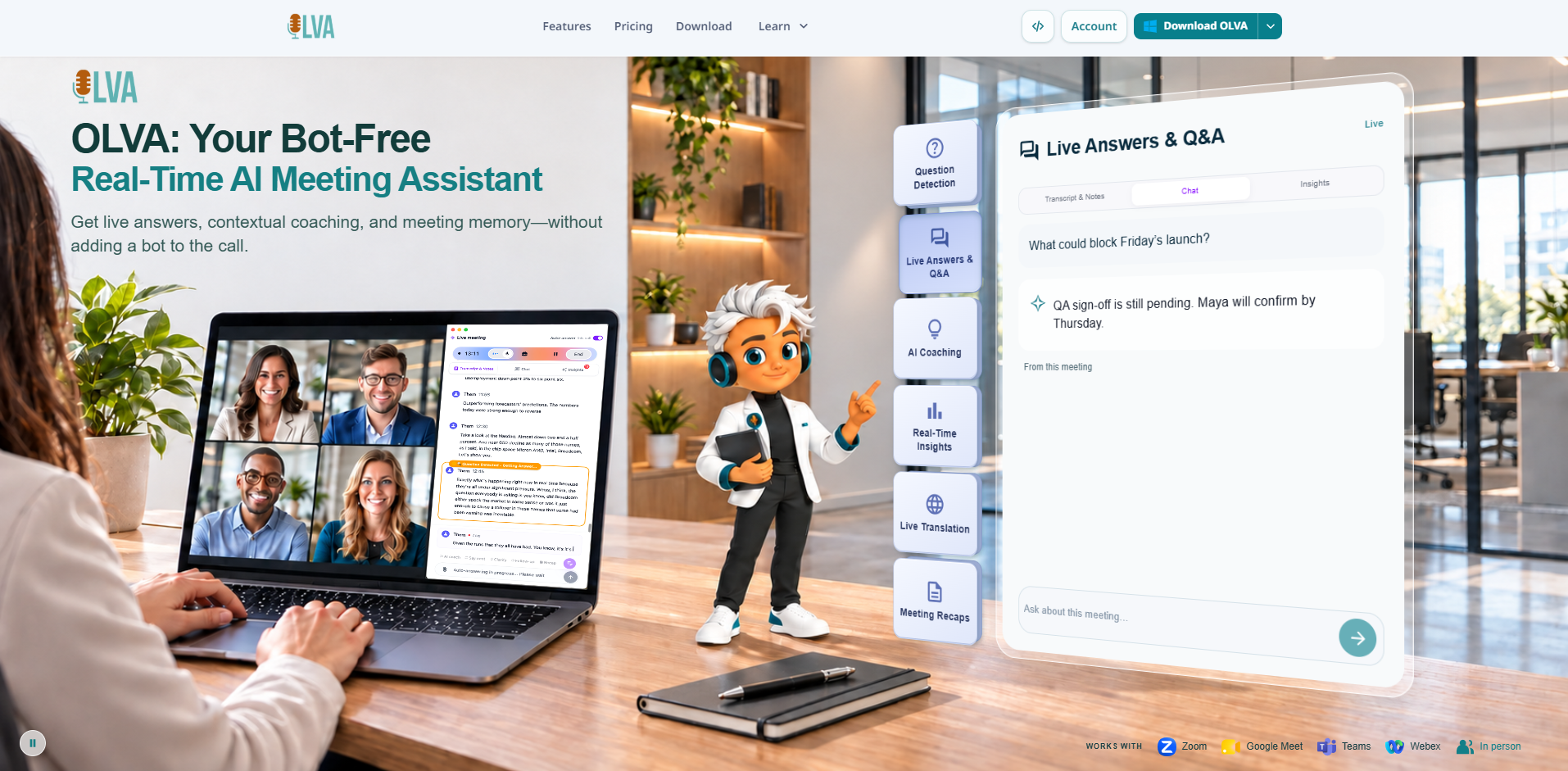
OLVA is a bot-free real-time AI meeting assistant that provides live insights, coaching, and answers during meetings on platforms like Zoom, Google Meet, Microsoft Teams, Slack huddles, Webex, and in-person conversations. It captures audio directly from your device without joining as a visible participant, offering live transcription, question detection, and contextual support.
How to use OLVA.ai
- Download and install OLVA on your desktop (Windows/macOS) or mobile device (iOS/Android).
- Start a meeting on your preferred platform (Zoom, Google Meet, Teams, etc.) or begin an in-person conversation.
- Launch OLVA and ensure it captures your device's audio (no bot joins the meeting).
- During the meeting, OLVA provides live transcription, detects questions, and offers real-time answers, insights, and coaching.
- Use the in-meeting chat to ask OLVA for clarification or suggestions.
- After the meeting, access automatic summaries, action items, and searchable meeting memory.
- Optionally, add reusable meeting context (notes, files) to improve answer relevance.
Features of OLVA.ai
- Live transcription with language detection and speaker diarization, supporting up to 87 language and regional options.
- Automated question detection that surfaces questions and provides live answers.
- Live Q&A using the active transcript and connected context.
- Live insights including fact-checking, jargon definitions, and risk signals.
- AI coach offering prompts, guidance, and follow-up suggestions.
- Reusable meeting context via notes and file attachments (PDF, Word, PowerPoint, etc.).
- Dual-language conversation mode for real-time translation between two languages.
- In-person conversation capture using mobile microphone.
- Post-meeting summaries with action items, decisions, next steps, and risks.
- Searchable meeting memory and post-meeting Q&A across meetings.
- Slide deck generation to create editable PowerPoint presentations from meeting content.
- Integrations with Notion, Slack, Google Drive, and outbound webhooks.
- Incognito mode (Pro/Ultra) to hide OLVA from screen-sharing capture.
- Mobile apps for iOS and Android with live meeting companion and meeting memory.
Use Cases of OLVA.ai
- Client visits and sales calls: Get real-time answers, fact-checks, and coaching to respond confidently.
- Team meetings: Automatically detect questions and provide context without interrupting the flow.
- Multilingual meetings: Transcribe and translate up to 87 languages, with dual-language mode for conversations.
- In-person conversations: Capture discussions using mobile microphone for classes, meetings, or field work.
- Post-meeting follow-up: Access summaries, action items, and searchable history to stay organized.
- Presentation creation: Generate slide decks from meeting transcripts and insights.
Pricing
OLVA offers multiple tiers:
- Free: $0 – basic live assistance with capped features.
- Starter: $35.88/year (billed annually, ~$2.99/month) – expanded access.
- Plus: $149.90/year (billed annually, ~$12.49/month) – for regular meeting users.
- Pro: $249.90/year (billed annually, ~$20.83/month) – includes incognito mode and advanced features.
- Ultra: $999.90/year (billed annually, ~$83.33/month) – maximum features and usage.
- Note taker plans: Free and Note (unlimited notes for capture and review).
- Teams & Enterprise: Custom pricing with security, admin controls, and dedicated support.
FAQ
Is there an AI meeting assistant that does not join as a bot?
Yes. OLVA works as a private desktop and mobile companion instead of joining your meeting as a visible participant.
Can OLVA answer questions live during a meeting?
Yes. OLVA follows the live transcript, detects questions automatically, and generates contextual answers, coaching prompts, and follow-up suggestions.
How is OLVA different from a normal AI notetaker?
Most AI notetakers focus on notes after the call. OLVA is built for the meeting itself: live transcription, question detection, AI Boost, document-aware answers, coaching, and post-meeting memory.
Does OLVA join my meetings?
No. OLVA captures from your own device and does not appear as a meeting participant.