What is Omlx AI
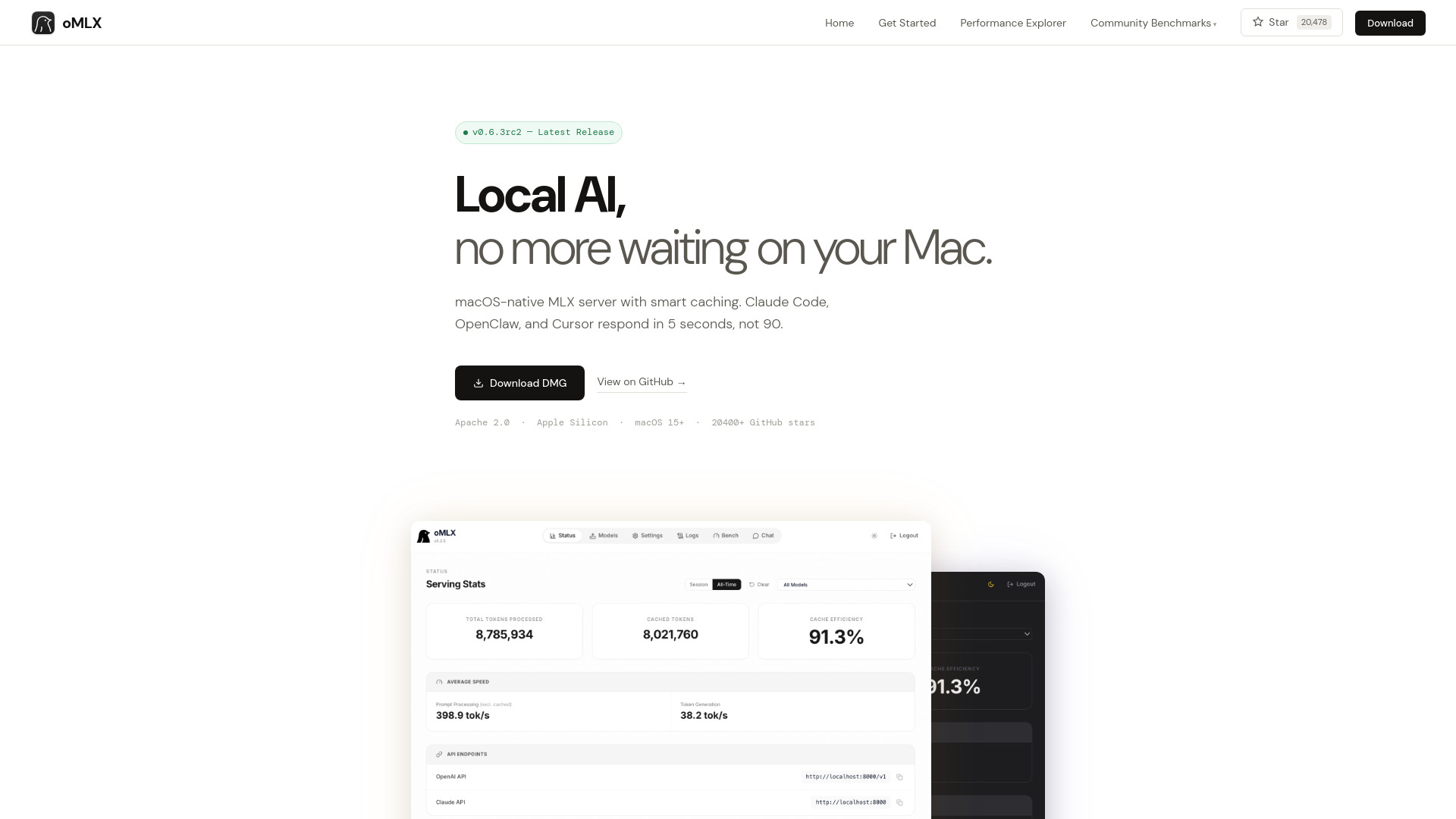
Omlx AI is a native macOS inference server built on MLX, designed to run large language models locally on Apple Silicon. It features paged SSD KV caching, which dramatically reduces time-to-first-token (TTFT) for coding agents, dropping it from 30-90 seconds to under 5 seconds. It provides OpenAI and Anthropic compatible APIs, making it a drop-in backend for tools like Claude Code, OpenClaw, and Cursor.
How to use Omlx AI
- Download and install: Download the DMG from the GitHub releases page and drag it to Applications, or install from source with
git clone https://github.com/jundot/omlx && cd omlx && pip install -e .. - Start the server: Launch the app or run
omlx serve --model-dir ~/modelsfrom the terminal. - Configure your client: Use the web dashboard to generate the exact configuration command for your preferred tool (e.g., Claude Code, OpenClaw, Cursor).
- Load models: Models are automatically detected from the standard Hugging Face cache and LM Studio folder, or you can download new ones from the admin dashboard.
Features of Omlx AI
- Paged SSD KV caching: Persists cache blocks to disk, allowing fast restoration of previous prefixes across requests and restarts.
- Continuous batching: Handles concurrent requests efficiently, with up to 4.14× generation speedup at 8× concurrency.
- Native macOS menu bar app: Start, stop, and monitor the server from the menu bar, with a web dashboard for management and metrics.
- Multi-model serving: Load LLM, VLM, embedding, and reranker models simultaneously, with LRU eviction when memory is low.
- OpenAI + Anthropic drop-in API: Compatible with Claude Code, OpenClaw, Cursor, and any OpenAI-compatible client.
- Tool calling + MCP: Supports JSON, Qwen, Gemma, GLM, MiniMax tool formats, and MCP tool integration.
Use Cases of Omlx AI
- Local AI development: Run coding agents like Claude Code and Cursor with fast response times, without cloud dependencies.
- Privacy-sensitive tasks: Keep data on-device for confidential or sensitive work.
- Offline AI: Use AI tools without an internet connection.
- Performance testing: Benchmark models on Apple Silicon hardware with detailed metrics.
Pricing
Omlx AI is open source under the Apache 2.0 license, and the DMG is available for free download from GitHub.
FAQ
How is oMLX different from Ollama or LM Studio?
Ollama and LM Studio cache KV state in memory, which gets invalidated when context shifts, causing recomputation. oMLX persists every KV cache block to SSD, so previously cached portions are always recoverable, reducing TTFT from 30-90 seconds to under 5 seconds.
What hardware do I need?
Apple Silicon (M1 or later) with macOS 15+. 16GB RAM is the minimum, but 64GB+ is recommended for larger models.
Does it work with Claude Code, OpenClaw, and Cursor?
Yes, it provides both OpenAI-compatible and Anthropic-compatible endpoints, and works as a drop-in backend for all three.
Do I need to re-download my models?
No, it reads the standard Hugging Face cache and LM Studio folder, so existing models are recognized without re-download.
What models are supported?
Any MLX-format model from HuggingFace, including Qwen, LLaMA, Mistral, Gemma, DeepSeek, MiniMax, GLM, and more. Vision-Language Models are supported since v0.2.0.