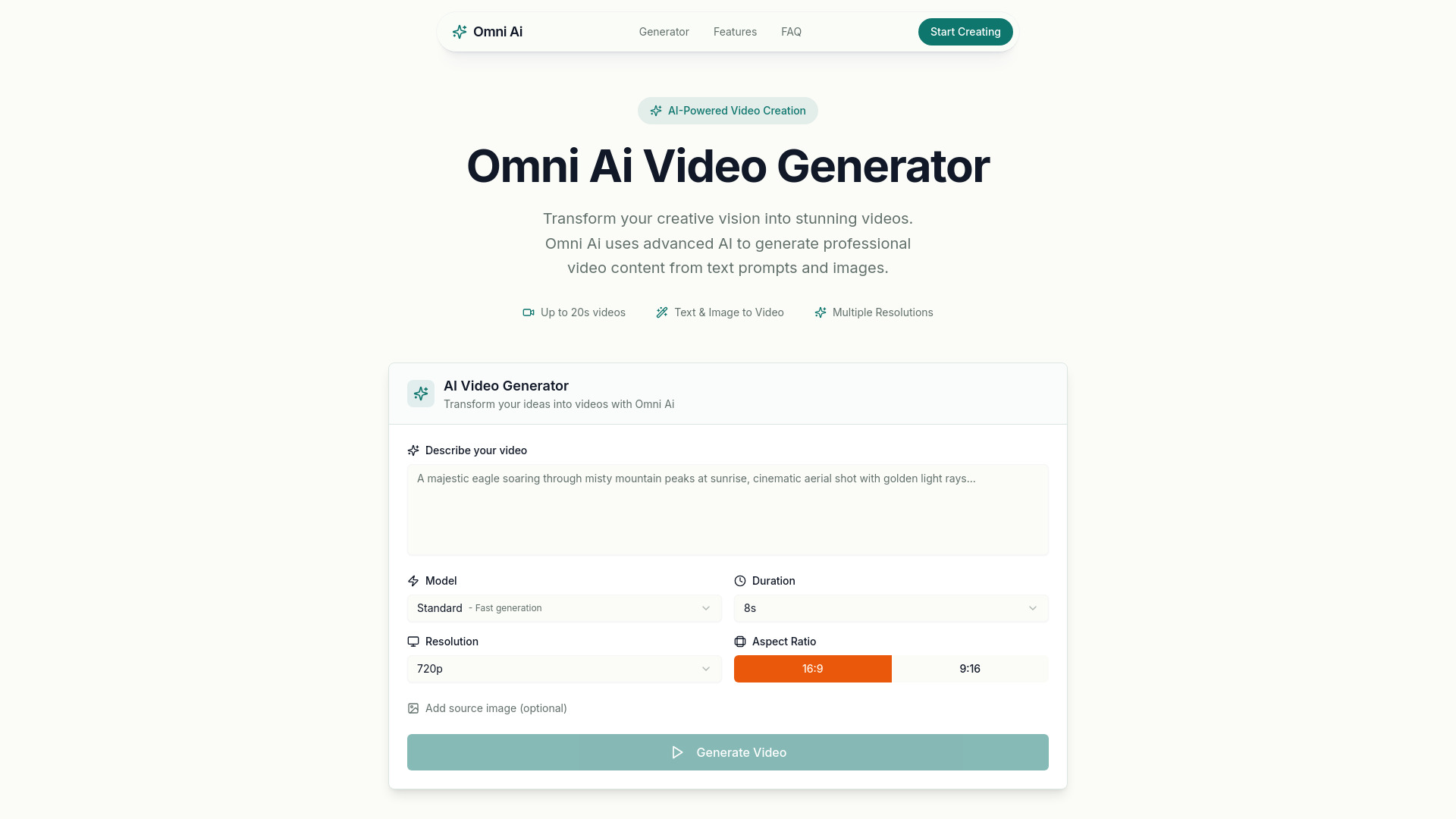
What is Omni AI
Omni AI is an AI-powered video generation platform that transforms text prompts and images into high-quality videos. It enables creators to produce professional video content without traditional video editing skills or equipment.
How to use Omni AI
- Describe your video idea in the prompt field.
- Select your preferred settings (model, duration, resolution, aspect ratio).
- Click 'Generate'.
- Optionally, upload a source image to guide the visual style.
Features of Omni AI
- Text-to-video generation
- Image-to-video generation
- Multiple video durations (4, 8, 12, 16, and 20 seconds)
- Multiple resolutions (720p, 1024p, and 1080p)
- Landscape (16:9) and portrait (9:16) aspect ratios
- Fast generation times (typically within a few minutes)
- Easy downloads in MP4 format
- Secure and private processing
Use Cases of Omni AI
Omni AI can generate a wide range of video content including cinematic scenes, product visualizations, creative animations, landscape shots, character movements, and more. It is suitable for social media clips, intros, or other creative projects.
FAQ
What is Omni Ai? Omni Ai is an AI-powered video generation platform that transforms text prompts and images into high-quality videos. Using advanced machine learning models, Omni Ai enables creators to produce professional video content without traditional video editing skills or equipment.
How does Omni Ai video generation work? Simply describe your video idea in the prompt field, select your preferred settings (model, duration, resolution, aspect ratio), and click Generate. Our AI processes your prompt and creates a unique video based on your description. You can also upload a source image to guide the visual style.
What video durations and resolutions does Omni Ai support? Omni Ai supports video durations of 4, 8, 12, 16, and 20 seconds. The Standard model supports 720p resolution, while the Pro model unlocks higher resolutions including 1024p and 1080p. Both landscape (16:9) and portrait (9:16) aspect ratios are available.
What is the difference between Standard and Pro models? The Standard model provides fast, efficient video generation at 720p resolution. The Pro model offers enhanced quality, more detailed outputs, and access to higher resolutions (1024p and 1080p) for professional-grade results.
Can I use Omni Ai for image-to-video generation? Yes! Omni Ai supports image-to-video generation. Simply provide a URL to your source image along with your prompt, and the AI will use it as a reference to create your video while maintaining visual consistency with the original image.
How long does video generation take with Omni Ai? Generation times vary based on the selected duration, resolution, and current system load. Typically, videos are ready within a few minutes. You can monitor progress in real-time through the status panel during generation.
What types of videos can I create with Omni Ai? Omni Ai can generate a wide range of video content including cinematic scenes, product visualizations, creative animations, landscape shots, character movements, and more. The quality of output depends on the specificity and clarity of your prompt.
Can I download videos generated with Omni Ai? Yes, once your video is generated, you can download it directly from the platform. Videos are provided in standard MP4 format compatible with all major video players and editing software.