Newsletter
Join the Community
Subscribe to our newsletter for the latest news and updates

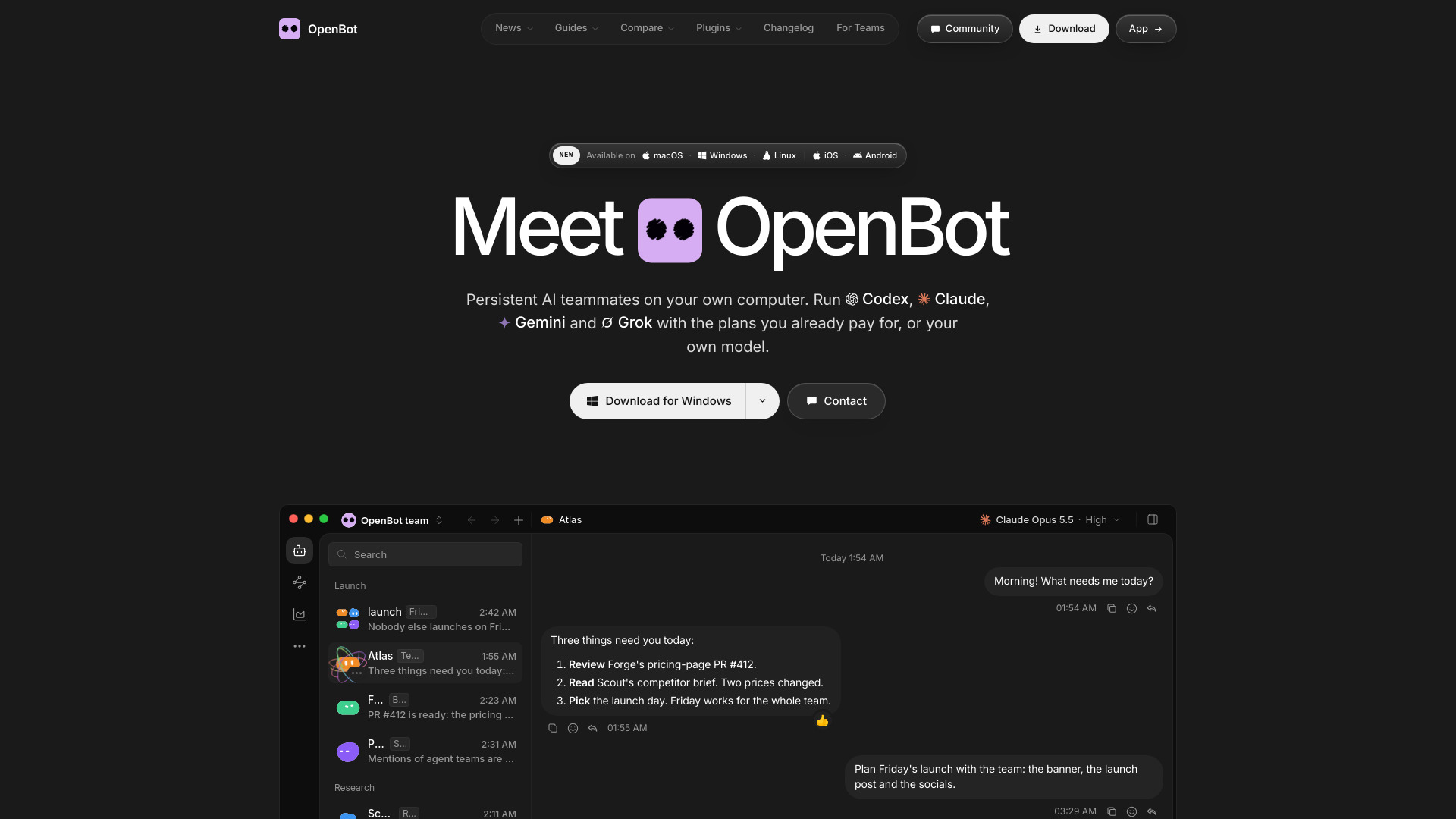
A desktop workspace for teams of AI agents
OpenBot is a free desktop application that runs a team of AI agents on your own computer. It works with the ChatGPT, Claude, Gemini, or Grok plan you already pay for, or with your own model. Agents operate as a team, keeping their workspace and history, while chats, files, and workspaces stay on your computer. Mobile apps for iPhone and Android can connect to your own computer.
OpenBot is free, with no locked features. You pay only your AI provider through the plan or API key you already have. The software is free for noncommercial use; commercial use requires a separate license.
Is OpenBot free?
Yes. OpenBot costs $0, with no locked features. You pay only your AI provider, through the plan or API key you already have.
Is OpenBot open source?
The source code is public on GitHub under the PolyForm Noncommercial License 1.0.0. You can read, change, and run it for any noncommercial purpose. It is not an open-source license as the OSI defines one: commercial use needs a separate license.
Can I use my ChatGPT or Claude plan?
Yes. Codex signs in with your ChatGPT plan, and Claude Code with your Claude plan. Gemini uses a Google AI Pro or Ultra plan. OpenCode has free models that need no account.
Which AI models can OpenBot use?
Codex, Claude Code, Gemini, Grok, OpenCode, Cursor, Cline, Muse Code and Pi, and Inception's Mercury models. You can also run any agent that speaks the Agent Client Protocol, such as Goose or Qwen Code, connect any OpenAI-compatible endpoint, and use local models in Ollama or LM Studio.
What happens when my plan reaches its limit?
An agent can move to a backup model on another provider when its plan reaches its limit, or when its provider is overloaded or down. It keeps its chat and workspace, and a note in the chat shows the switch.
How do I start?
Download OpenBot and connect a provider. Then describe the agent you want in one prompt, check its instructions and save it. You can send it work at once: messages wait in a queue until it is free.
Where does my data go?
Workspaces, conversations, attachments and browser data stay on the computer that runs OpenBot. The AI provider you choose receives the prompts that your agents send to it, and the pages that agents open use the network.
Which computers can run OpenBot?
macOS 13 or newer on Apple silicon or Intel, Windows 10 or newer on x64, and Linux on x64 or arm64 as an AppImage.
Is it safe to let agents work on my computer?
OpenBot is a development preview. Agents can read and change files, run commands, use the network and control the built-in browser without asking each time. Give them only tasks you trust, and keep backups.