What is Passport Size Photo Maker
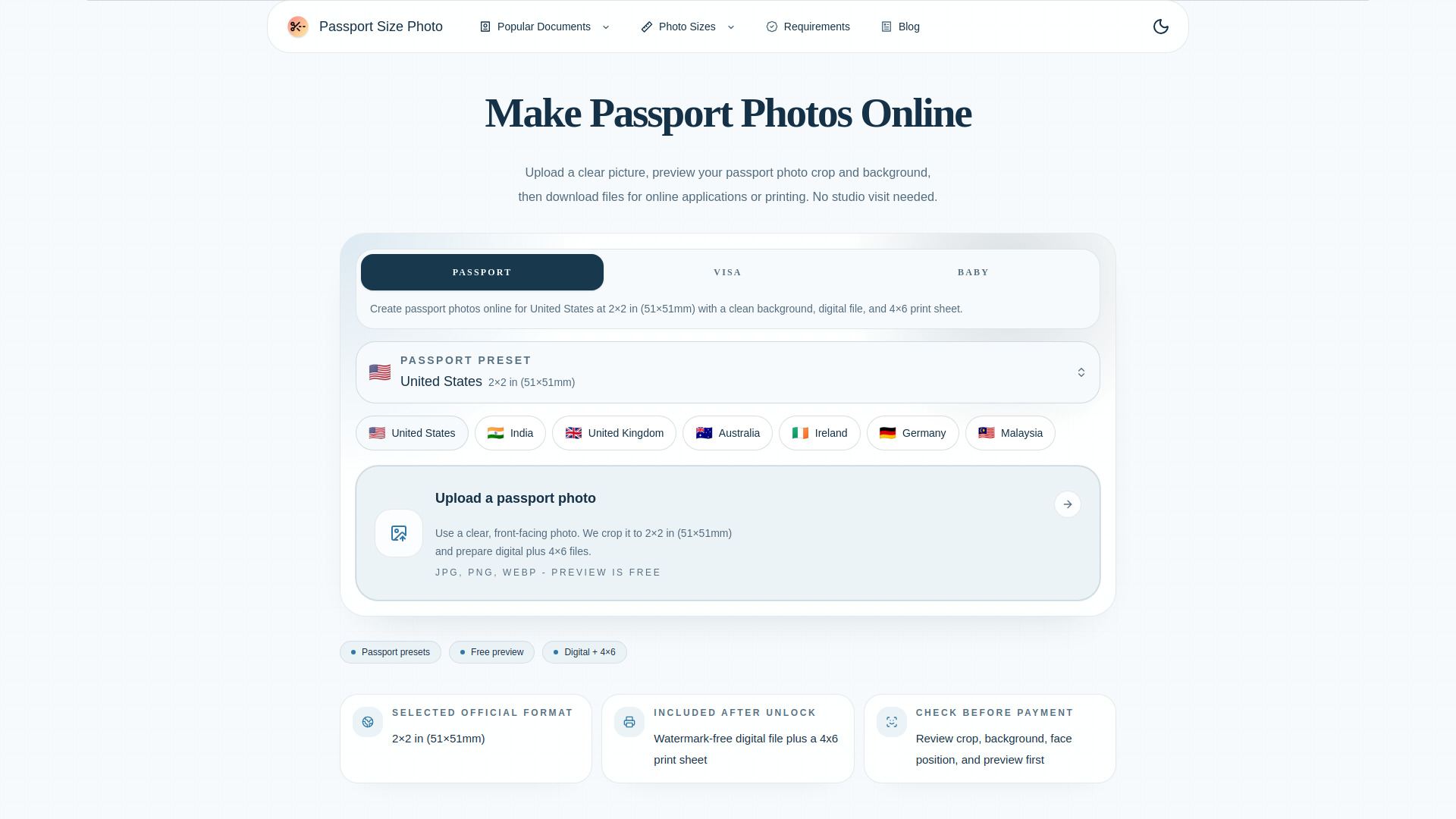
Passport Size Photo Maker is an online tool that lets you create compliant passport, visa, and ID photos from your own pictures. Upload a clear photo, choose a country-specific size preset, preview the crop and background, then download a digital file or a print-ready 4×6 sheet. No studio visit needed.
How to use Passport Size Photo Maker
- Choose a country preset – Select the passport format you need (e.g., US 2×2 in, UK 35×45 mm, China 33×48 mm, Canada 50×70 mm).
- Upload a clear photo – Use a recent image with even lighting and enough room around the head and shoulders. Accepted formats: JPG, PNG, WEBP.
- Check the crop and background – Review the face position, crop frame, and background guidance before exporting.
- Download your photo – Export a single file for digital submissions or a 4×6 print sheet for physical passport photos.
Features of Passport Size Photo Maker
- Country-specific size presets – Switch between common passport formats such as US 2×2, 35×45 mm, China 33×48 mm, and Canada 50×70 mm.
- Digital and print-ready output – Download a single image for online forms or a 4×6 print sheet for kiosks, pharmacies, and home printers.
- Preview in your browser first – Check crop, background, and size requirements before you decide to export a final file.
- Faster than a studio retake – Review the format immediately instead of discovering a size or background problem after you print.
- Exact outer dimensions – Match the required size for the country or document type you are applying for.
- Face position – Check that the head is centered and easy to crop into the target frame.
- Background guidance – Review whether the document needs white, light grey, blue, or another clean backdrop.
- Biometric visibility – Keep the eyes visible, remove glasses where required, and avoid shadows across the face.
- Print layout – Generate a standard 4×6 sheet when you need physical passport photos.
- Size guide links – Jump to country pages and unit pages when you need more specific size requirements.
Use Cases of Passport Size Photo Maker
- Travelers – Create compliant passport photos for multiple countries without visiting a studio.
- International students – Get urgent passport photos at any time, even when studios are closed.
- Expats – Easily produce photos that meet the specific dimensions of your host country.
- Anyone needing ID photos – Make visa, passport, or other ID photos from home.
FAQ
Is my photo safe? Do you store my images? Most photo preview and editing happen in your browser. When you request a final download, the generated export may be sent through our service to deliver the file. We do not ask you to send a photo to a studio just to check crop and size.
What passport photo sizes are supported? We support passport photo sizes for major passport formats including US (51×51mm), UK (35×45mm), China (33×48mm), Canada (50×70mm), and more.
Can I use this photo for my official passport application? Yes! Our tool generates photos that meet official government requirements, including correct dimensions, aspect ratio, and resolution (300 DPI). However, we recommend printing on high-quality photo paper for best results.
What image formats are accepted? We accept JPG, PNG, and WEBP formats. For best results, use a high-resolution photo taken in good lighting.
What is the 4×6 print sheet option? The 4×6 inch print sheet contains multiple passport photos arranged on a standard photo size. You can print it at any photo kiosk or home printer and cut out individual photos.
Why were my passport photos rejected? Common rejection reasons include: shadows on face, wearing glasses, non-compliant background color, incorrect dimensions, or poor image quality. Our tool helps you avoid dimension issues, but ensure proper lighting and expression when taking the photo.
Can I create passport photos online? Yes. Upload a clear, front-facing picture, preview the crop and background, then download passport photos for digital use or printing.
Can I make passport photos at home? Yes. You can take a clear photo at home, use the preview to check the crop and background, and download files for online applications or printing.
Can I print the passport photos? Yes. After previewing your photo, you can download a printable sheet and print it at home or through a photo printing service.