What is Persona.js
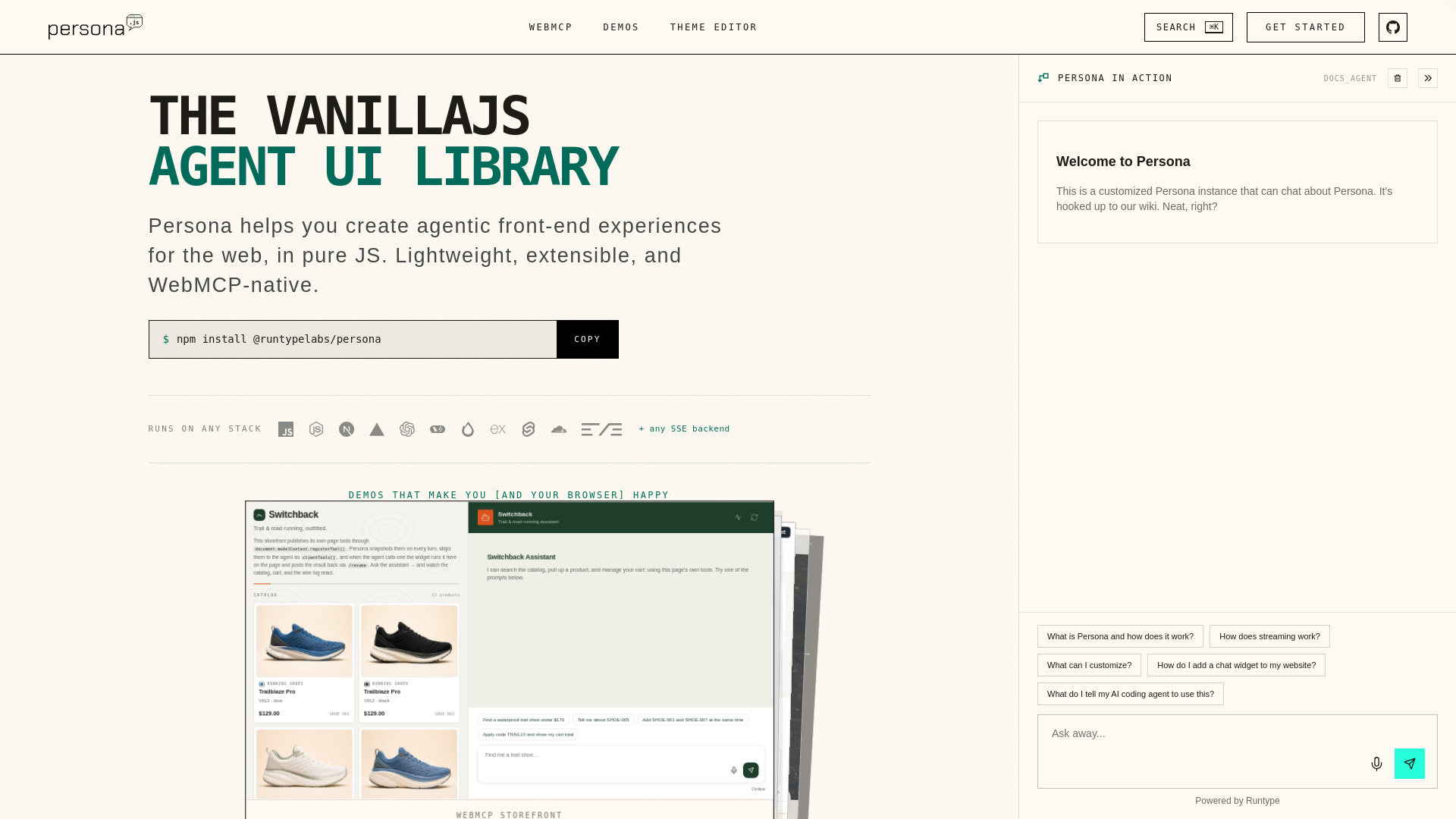
Persona.js is an open-source, framework-free AI chat UI library for websites. Built in vanilla JavaScript, it allows developers to add a streaming, themeable AI chat widget to any website in minutes. It supports SSE streaming, agent loops, tool use, and style isolation via Shadow DOM, with zero framework dependencies.
How to use Persona.js
-
Install via npm or use a script tag:
- npm:
npm install @runtypelabs/persona - Script tag:
<script src="https://cdn.jsdelivr.net/npm/@runtypelabs/persona@4/dist/install.global.js"></script>
- npm:
-
Import the stylesheet and init function:
import "@runtypelabs/persona/widget.css"; import { initAgentWidget } from "@runtypelabs/persona"; -
Mount the widget by calling
initAgentWidgetwith a target element and configuration:initAgentWidget({ target: "#chat", config: { apiUrl: "https://your-api.com/chat" }, }); -
Choose a layout mode: floating (default), docked, or fullscreen by adjusting the
launcherconfig. -
Connect any SSE backend – Persona works with any backend that streams SSE events. Use
customFetchandparseSSEEventto adapt request/event shapes.
Features of Persona.js
- Framework-free: Pure vanilla JavaScript, works with any stack (Next.js, SvelteKit, Hono, Express, etc.)
- SSE streaming: Pluggable parsers for streaming responses from any backend
- Agent loops & tool use: Supports agentic workflows with user approval for tool calls
- Style isolation: Shadow DOM rendering and prefixed CSS keep widget and host styles separate
- Three layout modes: Floating launcher, docked copilot, or fullscreen assistant
- WebMCP native: Discovers page tools registered via
document.modelContextand asks user before calling them - Themeable: Three-layer token tree (palette, semantic, component) with dark mode and live theme editor
- Pluggable transport: Adapt any request/event shape with
customFetchandparseSSEEvent
Use Cases of Persona.js
- Customer support widget: Add a floating chat launcher to any website for support, docs, or sales
- Copilot for web apps: Dock a side panel beside your application for an AI assistant
- Fullscreen AI assistant: Build a standalone chat interface that owns the page
- Agentic e-commerce: Let users search products, manage carts, and book appointments via chat using WebMCP tools
- Voice integration: Combine with voice input for hands-free interaction
- Dynamic components: Render custom UI elements within the chat stream
Pricing
Persona.js is an open-source project released under the MIT License. It is free to use. The team behind Persona also offers Runtype, a hosted service that provides a CLI to quickly set up agents and client tokens.
FAQ
Q: Does Persona require a specific backend?
A: No. Persona works with any SSE backend. You can adapt request/event shapes using customFetch and parseSSEEvent.
Q: Will Persona break my existing styles? A: No. Persona uses Shadow DOM and prefixed CSS to fully isolate its styles from the host page.
Q: Can I use Persona without npm? A: Yes. You can install it via a script tag from a CDN.
Q: What is WebMCP?
A: WebMCP is a standard that gives the browser a place for page tools via document.modelContext. Persona discovers those tools and asks the user before calling them.
Q: How do I change the layout?
A: Adjust the launcher config in initAgentWidget. Options include floating (default), docked (with side and width), and fullscreen (with fullHeight: true).