LogoTopAIHubs
icon of ProRemover

ProRemover

AI tool to remove unwanted objects, people, and text from photos online.

Introduction

What is ProRemover

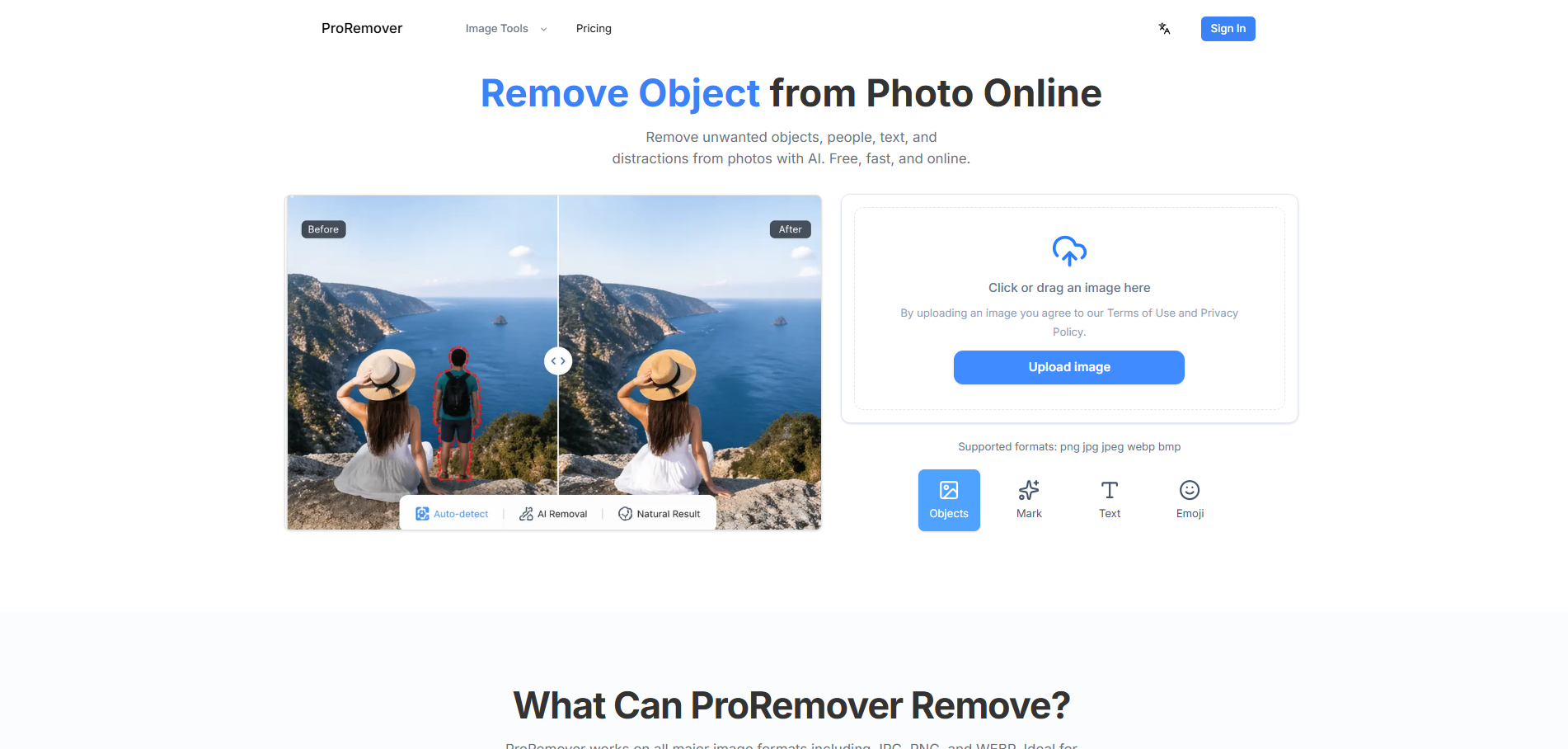
ProRemover is an AI tool designed to remove unwanted objects, people, text, and distractions from photos online. It offers a free, fast, and easy way to clean up images without the need for manual editing or complex software.

How to use ProRemover
  1. Upload your photo: Choose a JPG, PNG, or WEBP image with an unwanted object, person, logo, date stamp, or background distraction.
  2. Clean the unwanted area: Use the online editor to prepare the image and let AI generate a cleaner version of the photo.
  3. Download the cleaned result: Save the final image for ecommerce, travel posts, social content, profile visuals, or marketing assets.
Features of ProRemover
  • Free online object remover: Clean images in your browser without installing software.
  • AI-powered cleanup: Removes objects, people, text, and distractions in seconds.
  • No complex editing: Focused online workflow for quick fixes.
  • Supports multiple formats: Works with JPG, PNG, and WEBP.
  • Versatile cleanup: Removes crowds, signs, trash, cars, clutter, text, logos, date stamps, stickers, overlays, and photobombers.
Use Cases of ProRemover
  • Travel & landscape photos: Erase crowds, signs, trash, cars, and clutter from scenic shots.
  • Product images: Remove props, dust, labels, background objects, and messy edges.
  • Memes and posters: Clean captions, stickers, overlays, and old logos.
  • Social media content: Prepare cleaner posts, thumbnails, stories, and campaign visuals.
  • Portraits & selfies: Remove photobombers, background distractions, stickers, and small marks.
  • Text and logo removal: Clean date stamps, erase distracting logos.
  • Product photo cleanup: Remove background clutter, extra props, small marks, tags, and messy edges.
Pricing

ProRemover offers several plans:

  • Starter: $9.90/month (includes 300 credits, access to Erase, Restore, Upscale, Adjust, and AI Editor).
  • Pro: $19.90/month (includes 1200 credits, best per-edit value, Nano Banana unlocked, faster processing, and batch-friendly workflow).
  • Max: $39.90/month (includes 3000 credits, highest-value credit pricing, Nano Banana Pro unlocked, priority processing, and premium quality controls).
  • Pay as you go: Available as an alternative to monthly plans.
  • Yearly: Offers a 20% discount.
FAQ
  • Is there a free object remover from photo? Yes. ProRemover is designed as a free online object remover for quick photo cleanup. Upload an image, remove the unwanted distraction, and download a cleaner result from your browser.
  • How do I remove an object from a photo online for free? Upload your photo, mark or prepare the area you want to clean, run the AI object remover, and download the cleaned image. You do not need to install editing software for routine cleanup jobs.
  • Can AI remove unwanted objects from photos? AI can remove many unwanted objects from photos by replacing the selected area with generated background detail. Results work best when the distraction is clear and the surrounding background has enough visual context.
  • What is the best way to remove objects from photos? For fast edits, the best way is to use an online AI object remover. It avoids the learning curve of manual clone tools while still handling common distractions like people, text, logos, clutter, and small marks.
  • Can I remove objects from photos without Photoshop? Yes. ProRemover lets you remove objects from photos without Photoshop or complex editing. It is built for quick browser-based cleanup rather than full professional retouching.

Newsletter

Join the Community

Subscribe to our newsletter for the latest news and updates