What is Rake
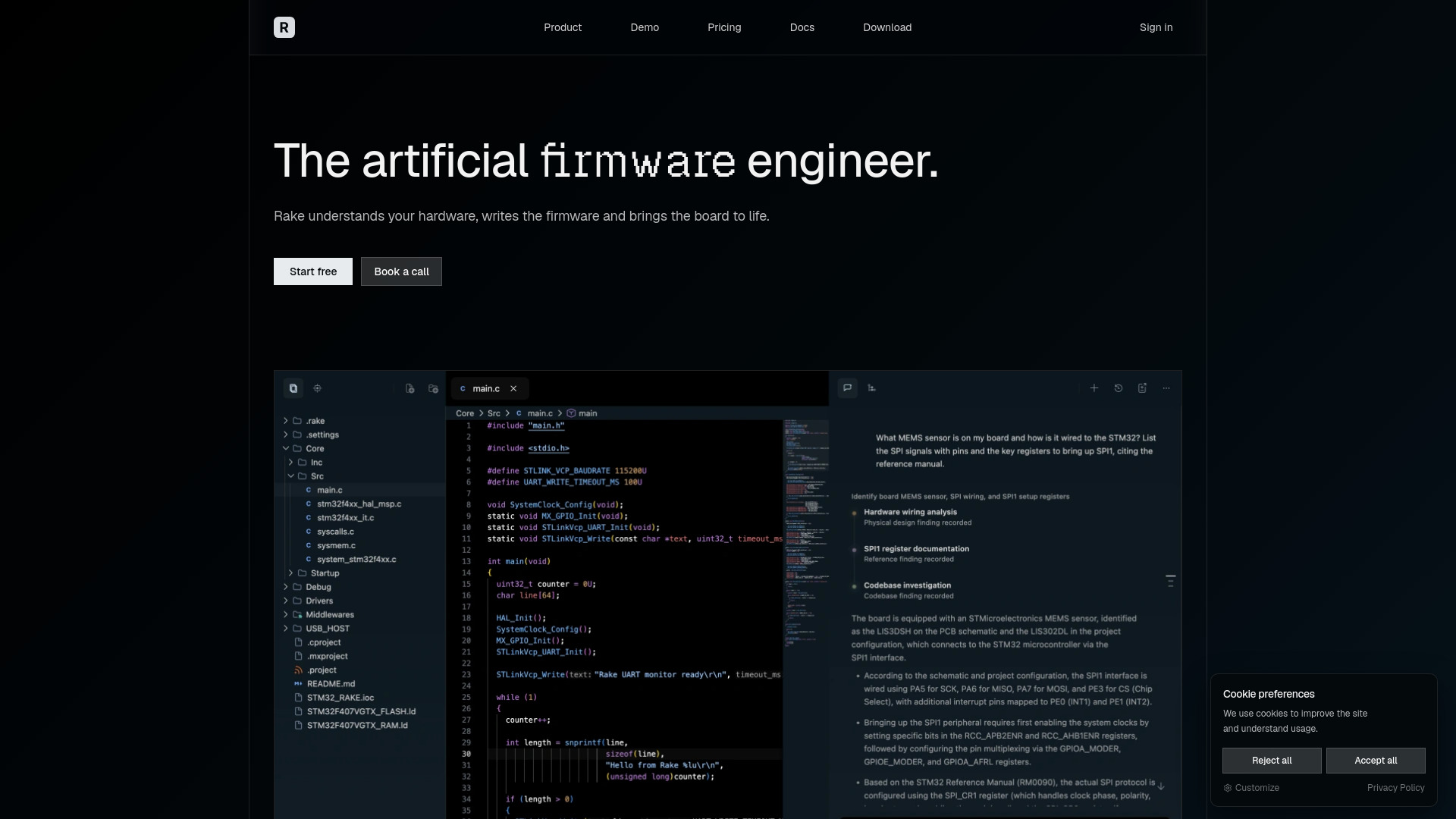
Rake is an artificial firmware engineer delivered as a desktop app. It reads your schematic and datasheets, writes the driver, then builds, flashes and debugs the firmware on the real board. It is designed to take a project from schematic to a running board, going beyond code generation to interact with physical hardware.
How to use Rake
- Start by creating a free account or booking a call to get started.
- Open your firmware project in the Rake desktop app.
- Ask Rake questions about your hardware, such as identifying sensors and their wiring. Rake searches your PCB and datasheets to provide answers with citations.
- Review code changes as diffs before applying them. You can apply, discard, or ask for modifications.
- Let Rake build the firmware using the appropriate toolchain, which it sets up automatically if needed.
- Rake flashes the firmware to the board via a debug probe (e.g., ST-LINK) and verifies the flash.
- Use Rake to debug: set breakpoints, inspect variables, and read back register values from the live board.
Features of Rake
- Hardware-aware answers: Rake answers questions grounded in your project files, PCB layout, and datasheets, citing the source page.
- Code changes as reviewable diffs: Every edit is presented as a diff that you can apply, discard, or request changes to.
- Build, flash, and debug on real hardware: Rake drives the probe and debugger, then reads back what the board did.
- Multi-vendor support: Works with microcontrollers from major chip vendors (ARM Cortex-M and ESP32 family) using a single workflow.
- Automatic toolchain setup: Rake sets up the necessary build toolchains the first time a build needs them.
- Probe recognition: Recognizes debug probes the moment they are plugged in, eliminating configuration hassles.
- Evidence-based answers: Datasheet pages, board facts, and live register reads stay attached to every answer.
- Built-in catalog: Supports 10 chip vendors, 50+ microcontroller families, and 18 debug probes.
Use Cases of Rake
- Firmware bring-up: Quickly bring up a new board by having Rake identify components, write drivers, and debug issues.
- Driver development: Automatically generate and review driver code for sensors and peripherals based on schematic and datasheet information.
- Hardware debugging: Use Rake to set breakpoints, inspect registers, and understand hardware state without manual tool switching.
- Datasheet research: Get instant answers about register settings and hardware behavior with citations to datasheet pages.
- Cross-vendor projects: Manage firmware development across different microcontroller vendors with a consistent workflow.
Pricing
Rake offers a free plan to start. For detailed pricing information, refer to the pricing page.
FAQ
What is Rake?
Rake is a desktop app that works like a firmware engineer on your project. It reads the schematic and datasheets, writes the driver, then builds, flashes and debugs the board.
Does it only write code?
No. Rake writes the change, then builds it, flashes the board and reads back what the hardware did. An editor assistant stops at the code.
Which MCUs does it support?
ARM Cortex-M parts from the major vendors, and the ESP32 family through ESP-IDF. The full catalog is in the docs.
Is it production ready?
Rake ships as versioned desktop releases for macOS, Windows and Linux. The docs list the supported workflows and what is not covered yet.