What is Rhetis
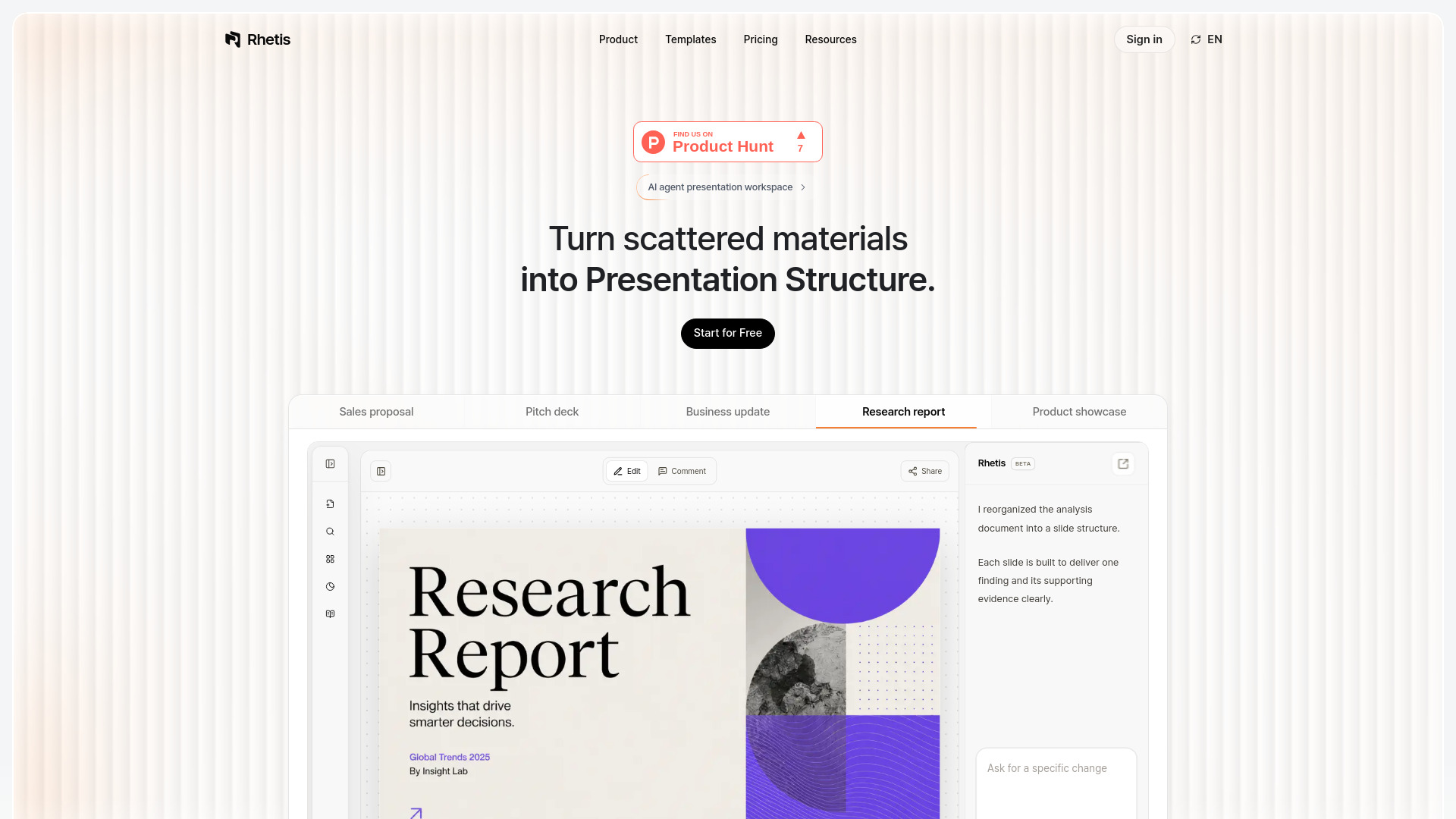
Rhetis is an AI-powered presentation maker that transforms documents, PDFs, notes, and prompts into structured, editable presentation drafts. It analyzes your materials to build a persuasive narrative flow, helping you turn scattered sources into clear, presentation-ready slides.
How to use Rhetis
- Upload your materials: Add documents, tables, PDFs, or notes. Rhetis extracts claims, figures, and evidence from them.
- Design the flow: Define the core message, slide order, and the role of each slide based on your goal and audience.
- Complete the slides: Apply design to the approved structure, generating a draft that remains editable in PowerPoint.
- Collaborate: Share completed slides, apply feedback, and manage revisions in one place.
Features of Rhetis
- Automated narrative flow: Understands context and structures introduction, body, and conclusion automatically.
- Context-aware data summary: Cross-checks quantitative data and qualitative interviews to structure central claims and evidence.
- Editable output: Generates drafts that are fully editable in PowerPoint.
- Collaboration tools: Share slides and manage feedback and revisions within the platform.
- Multiple input formats: Supports documents, PDFs, notes, tables, and prompts.
- Use-case templates: Includes templates for sales proposals, pitch decks, business updates, research reports, and product showcases.
Use Cases of Rhetis
- Pitch decks: Turn business materials into investor-ready pitch decks with a clear narrative.
- Sales proposals: Convert product information and data into persuasive sales proposals.
- Business updates: Transform internal reports and notes into structured business update presentations.
- Research reports: Organize research findings and data into comprehensive research report slides.
- Product showcases: Create compelling product demonstration presentations from technical documents.
FAQ
Q: What types of files can I upload?
A: Rhetis supports documents, PDFs, notes, tables, and prompts. It can handle formats like Word, Google Docs, PowerPoint, Excel, CSV, and more.
Q: Can I edit the generated presentations?
A: Yes, the drafts are fully editable in PowerPoint, allowing you to refine them as needed.
Q: Does Rhetis support collaboration?
A: Yes, you can share completed slides and apply feedback and revisions, keeping your team's workflow in one place.
Q: Is there a free version?
A: The page includes a "Start for Free" button, suggesting a free tier is available.