What is Seedance 2.0 Video Generator - 1
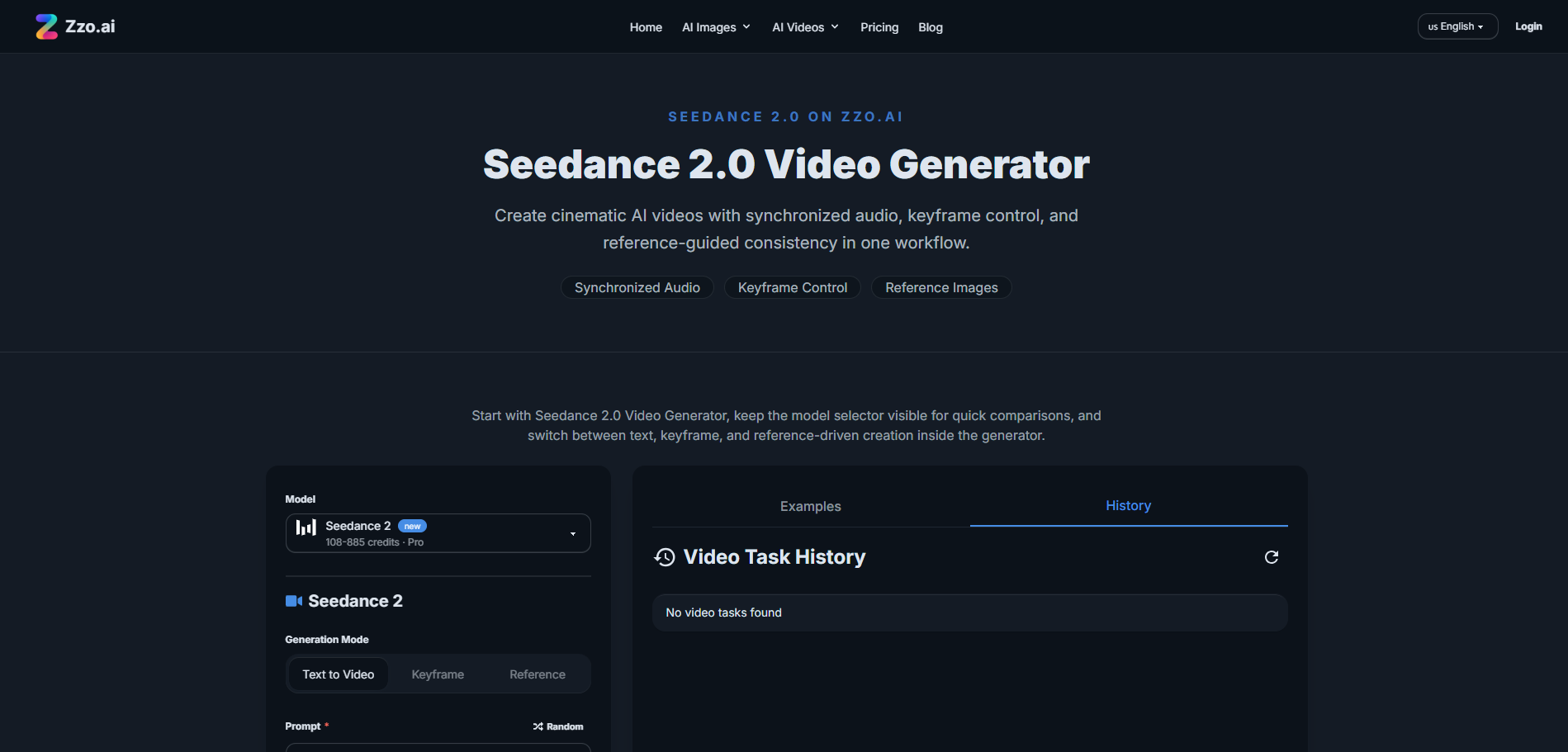
Seedance 2.0 Video Generator on zzo.ai allows users to create cinematic AI videos from text prompts, reference images, or keyframe inputs. It offers synchronized audio and generates videos in seconds without requiring additional accounts like CapCut or Dreamina.
How to use Seedance 2.0 Video Generator - 1
- Navigate to zzo.ai.
- Select the Seedance 2.0 model.
- Choose your creation mode: text-to-video, keyframe control, or reference images.
- Input your prompt, keyframes, or reference images.
- Generate your video.
Features of Seedance 2.0 Video Generator - 1
- Text-to-Video Generation: Create videos from textual descriptions.
- Keyframe Control: Define specific start and end frames for better control over the video's beginning and end.
- Reference Images: Use reference images to maintain consistency in style, color palette, and composition.
- Synchronized Audio: Videos are generated with synchronized audio.
- No Setup Required: Access directly through a web interface.
- Fast Generation: Videos are created in seconds.
Use Cases of Seedance 2.0 Video Generator - 1
- Product Ads: Create polished product visuals, highlight materials, and generate short ad sequences.
- Social Reels: Produce short-form hooks, moody visuals, stylized loops, and clips optimized for mobile viewing.
- Concept Trailers: Test visual direction, cinematic pacing, and scene ideas for previsualization.
- Stylized Character Scenes: Generate consistent styling for fashion, character concepts, and visual motifs.
FAQ
- What is Seedance 2.0 Video Generator? It is the Seedance 2.0 experience on zzo.ai, designed for short AI video creation with support for text prompts, keyframe-driven setup, reference images, and optional audio generation.
- Does Seedance 2.0 generate audio on zzo.ai? Yes. The current workflow includes an audio toggle, so you can choose whether your generation should include sound based on the scene you are building.
- Can I create videos from text prompts only? Yes. Text-to-video is the default path, and it is the best place to start if you want to test direction, motion, and scene language before adding more control.
- Can I use keyframes or reference images? Yes. On zzo.ai, Seedance 2.0 currently supports keyframe mode with first and last frame control, plus reference-image mode for stronger visual consistency.
- What length and resolution options are available? The current setup supports short clips from 4 to 15 seconds, with 480p and 720p options. That range is a practical fit for testing concepts, ads, and social-first edits.
- Can I rely on real person photos as references? It is safer not to build your workflow around real-person references. Seedance 2.0 is associated with stricter limits around real human faces in some workflows, so stylized references, product images, scenes, and non-sensitive assets are the more reliable choice.
- When should I choose Seedance 2.0 over other video models? Start with Seedance 2.0 when you want short directed clips, scene-aware audio, keyframe control, or reference-guided styling. Use the visible model selector on this page when you want to compare that experience against other models on zzo.ai.