What is Seedance 3.0 - plus
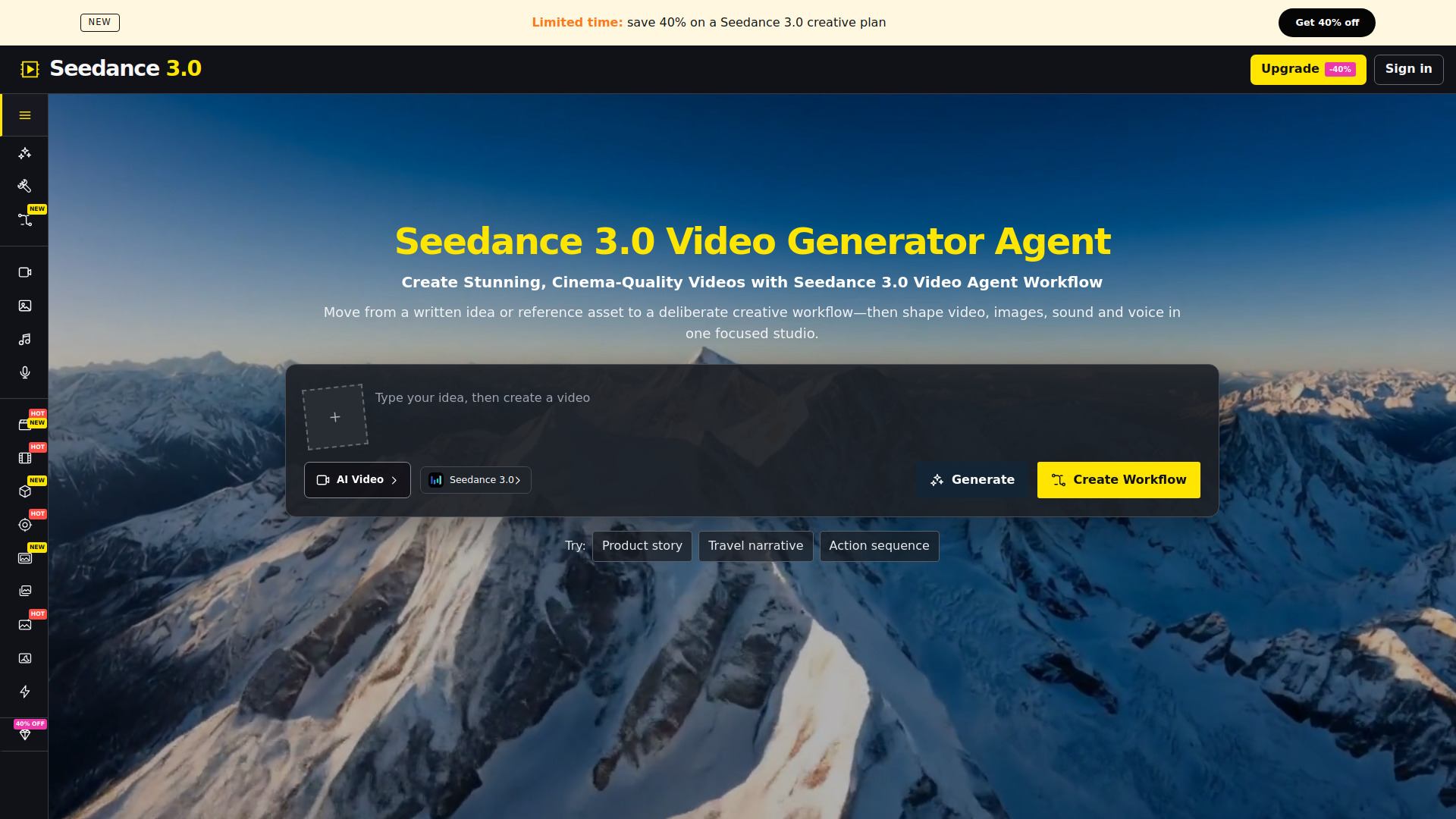
Seedance 3.0 - plus is an AI creative studio that provides a unified workspace for generating video, images, music, and voice. It is designed for practical creator workflows, allowing users to move from a written idea or reference asset to a deliberate creative workflow and shape video, images, sound, and voice in one focused studio. The platform includes a video generator agent that aims to create cinema-quality videos.
How to use Seedance 3.0 - plus
- Start with an idea or reference: Type your idea into the prompt field or add a reference image (JPEG, PNG, or WebP).
- Choose a creation type: Select from AI Video, AI Image, AI Music, or AI Voice using the modality menu.
- Select a model: Pick from available models such as Seedance 3.0, Seedance 2.5, Veo 3.1, Kling 3.0, and others.
- Generate: Click the generate button to create your content. The platform will process your input and produce the requested asset.
- Refine: Use the visible controls to adjust one decision at a time, such as aspect ratio, resolution, or duration.
- Review and export: Check the output against your original brief and export in the desired format.
Features of Seedance 3.0 - plus
- Multi-modal generation: Create video, images, music, and voice from a single workspace.
- AI Video Generator: Produce cinema-quality videos with native audio, using text, image, or video inputs.
- AI Image Maker: Generate images with models like Nano Banana Pro, GPT Image 2, and Seedream 5.0.
- AI Music Maker: Compose music with AI.
- AI Voice Maker: Generate natural-sounding voiceovers.
- Model selection: Choose from a variety of models including Seedance 3.0, Seedance 2.5, Veo 3.1, Kling 3.0, Wan 3.0, and more.
- Reference support: Upload reference images to guide generation.
- Control over output: Adjust aspect ratio, resolution, and duration.
- Workflow tools: Access effects, tools, and AI workflows for streamlined creation.
- Commercial use: Content can be used commercially depending on the active plan and rights.
Use Cases of Seedance 3.0 - plus
- Content creation: Generate videos, images, music, and voice for social media, marketing, or personal projects.
- Prototyping: Quickly create drafts of creative assets to visualize ideas.
- Storytelling: Produce multi-scene videos with audio and smooth transitions.
- Commercial production: Create professional-grade content for commercial purposes, subject to plan and rights.
- Creative experimentation: Test different models and styles to achieve desired results.
Pricing
Seedance 3.0 - plus offers a limited-time promotion: save 40% on a Seedance 3.0 creative plan. The pricing page includes credit plans with options to purchase credits. There is a free tier available, and commercial use depends on the active plan and selected model. For detailed pricing, users can visit the pricing page.
FAQ
What is Seedance 3.0 Video Generator? Seedance 3.0 AI Creative Studio turns the requested input into a focused creative asset workflow. Start with a clear objective, choose only the controls that affect the result, and review the generated output against the original brief before publishing it.
How does the AI Video Generator work? No specialist production experience is required. A useful source asset, a specific description, and a clear destination are enough to create a first version; the visible controls then help you refine one decision at a time.
Can I really create a "movie-level" video with this AI Video Generator? Prepare the strongest available source, state what must remain recognizable, and describe the intended change separately from style. This gives the model a clearer hierarchy and makes later revisions easier to compare.
What makes Seedance 3.0 Video Generator different from other AI video tools? Keep the subject, action, framing, motion, and delivery format consistent with the goal. If the first result misses the brief, correct the largest visible mismatch while preserving the parts that already work.
Is Seedance 3.0 Video Generator free to use? Uploaded material and generated results should contain only content you are permitted to use. Commercial use also depends on the active plan, the selected model, and the rights attached to the source material.
What kind of support can I expect for the AI Video Generator? Choose settings for the final destination rather than for novelty. Review readability, continuity, timing, visual artifacts, and export format before treating the result as production ready.
Can I use the content I create with the AI Video Generator for commercial purposes? Seedance 3.0 AI Creative Studio turns the requested input into a focused creative asset workflow. Start with a clear objective, choose only the controls that affect the result, and review the generated output against the original brief before publishing it.