What is Shopify App Detector
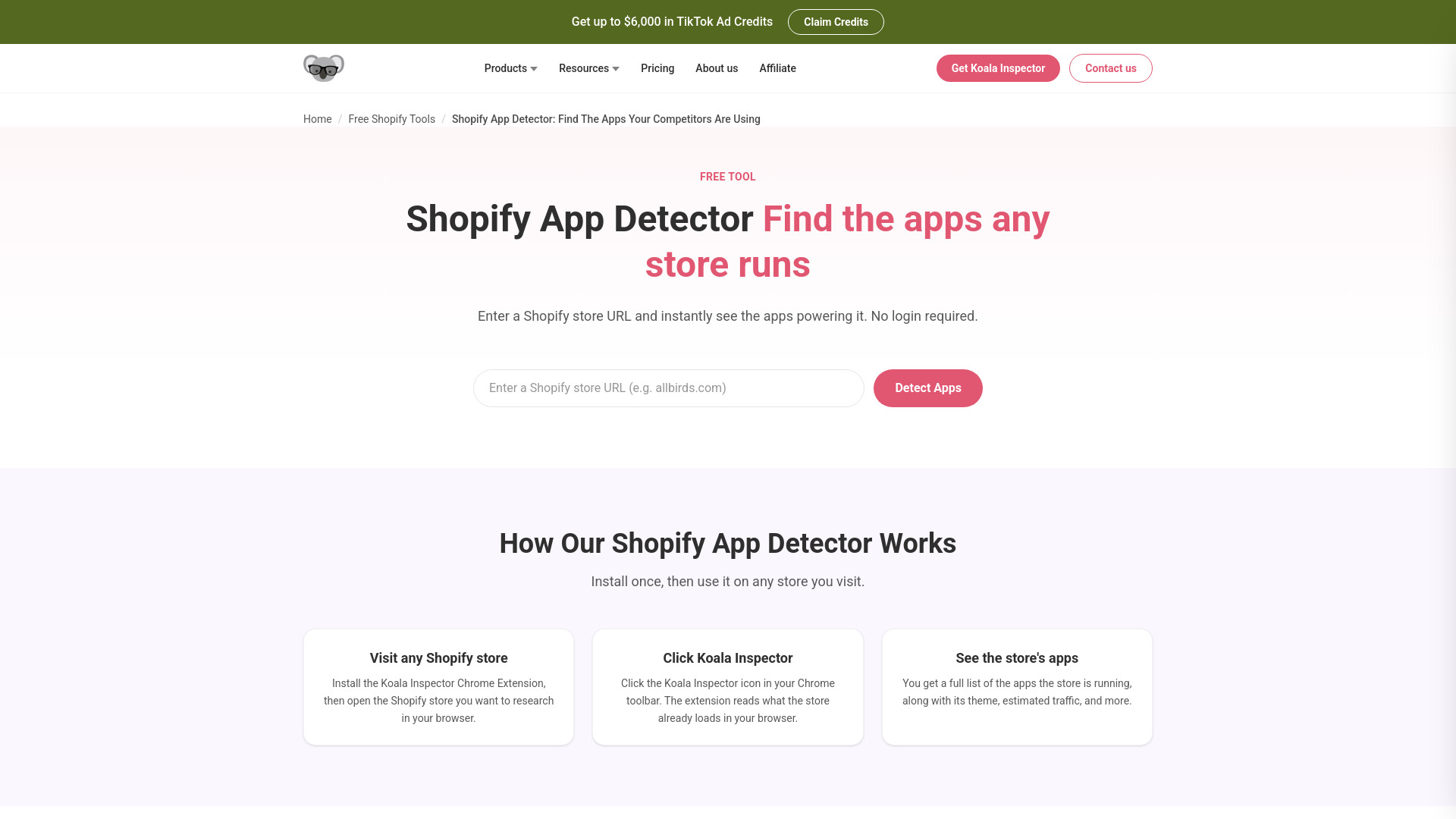
Shopify App Detector is a free AI-powered tool that instantly identifies the apps installed on any Shopify store. It analyzes what a store loads in your browser and matches it against a library of 2,000+ known apps. No login is required.
How to use Shopify App Detector
- Visit any Shopify store – Open the Shopify store you want to research in your browser.
- Click Koala Inspector – Click the Koala Inspector icon in your Chrome toolbar. The extension reads what the store already loads in your browser.
- See the store's apps – You get a full list of the apps the store is running, along with its theme, estimated traffic, and more.
Alternatively, you can enter a Shopify store URL on the website and click "Detect Apps" to see results instantly.
Features of Shopify App Detector
- Detects 2,000+ apps – Recognizes a wide range of popular Shopify apps.
- No server-side scraping – All detection happens in your browser using data the store already sends to every visitor.
- Free to use – The app detector is free and will stay free.
- No login required – Use it without creating an account.
- Also detects theme, traffic, and sales data – Provides additional insights beyond just apps.
Use Cases of Shopify App Detector
- Competitor research – Discover which apps your competitors are using to power their stores.
- Check your own store – Verify which apps are actually live on your storefront, catch forgotten apps, and confirm removals.
- Ecommerce strategy – Gain insights into the tools that successful stores rely on.
Pricing
The Shopify App Detector is completely free to use. You need the Koala Inspector Chrome Extension, which is also free.
FAQ
How does the Koala Shopify App Detector work? Koala Inspector reads what a Shopify store already loads in your browser and recognizes the apps running on it, returning the matches from a library of 2,000+ known apps. Nothing is scraped server-side; it all happens in your browser on what the store already sends to every visitor.
Can every Shopify app be detected? No, not every app will show up. Apps that work purely on the backend, private apps, and heavily obfuscated stores generally won't leave a detectable trace. The detector catches most major public apps reliably, but expect some gaps on heavily customized stores.
Is the Shopify App Detector free to use? Yes, the app detector is free to use and will stay free. You do need the Koala Inspector Chrome Extension installed, which is also free.
Is it legal to use a Shopify App Detector? Yes. The tool reads what the store sends to every visitor's browser. That's public information, the same as viewing any web page. Competitive research using publicly visible data is standard practice in ecommerce.
Is it against Shopify's terms of service to use app detectors? There's nothing in Shopify's ToS that prohibits reading what a store shows every visitor. The ToS restriction on data collection targets unauthorized automated access to Shopify's own systems, not a browser extension that reads what a store already sends to your browser.
Do app detectors affect the performance of the site being analyzed? No. Koala Inspector reads what your browser already downloaded. It sends no additional requests to the store being analyzed, so there's no load on their server at all.
Can I use Shopify App Detector for my own store? Yes, and it's useful. You can check which apps are actually live on your storefront, catch any apps you forgot to uninstall, and verify that an app you removed is really gone.
Do you offer customer support? Yes, for both free and paid users. Reach us through the support page or by email.
What are the system requirements? You need Google Chrome. The Koala Inspector extension installs like any other Chrome extension and sits in your browser toolbar.