What is SongMaker
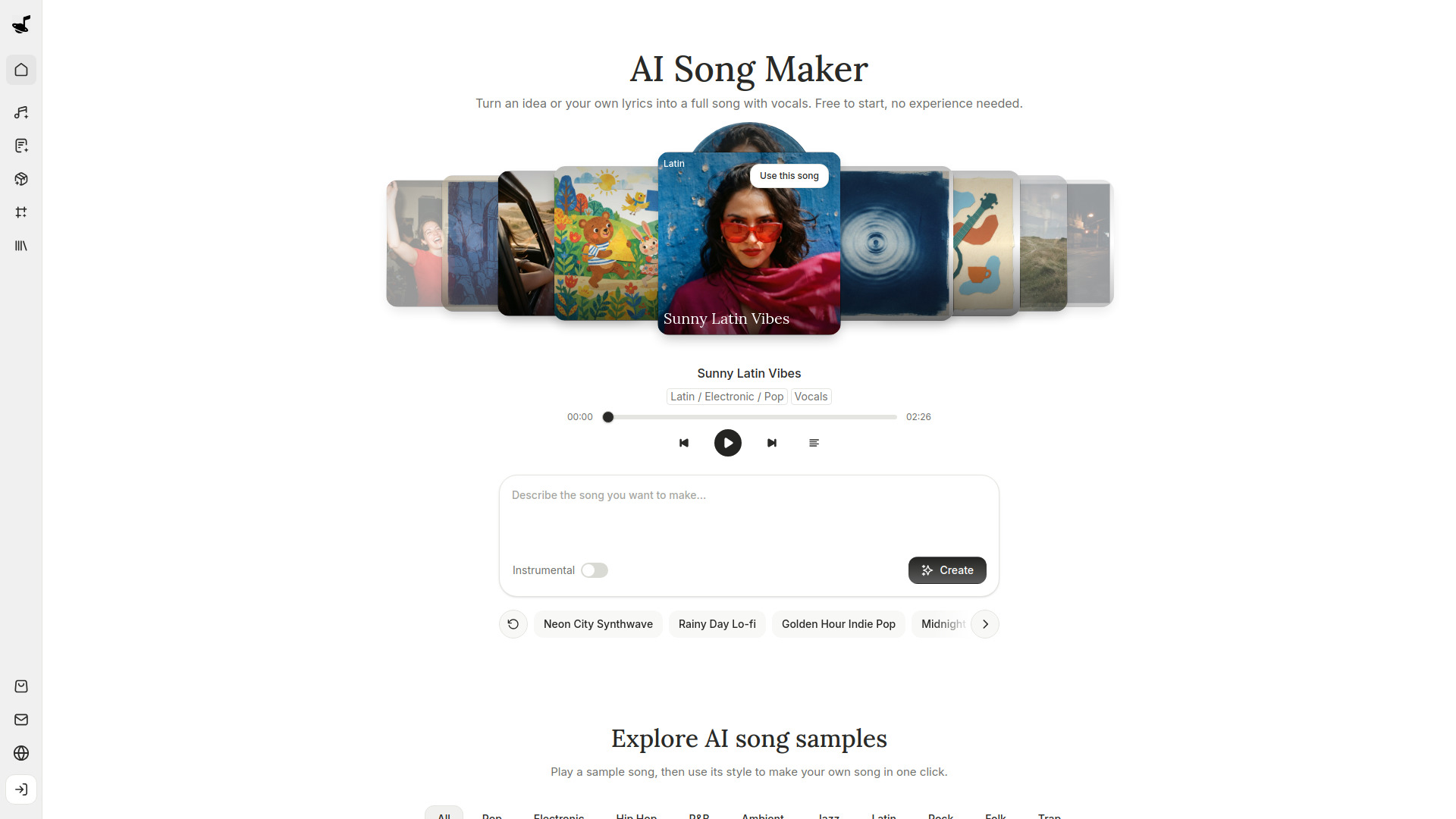
SongMaker is an AI-powered song maker that allows users to generate, edit, and split songs. It enables users to turn an idea or their own lyrics into a full song with vocals, free to start and with no experience needed.
How to use SongMaker
- Describe the song you want to make in the text area (e.g., "Describe the song you want to make...").
- Optionally, toggle the "Instrumental" switch if you want an instrumental track.
- Click the "Create" button to generate the song.
- Alternatively, start from a sample song by selecting one from the featured songs or exploring AI song samples by genre.
- You can also use suggested song ideas like "Neon City Synthwave" or "Rainy Day Lo-fi" to quickly fill in the description.
Features of SongMaker
- AI song generation from text descriptions or lyrics.
- Option to create instrumental songs.
- Sample songs across various genres (e.g., Latin, Electronic, Pop, R&B, etc.) that can be used as a starting point.
- Song ideas and suggestions for quick inspiration.
- Ability to play sample songs and view lyrics.
- Tools for editing and splitting songs (as indicated in the brief description).
- AI lyrics generator (accessible via navigation).
- Canvas for projects (accessible via navigation).
- Library to store created songs.
Use Cases of SongMaker
- Creating custom songs for personal projects, gifts, or events.
- Generating background music for videos, podcasts, or games.
- Producing demo tracks for songwriting and music production.
- Making instrumental tracks for meditation, study, or relaxation.
- Exploring different music genres and styles for creative inspiration.
Pricing
SongMaker is free to start. Users can begin using the tool without any initial payment. For detailed pricing plans and tiers, refer to the Pricing page.
FAQ
Q: Do I need music experience to use SongMaker? A: No, SongMaker is designed for users of all skill levels. No experience is needed.
Q: Can I create instrumental songs? A: Yes, there is an "Instrumental" toggle that allows you to generate songs without vocals.
Q: Can I use my own lyrics? A: Yes, you can add your own lyrics or let the AI write them for you.
Q: Are there sample songs I can use? A: Yes, SongMaker provides sample songs across various genres that you can play and use as a style reference for your own song.
Q: Is SongMaker free? A: Yes, it is free to start.