What is Squido AI
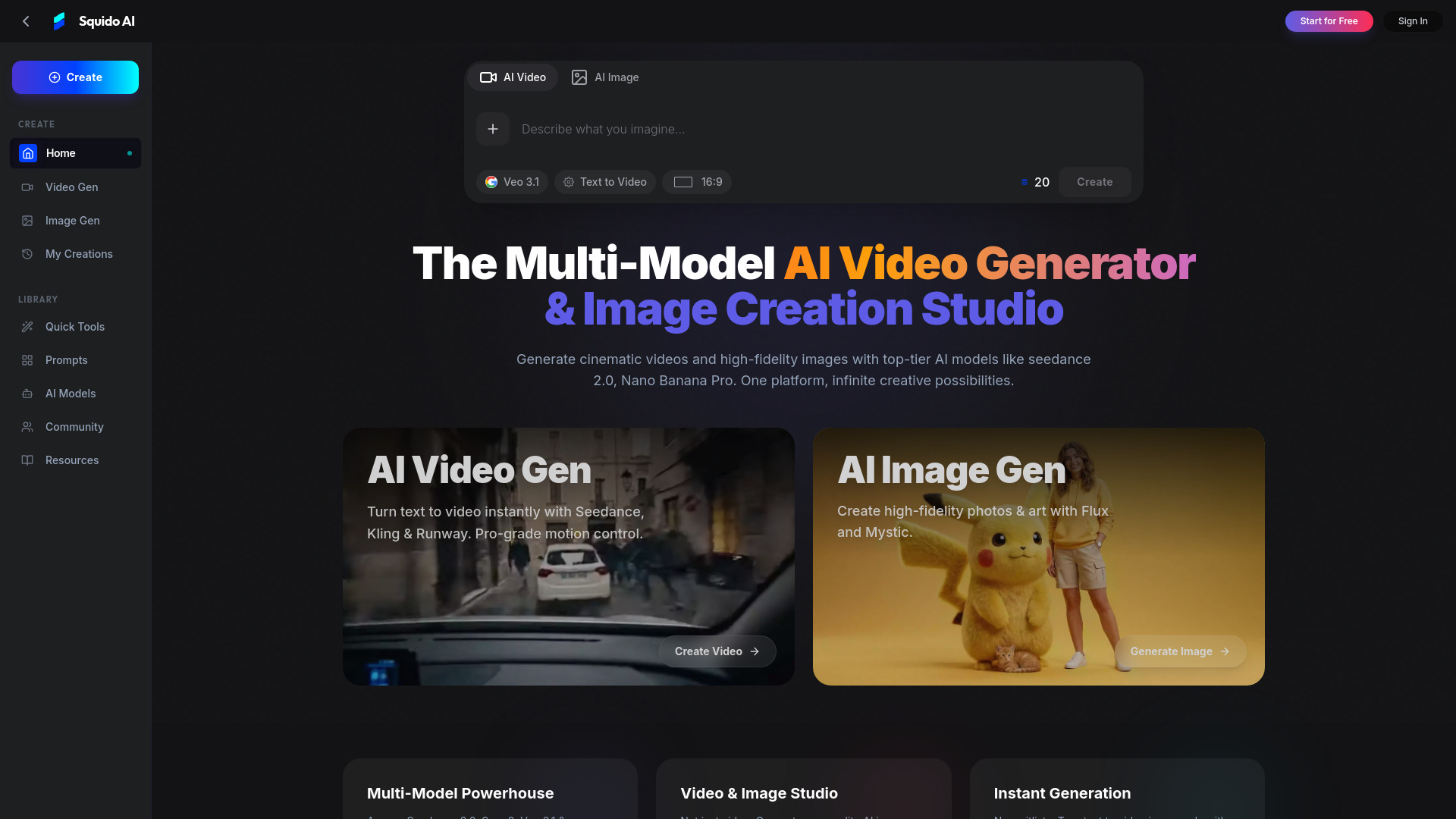
Squido AI is a multi-model AI studio designed for generating cinematic 4K videos and professional-grade images. It provides access to the latest AI models for visual creation within a single platform.
How to use Squido AI
- Input Description: Type a text prompt describing your desired video or image. For example, "A cyberpunk city in rain, cinematic lighting."
- Configure Parameters: Adjust settings such as aspect ratio (16:9, 9:16), duration, and resolution. Some models offer advanced controls for camera movement and frame settings.
- Generate Instantly: Click the generate button to create your video or image. The platform aims for rapid generation, often within 60 seconds.
Features of Squido AI
- Multi-Model Access: Utilizes various AI models including Seedance 2.0, Sora 2, Kling, Veo 3.1 for video, and Flux, Mystic, GPT-4o for images.
- Video Generation: Creates cinematic videos from text prompts.
- Image Generation: Produces high-fidelity images and art.
- Instant Generation: Offers quick creation times without waitlists.
- Parallel Generation: Allows simultaneous generation of multiple clips across different models.
- Privacy Focused: Emphasizes data encryption and proprietary content.
- Seamless Switching: Enables switching between AI models within a single interface.
- Chat-Based Interface: Provides a simple, chat-driven method for creation.
- Mobile Optimized: Accessible and functional on mobile devices.
- AI Tools: Includes utilities like AI Headshot Generator, Background Remover, and Image Enhancer.
- Prompt Library: Offers access to trending prompts and workflows.
- Community Showcase: Features a gallery of user-generated videos and images.
- Insights & Benchmarks: Provides reports comparing model performance.
Use Cases of Squido AI
- Social Media Growth: Creating viral content for platforms like TikTok, Shorts, and Reels.
- Commercial Marketing: Generating professional video ads, product demos, and marketing assets.
- Filmmaking: Producing cinematic scenes and visual content.
- Artistic Expression: Visualizing dreams, stories, and concepts.
- Professional Photography: Creating high-quality headshots and product shots.
- Educational Content: Generating infographics and technical blueprints.
FAQ
- Is this the best free AI video generator? Squido offers daily free credits and allows generation of AI videos and images without a subscription, aggregating top-tier models.
- Can I use Squido for more than just an AI video generator? Yes, Squido is a creative studio that includes AI image generation alongside video creation.
- How does your text-to-video AI video generator work? Users type a prompt, and the multi-model engine interprets it to simulate physics and motion, rendering clips in seconds.
- Can I use Squido AI video generator for commercial purposes? Subscribed users have full commercial rights. Free tier users are limited to personal use with watermarks.
- Can I animate my own photos with this AI video generator? Yes, the AI video generator supports Image-to-Video models for animating uploaded photos.
- What is the safety policy of your AI video generator? The AI video generator filters sensitive prompts, and shared community content is moderated.
- How long are clips from this AI video generator? Clip duration depends on the selected model; some models support extension workflows.