What is SummarizeVideoToText
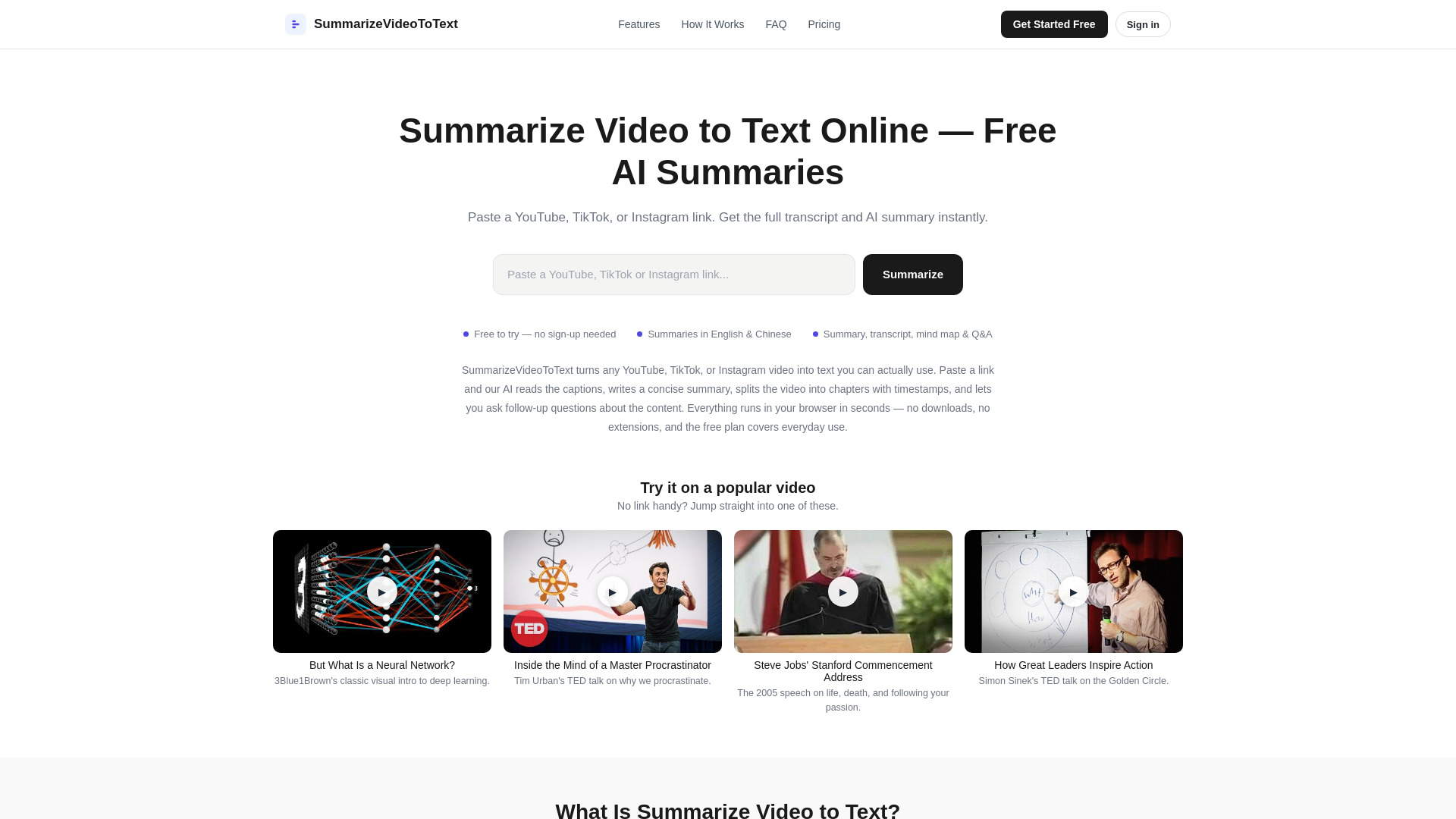
SummarizeVideoToText is an AI-powered online tool that converts YouTube, TikTok, and Instagram videos into text. By pasting a video link, users receive a full transcript, a concise AI-generated summary, timestamped chapters, an interactive mind map, and a Q&A panel. It works directly in the browser without downloads or extensions, and offers a free tier for everyday use.
How to use SummarizeVideoToText
- Paste a video link: Copy a YouTube, TikTok, or Instagram URL (regular upload, Short, Reel, or live-stream replay) and paste it into the input box on the homepage. You can also try one of the popular videos provided if you don't have a link.
- Get Transcript & Summary: The AI fetches the captions and streams back a summary, key insights, and timestamped chapters in your chosen language. Most videos finish in well under a minute.
- Explore, Export & Share: Read the full transcript, browse the mind map, ask questions in the Q&A panel, copy the text out, or share the link. Anyone opening the link gets the cached result instantly.
Features of SummarizeVideoToText
- Instant Transcription: Automatically extracts captions from any YouTube video in seconds, including Shorts and live-stream replays.
- AI-Powered Summaries: Generates a concise overview, key insights, and chapter-by-chapter breakdowns. Summaries stream in as they are written.
- Chapters with Timestamps: Long videos are split into logical chapters, each with a timestamp that jumps the player to that moment.
- Interactive Mind Map & Q&A: Visualize the video as a collapsible mind map and ask questions about the content, grounded in the actual transcript.
- Multi-Language Support: Generate summaries in English, Chinese, and more, independent of the video's original language.
- Free & Fast: A generous free tier with a daily quota. Revisiting a video you've already summarized never counts against the quota, and results are cached for instant access.
Use Cases of SummarizeVideoToText
- Students catching up on lectures: Turn a two-hour recorded lecture into a chapter list and summary before an exam. Search the transcript for exact definitions, jump to timestamps, and paste quotes into revision notes.
- Professionals reviewing meetings and talks: Skip re-watching all-hands recordings or conference keynotes. Skim key insights, use Q&A to check specific decisions or numbers, and share summarized links with teammates.
- Creators researching and repurposing content: Pull transcripts of competitor breakdowns or past uploads, extract arguments, and outline new scripts from chapter structures.
- Researchers mining long interviews: Get the full text of podcasts or long-form interviews, find crucial passages, and cite them with timestamps without listening at 2x speed.
Pricing
- Free tier (no account): Summarize 2 videos per day, each up to 15 minutes.
- Free account (Google sign-in): 10 summaries per day, videos up to 1 hour, saved watch history, TikTok and Instagram summaries, and Q&A.
- Pro plan: Coming soon for heavy users, with no daily limits and videos up to 6 hours.
FAQ
How do I summarize a YouTube video to text? Paste the YouTube URL into the box on the homepage and press Summarize. Within seconds, you'll see the AI summary streaming in, alongside the full transcript, timestamped chapters, a mind map, and a Q&A panel.
Is summarizing videos to text free? Yes. You can summarize 2 videos a day without an account, and a free Google sign-in raises that to 10 a day. Revisiting a video that has already been summarized never costs quota because results are cached.
Do I need to create an account? No. You can summarize 2 videos a day (up to 15 minutes each) without signing up. A free Google sign-in unlocks more features.
What languages are supported? You can generate summaries in English, Chinese, and more, regardless of the video's language. Pick your output language from the dropdown.
How long can the video be? Without an account, videos up to 15 minutes work. A free account raises that to 1 hour, and Pro goes up to 6 hours.
How accurate are the summaries? Summaries are generated from the actual captions of the video, not guesses. The full transcript is always shown alongside, so you can verify any claim with one click on a timestamp.
What if a video has no captions? We try several caption sources, including auto-generated ones. If a video truly has no captions, we cannot summarize it yet — audio transcription is on our roadmap.
Can I download the transcript and summary? Yes. Copy the full summary or chapter breakdown with one click, or download the transcript as plain text. PDF export is coming soon.
Does it work with YouTube Shorts and live streams? Yes. Regular videos, Shorts, live-stream replays, and youtu.be share links all work.
Is there a daily limit? The free tier has a generous daily quota that resets at midnight UTC. Cached videos never count against it.
What about privacy? We only use your Google account to track your quota and watch history. We don't store the videos themselves or track you across other sites. Transcripts come straight from YouTube's public captions.
Can I use it for lectures and meetings? Absolutely. Recorded lectures and meeting videos uploaded to YouTube are among the most common uses. You get chapters to navigate and a Q&A panel to check what was said.