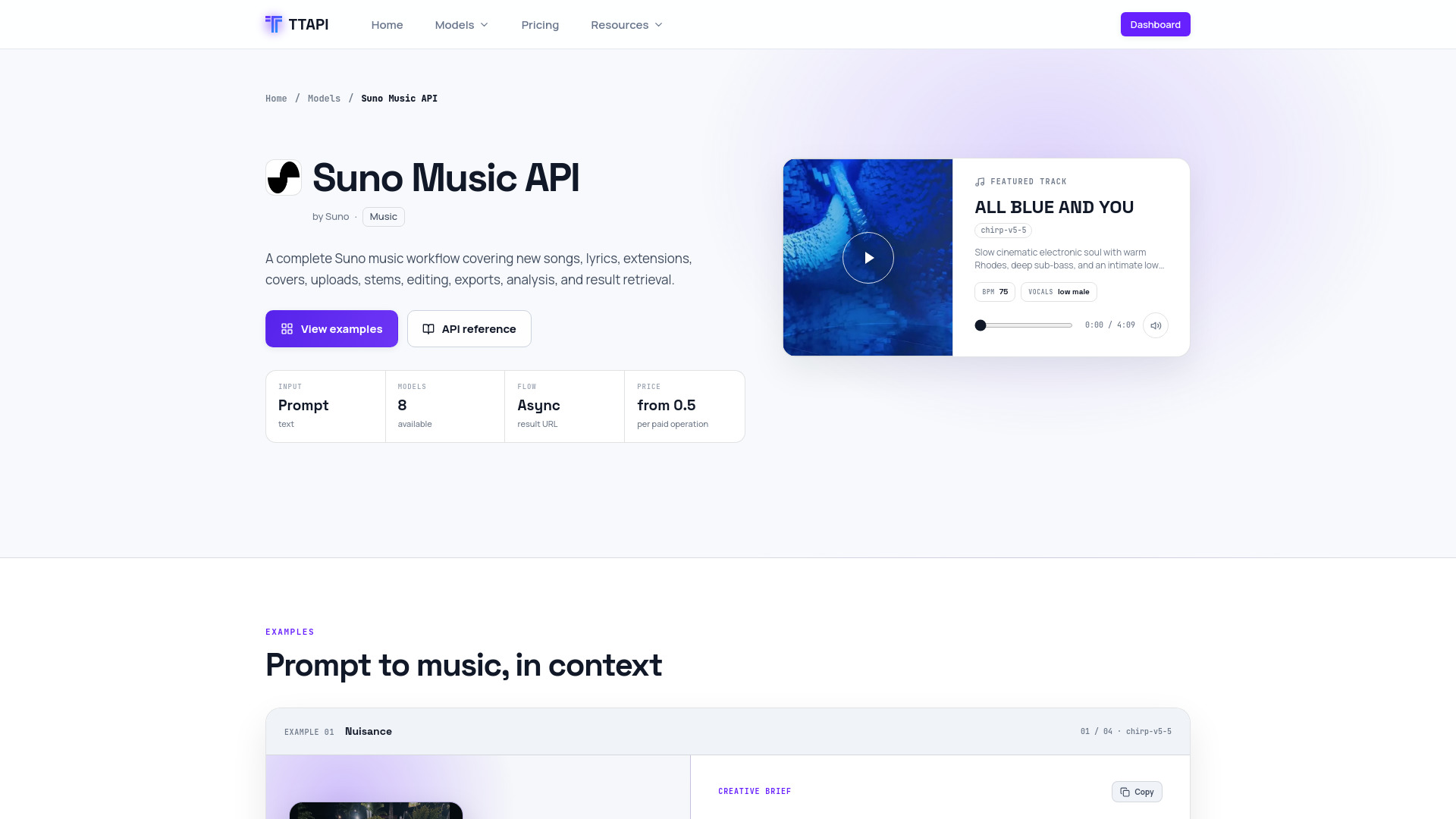
What is Suno API
Suno API is a unified pay-as-you-go API for Suno music and other AI models, offered by TTAPI. It provides a complete Suno music workflow covering new songs, lyrics, extensions, covers, uploads, stems, editing, exports, analysis, and result retrieval. The API supports multiple Suno model versions, including chirp-v5-5, chirp-v5, chirp-v4-5+, chirp-v4-5, chirp-v4-5-all, chirp-v4, chirp-v3-5, and chirp-v3-0.
How to use Suno API
- Get an API key: Sign up for a TTAPI account and obtain your API key from the dashboard.
- Make a request: Use the endpoint
https://api.ttapi.io/suno/v1/music (or other operation endpoints) with your API key in the TT-API-KEY header and Content-Type: application/json.
- Provide required fields: For music generation, include
custom (boolean), instrumental (boolean), and mv (model version). Depending on the mode, provide either gpt_description_prompt (for inspiration mode) or prompt (for custom lyrics mode).
- Optional parameters: You can specify
title, tags, negative_tags, style_weight, weirdness_constraint, audio_weight, duration, auto_lyrics, vocal_gender, persona_id, isStorage, and hookUrl.
- Handle async flow: The API is asynchronous; use the Fetch V2 endpoint (
/suno/v2/fetch) to retrieve the status and result of a task.
- Integrate: Use the provided cURL, Node, or Python code samples to integrate into your application.
Features of Suno API
- Music generation: Create complete songs in inspiration or custom mode.
- Lyrics generation: Generate lyrics from a text brief.
- Extend: Continue an existing track from a selected point.
- Cover: Create a cover version of an existing audio asset.
- Upload Cover/Extend: Upload a public audio URL and generate a cover or extend it in one request.
- Stems separation: Separate vocals, instrumental, or all available stems.
- Add vocals/instrumental: Add generated vocal or instrumental layers to existing audio.
- Replace section: Regenerate a selected section of a song.
- Remaster: Produce a polished remaster of an existing track.
- Mashup: Combine songs or ideas into a blended output.
- Crop: Trim a selected time range from a track.
- Adjust speed: Change playback speed with optional pitch preservation.
- WAV/MIDI export: Export completed songs as high-quality WAV or MIDI.
- BPM analysis: Detect a song's tempo and beat speed.
- Fetch V2: Retrieve task status and results.
- Multiple model versions: Choose from 8 Suno model versions.
- Webhooks: Set a callback URL for completion notifications.
- Storage: Option to store results on TTAPI CDN.
Use Cases of Suno API
- Music production: Generate full songs, extend existing tracks, or create covers for artists and producers.
- Content creation: Create background music for videos, podcasts, or games.
- Lyrics writing: Generate lyrics for songwriting inspiration.
- Audio editing: Separate stems, add vocals or instrumentals, crop, adjust speed, and remaster tracks.
- Music analysis: Analyze BPM and other attributes of songs.
- Integration: Build music generation features into apps, websites, or workflows.
Pricing
Suno API uses a quota-based pricing model. Prices are per task:
- Music, Extend, Cover, Upload Cover, Upload Extend, Add vocals, Add instrumental, Add stem: 6 quota per task
- Remaster, Mashup, Inspiration, Sample, MIDI, Replace section: 6 quota per task
- Stem separation: 12 quota per task
- All stems: 30 quota per task
- Crop, Remove section, Fade in, Fade out, Lyrics: 1 quota per task
- Adjust speed: 3 quota per task
- Sound effects: 1.2 quota per task
- Upload audio: 0.5 quota per task
- Create voice: 2 quota per task
- Concat, Persona, Aligned lyrics, Video, WAV, Vox, Upsample tags, BPM: Free per request
FAQ
What is the minimum price?
The price starts from 0.5 quota per paid operation (e.g., upload audio).
How do I get an API key?
You can get an API key by signing up on the TTAPI dashboard.
Is the API asynchronous?
Yes, the API is asynchronous. You submit a task and then use the Fetch V2 endpoint to retrieve the result.
Can I use webhooks?
Yes, you can set a hookUrl in your request to receive a callback when the task completes.
What model versions are available?
Available versions include chirp-v5-5, chirp-v5, chirp-v4-5+, chirp-v4-5, chirp-v4-5-all, chirp-v4, chirp-v3-5, and chirp-v3-0.
Can I upload my own audio?
Yes, you can upload audio for continuation and editing flows using the Upload, Upload Cover, and Upload Extend endpoints.
Is there a free tier?
Some operations like Concat, Persona, Aligned lyrics, Video, WAV, Vox, Upsample tags, and BPM are free per request.