What is Suno API AI
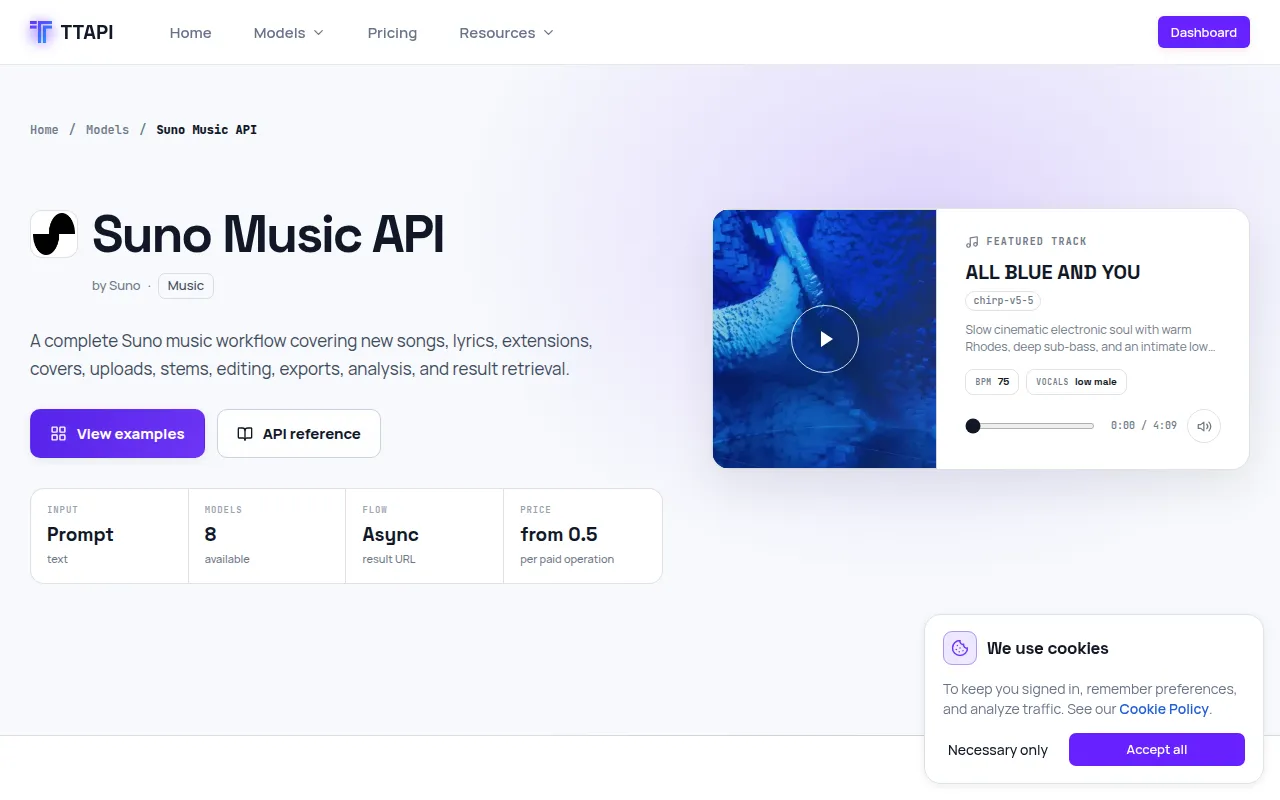
Suno Music API is a service that allows users to generate complete songs from prompts or lyrics. It also provides functionalities to extend existing songs, create covers, upload audio, separate stems, edit audio, and export production-ready audio.
How to use Suno API AI
To use Suno API AI, you need to integrate with the TTAPI service. This involves obtaining an API key and using the provided endpoints. The process typically involves sending a POST request to specific endpoints like /suno/v1/music with the necessary parameters in the request body. For example, to generate music, you would send a JSON payload including parameters such as custom, instrumental, mv (model version), and either gpt_description_prompt for inspiration mode or prompt for custom lyrics mode. You can also specify optional parameters like title, tags, negative_tags, style_weight, weirdness_constraint, audio_weight, duration, auto_lyrics, vocal_gender, persona_id, isStorage, and hookUrl for callbacks.
Features of Suno API AI
- Song Generation: Create complete songs from prompts or lyrics.
- Lyric Generation: Generate lyrics independently.
- Music Extension: Continue existing tracks from a selected point.
- Cover Creation: Produce cover versions of existing audio assets.
- Audio Upload: Upload public audio URLs for continuation and editing.
- Stem Separation: Separate vocals, instrumental, or a full set of stems.
- Audio Editing: Replace sections, crop, fade in/out.
- Speed Adjustment: Change playback speed with optional pitch preservation.
- Audio Export: Export songs as WAV or MIDI.
- Analysis: Detect tempo and beat speed (BPM).
- Model Variety: Offers multiple Suno model versions (e.g., chirp-v5-5, chirp-v5).
- Customization: Control over style, creativity, audio weight, and duration.
- Vocal Options: Specify vocal gender and use custom personas.
Use Cases of Suno API AI
- Music Production: Generate background music, soundtracks, or song ideas.
- Content Creation: Create unique audio for videos, podcasts, or games.
- Songwriting Assistance: Generate lyrics or musical ideas to overcome creative blocks.
- Audio Editing and Remixing: Extend existing tracks, create covers, or remix songs.
- Prototyping: Quickly generate musical elements for projects.
Pricing
Usage is metered in quota per action and output settings. Specific operations have different quota costs:
- Music generation, Extend, Cover, Upload Cover, Upload Extend, Add vocals, Add instrumental, Add stem: 6 quota per task.
- Remaster, Mashup, Inspiration, Sample, MIDI, Replace section: 6 quota per task.
- Stem separation: 12 quota per task.
- All stems: 30 quota per task.
- Crop, Remove section, Fade in, Fade out, Lyrics: 1 quota per task.
- Adjust speed: 3 quota per task.
- Sound effects: 1.2 quota per task.
- Upload audio: 0.5 quota per task.
- Create voice: 2 quota per task.
- Concat, Persona, Aligned lyrics, Video, WAV, Vox, Upsample tags, BPM: Free per request.
FAQ
- What is the
mvparameter? It specifies the Suno model version, such aschirp-v5-5orchirp-v5. - What is
continue_at? This parameter is used only with the Upload Extend operation. It specifies the second at which the extension should begin. It must be at least 1 and shorter than the source audio duration. - Can I generate music without vocals?
Yes, by setting the
instrumentalparameter totrue. - How long can the generated music be? In custom mode, the output duration can be set from 10 to 360 seconds.
- What is the
hookUrlparameter for? It is a callback URL that can be provided to receive a notification upon task completion.