What is TaleHug
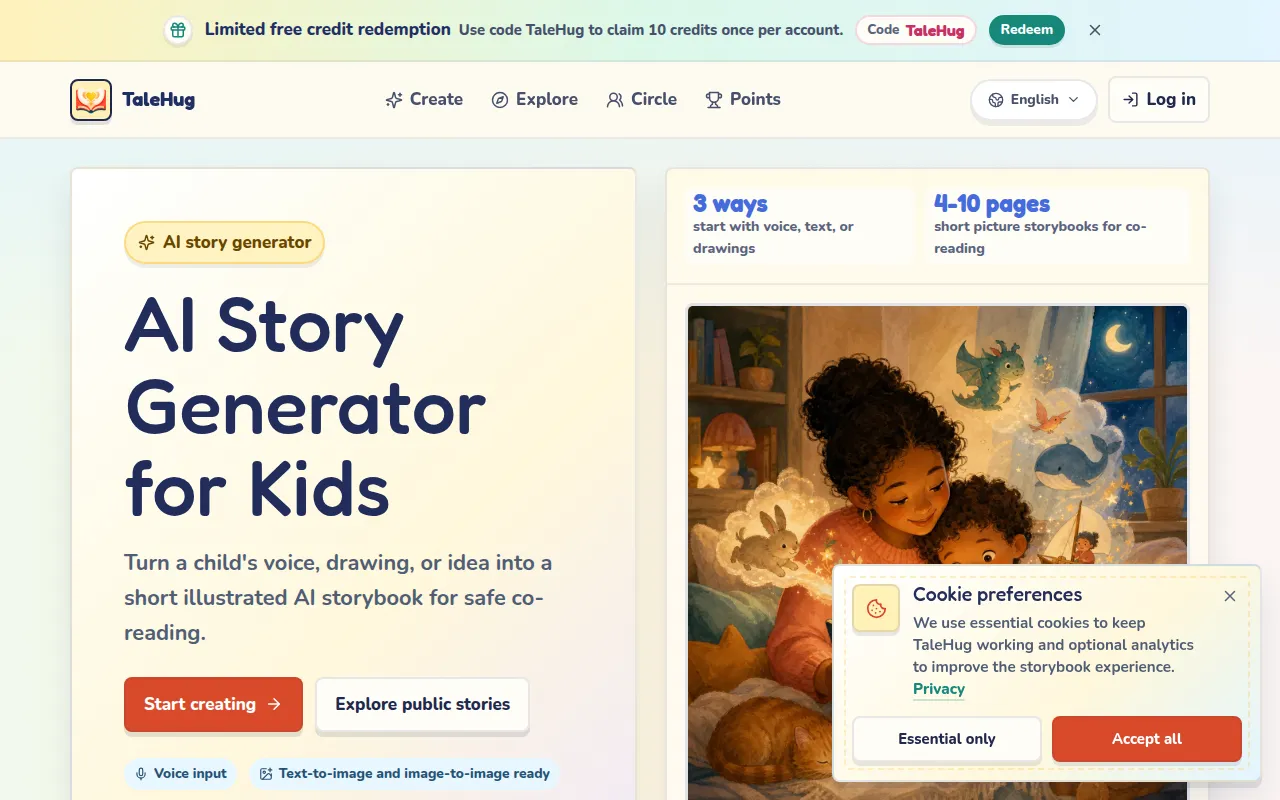
TaleHug is an AI story generator for kids that turns a child's voice, drawing, or idea into short illustrated storybooks. It is designed for safe co-reading with preschool and kindergarten children (ages 3-6). Stories are private by default, with parent-approved sharing options.
How to use TaleHug
- Start with an idea: Speak a story idea, upload a child's drawing, or type a prompt.
- Review the setup: TaleHug cleans the idea into a draft with title, first page, and cover direction. You can edit before generating.
- Generate the cover and story plan: Choose age range, number of story pages (4-10), theme, art style, image resolution, aspect ratio, and visibility (private, circle, or public).
- Read and continue: The cover and first story page are generated. You can add more pages, redraw pages, or edit text.
- Share safely: Drafts are private first. Circle sharing is for approved friends and family. Public publishing requires adult review.
Features of TaleHug
- Voice input: Children can speak their story idea.
- Drawing upload: Upload a child's drawing as an image reference.
- Text-to-image and image-to-image: Generate illustrations from prompts or drawings.
- 4-10 page storybooks: Short picture storybooks designed for co-reading.
- Multiple art styles: Choose from presets or enter a custom style.
- Image resolutions: 1K (Clear), 2K (Ultra Clear), 4K (HD).
- Aspect ratios: Square 1:1, Landscape 16:9, Portrait 9:16.
- Visibility modes: Private draft, Circle (trusted friends/family), Public gallery (parent-approved).
- Parent-approved publishing: Public and circle sharing require adult review.
- No public comments: Safety feature in MVP.
- Safe display names: No real child names, school names, addresses, or contact details.
- Multi-language support: English, Chinese, Japanese, Korean, German, Portuguese, Traditional Chinese.
- Points leaderboard: Tracks verified story activity (likes, reads, saves, shares).
- Circle management: Create invite links for trusted members.
- Credit passcodes: Share reserved credits with others.
Use Cases of TaleHug
- Co-reading sessions: Start when a child has one small idea and you want a short illustrated story to read together.
- Turn a drawing into a story: Upload a drawing reference, then shape the result into a page-by-page storybook with simple text.
- Parent-guided sharing: Draft privately first, then decide whether the story belongs in a trusted circle or the approved public gallery.
- Classroom social stories: Create stories about sharing, feelings, or first school experiences.
- Bedtime stories: Generate gentle, calming picture stories for winding down.
Pricing
TaleHug uses a credit system for cover generation. Plans include:
- Subscriptions: Monthly or annual plans (Basic, Premium, Creator, Studio) with recurring credits.
- Pay-as-you-go packs: One-time credit packs (Starter, Family, Project, Studio).
- Passcode redemption: Use codes like "TaleHug" to claim free credits (limited time).
- Annual plans offer 50% savings compared to monthly.
FAQ
What is TaleHug?
TaleHug is a child-friendly AI story generator that turns a prompt, voice idea, or drawing into a short illustrated storybook.
Is TaleHug only for finished stories?
No. TaleHug is designed for drafts first. Families can start with a rough idea, generate a cover and story preview, then keep editing.
How does sharing stay safer for children?
Storybooks are private by default. Circle and public sharing are separate choices, and public examples avoid real child names, schools, contact details, and unsafe content.
What age range is TaleHug for?
Preschool and kindergarten ages 3-6, with 4-10 pages per storybook.
Can I use my child's drawing?
Yes. You can upload a drawing as an image reference to guide the illustrations.
Is voice input supported?
Yes. Children can speak their story idea, and TaleHug transcribes and cleans it.
How do credits work?
Credits are used for cover generation. You can buy subscription plans or one-time packs. The first story page is included with the cover.
Can I share stories with family?
Yes. Use Circle sharing to invite trusted friends and family. Public gallery requires parent approval.