What is 图改改
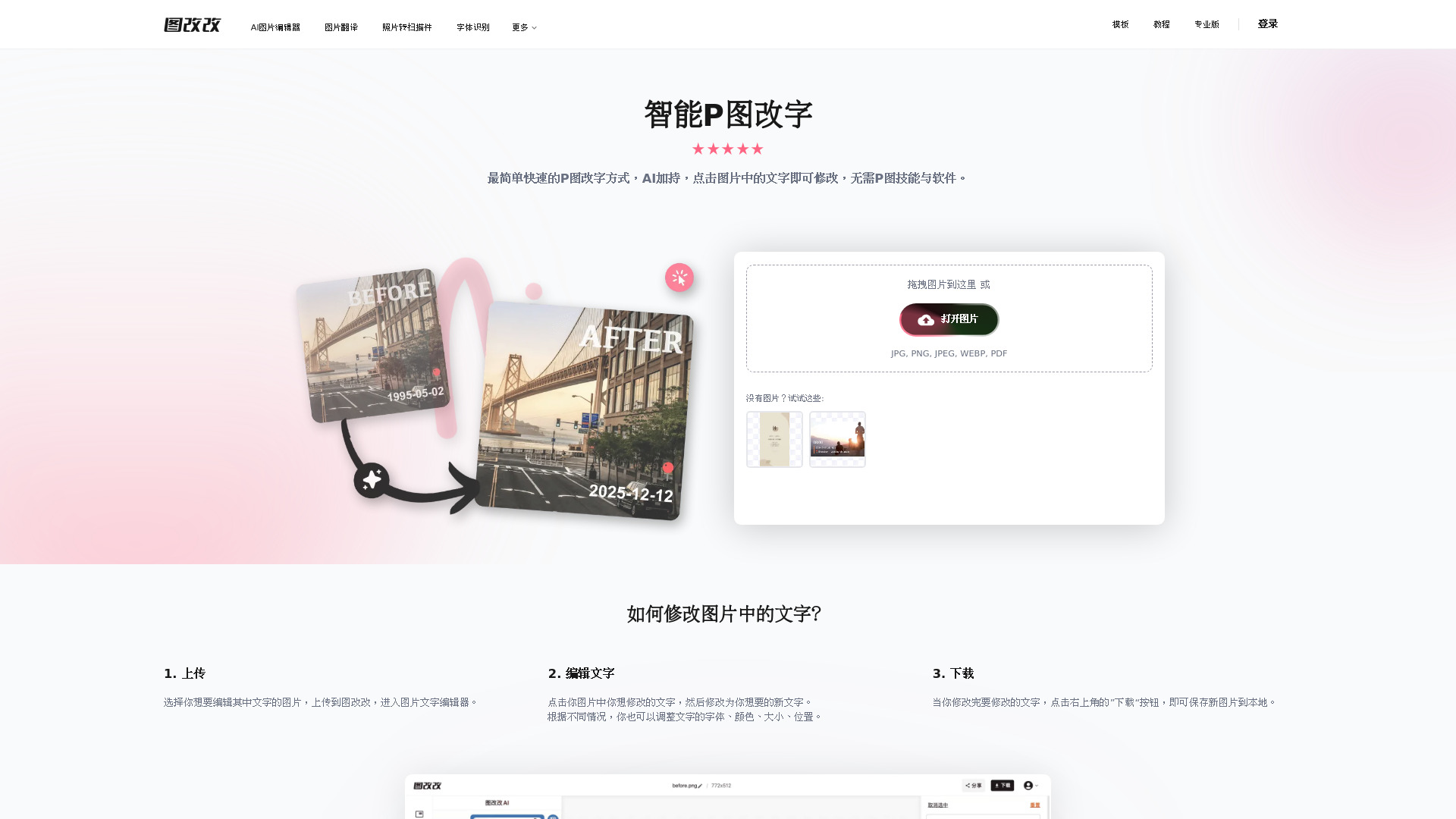
图改改 is an AI-powered online tool that allows users to edit, add, or remove text in images without needing any photo editing skills. It uses advanced AI to recognize text, match fonts, and seamlessly restore backgrounds, making the editing process simple and efficient.
How to use 图改改
- Upload: Select an image with text you want to edit and upload it to 图改改.
- Edit text: Click on the text you want to modify, then enter the new text. You can also adjust the font, color, size, and position as needed.
- Download: Once you're satisfied with the changes, click the "Download" button to save the edited image to your device.
Features of 图改改
- AI改字: Supports conversational commands to edit images, automatically handling background repair and style transfer.
- AI匹配字体: Recognizes fonts in images and offers a wide selection of fonts to match.
- 背景无痕复原: Automatically restores backgrounds without artifacts, even for complex textures like wood or fabric.
- 风格完美复刻: AI analyzes the original image to match font, color, weight, perspective, shadow, and gloss for invisible edits.
- 高精度OCR识别: Recognizes text in multiple languages, even in challenging conditions like tilted or curved text.
- 图片编辑功能强大: Includes additional editing features like filters, stickers, and artistic text, supporting high-resolution images.
- 极简操作体验: Intuitive interface that works on web and app, no learning curve required.
- 超高性价比: Basic features are free, with generous free trials for advanced features and transparent pricing.
- 隐私与安全: Does not collect user photos or personal data; uploaded images are automatically deleted after 3 days (30 days for logged-in users).
- 免费商用: All fonts and generated content are free for commercial use.
Use Cases of 图改改
- Correcting dates or errors in documents and receipts.
- Editing text in dialogue bubbles for comics or memes.
- Updating text in tables or forms.
- Removing or adding watermarks.
- Translating text in images.
- Creating custom images with new text.
FAQ
Q: Is 图改改 free to use?
A: Basic features are free, and advanced features have free trial quotas.
Q: What file formats are supported?
A: JPG, PNG, JPEG, WEBP, and PDF.
Q: How long are my images stored?
A: Images are automatically deleted after 3 days for non-logged-in users and 30 days for logged-in users.
Q: Can I use the edited images commercially?
A: Yes, all content produced is free for commercial use.