What is TubeRepeat
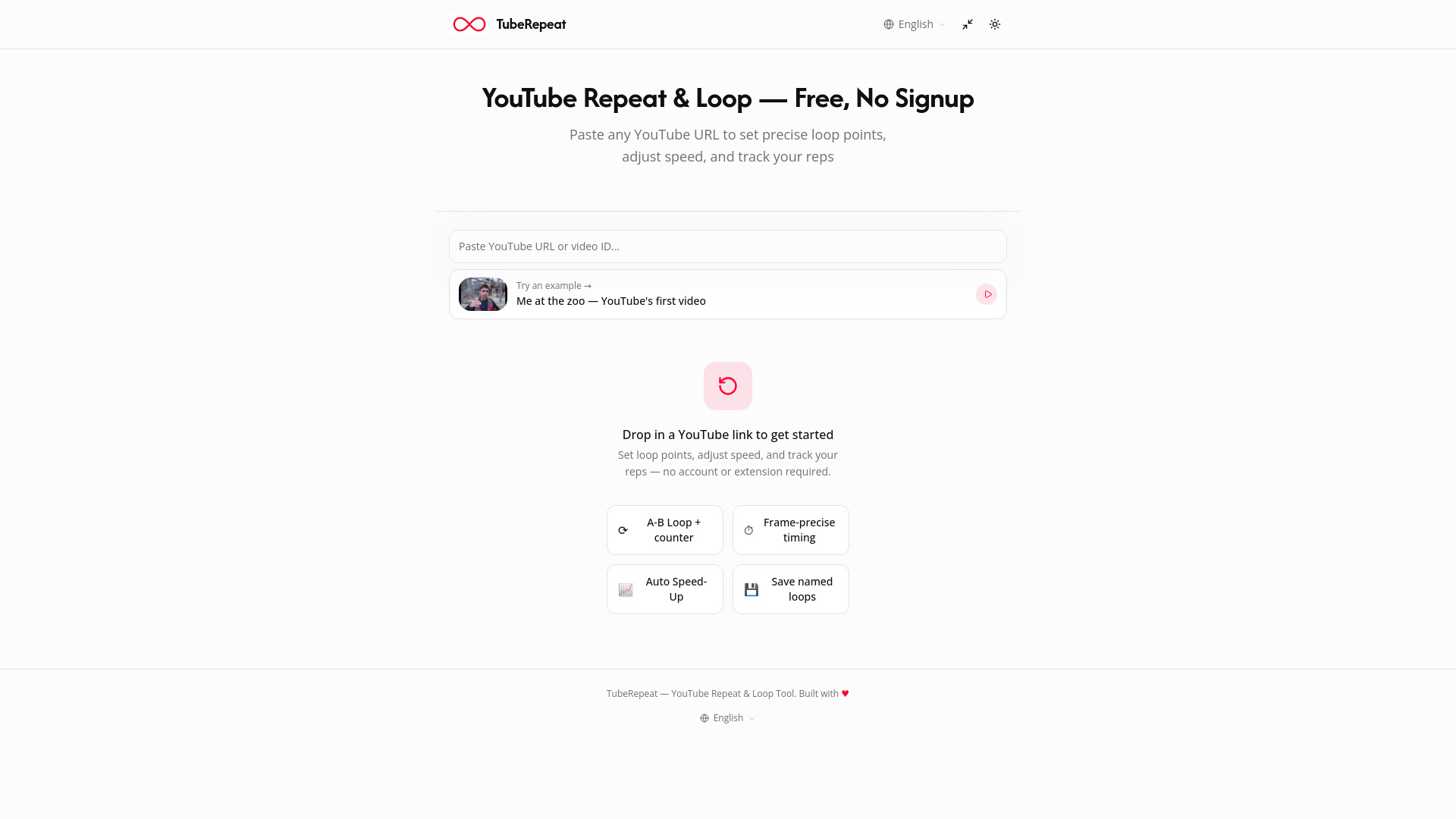
TubeRepeat is a free online tool that allows you to repeat and loop any YouTube video with precision. It enables you to set A-B loop points, adjust playback speed, track repetitions, and share practice sessions—all without requiring an account or browser extension.
How to use TubeRepeat
- Paste Your YouTube URL: Enter any YouTube video link into the input field at the top of the page. No account, extension, or download is needed.
- Set Your A-B Loop Points: Mark your start (A) and end (B) points with second-level precision. Drag the timeline handles or type exact timestamps to isolate the section you want to repeat.
- Repeat Until You've Nailed It: Your selected section loops automatically. Adjust speed, count repetitions, and track your progress until you master the content.
Features of TubeRepeat
- Precision A-B Loop Points: Isolate any segment (e.g., a 4-bar riff, a sentence, or a 10-second move) and repeat it endlessly.
- Variable Speed Control: Slow videos down to 25% or speed up to 200%, with fine-tuning in 0.05× steps.
- Keyboard Control & Rep Tracking: Set A and B points with S/E keys and watch your rep counter climb.
- Continuous Loop at Any Speed: Loop your selected segment or the full video, unlike YouTube's built-in loop which only repeats the whole video.
- Progressive Speed Training: Automatically increase tempo every N loops to gradually push your practice speed.
- Save, Share & Restore Sessions: Every loop generates a URL encoding your video, A point, B point, and speed. Bookmark or share it to restore the exact session on any device.
- No Signup or Extension Required: Works instantly in your browser on Chrome, Firefox, Safari, and Edge.
Use Cases of TubeRepeat
- Musicians & Instrumentalists: Loop difficult riffs, slow them down, and progressively increase tempo to master them.
- Language Learners: Shadow native speakers, repeat pronunciation, and loop short dialogue clips for ear training.
- Dance & Choreography Students: Break down complex footwork, slow it to 40%, and build muscle memory.
- Students & Lecture Reviewers: Rewatch confusing explanations at a slower speed while taking notes.
Pricing
TubeRepeat is completely free. No subscription, no sign-up, and no limits on the number of loops or practice duration.
FAQ
How do I loop a YouTube video? Paste any YouTube URL into TubeRepeat's input field, set your start (A) and end (B) points, and click play. The selected section will repeat automatically.
How do I repeat a specific section of a YouTube video? Use the A-B repeat feature to isolate any segment. Set your start and end points on the timeline, and the tool will loop just that segment indefinitely.
Is TubeRepeat free to use? Yes, completely free with no subscription or sign-up required.
Do I need to install an extension or create an account? No. TubeRepeat runs entirely in your browser. Paste a URL and start looping instantly.
Can I slow down a YouTube video for practice? Yes. Variable speed control ranges from 25% to 200%, and progressive speed training can gradually increase tempo over repetitions.
What is A-B repeat mode? A-B repeat is a practice technique where you mark a start (A) and end (B) point in a video and play that exact segment on continuous repeat. It's widely used by musicians, dancers, and language learners.
Can I save and return to my loop points later? Yes. TubeRepeat generates a shareable URL that encodes your video, A point, B point, and speed. Opening the URL restores your exact practice session on any device.
Does TubeRepeat work on mobile? Yes, it works in mobile browsers. The experience is optimized for desktop, especially for keyboard shortcuts, but core functionality is fully usable on phones and tablets.