What is Video to Text
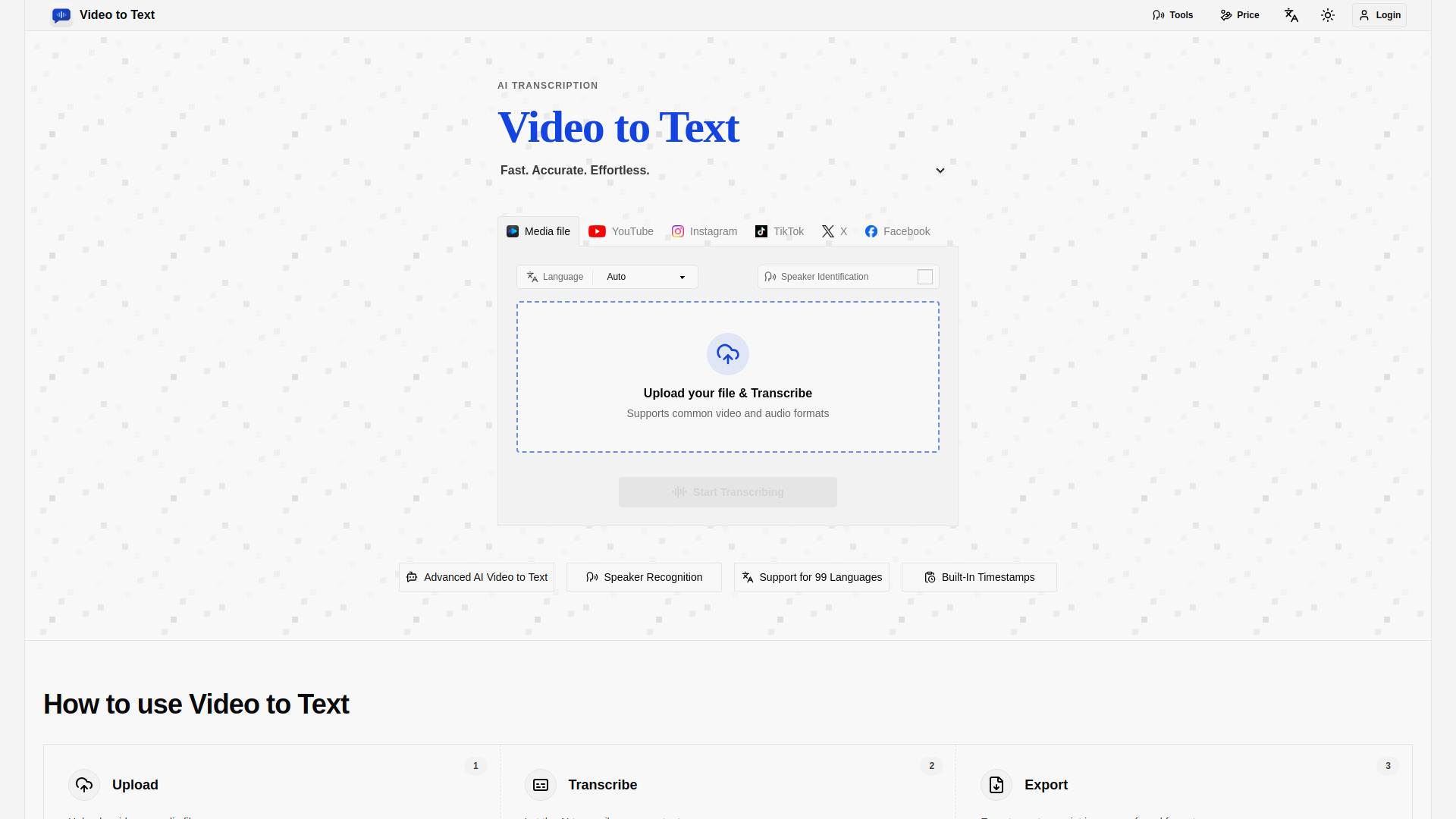
Video to Text is an AI-powered tool that converts video and audio files into accurate text transcripts. It supports 99 languages, including English, Spanish, Portuguese, French, and Chinese, and offers features like speaker diarization and timestamps. The tool is designed for creating subtitles, meeting notes, interviews, courses, podcasts, and multilingual content workflows.
How to use Video to Text
- Upload: Upload a video or audio file. Supported formats include MP4, MOV, MKV, WEBM, M4V for video, and MP3, WAV, M4A, FLAC, OGG, AAC, OPUS for audio.
- Transcribe: Let the AI transcribe your content. You can choose the language (Auto, Multi-language, or a specific language) and enable speaker identification if needed.
- Export: Export your transcript in your preferred format: TXT, SRT, VTT, or CSV.
Features of Video to Text
- High-accuracy AI transcription: Converts video and audio into accurate, searchable text in minutes.
- Support for 99 languages: Automatic language detection for a wide range of languages.
- Multi-language recognition: Handles bilingual or multilingual conversations in one file.
- Speaker diarization: Identifies different speakers clearly in the transcript.
- Timestamped transcripts: Includes timestamps for subtitles, editing, and review.
- Export options: TXT, SRT, VTT, and CSV formats.
- Simple workflow: From upload to transcript export in a few steps.
- Free trial: New users get 30 credits to try the service.
Use Cases of Video to Text
- Creating subtitles for videos.
- Transcribing meetings, interviews, and podcasts.
- Generating notes for courses or lectures.
- Converting multilingual content for broader audiences.
- Producing searchable text archives of audio/video content.
FAQ
What formats are supported for upload? Video: MP4, MOV, MKV, WEBM, M4V. Audio: MP3, WAV, M4A, FLAC, OGG, AAC, OPUS.
What export formats are available? TXT, SRT, VTT, and CSV.
Can I transcribe videos from YouTube, Instagram, TikTok, X, or Facebook? Yes, the tool offers dedicated transcript tools for these platforms.
Is there a free trial? Yes, new users receive 30 free credits.