What is Video to Text AI
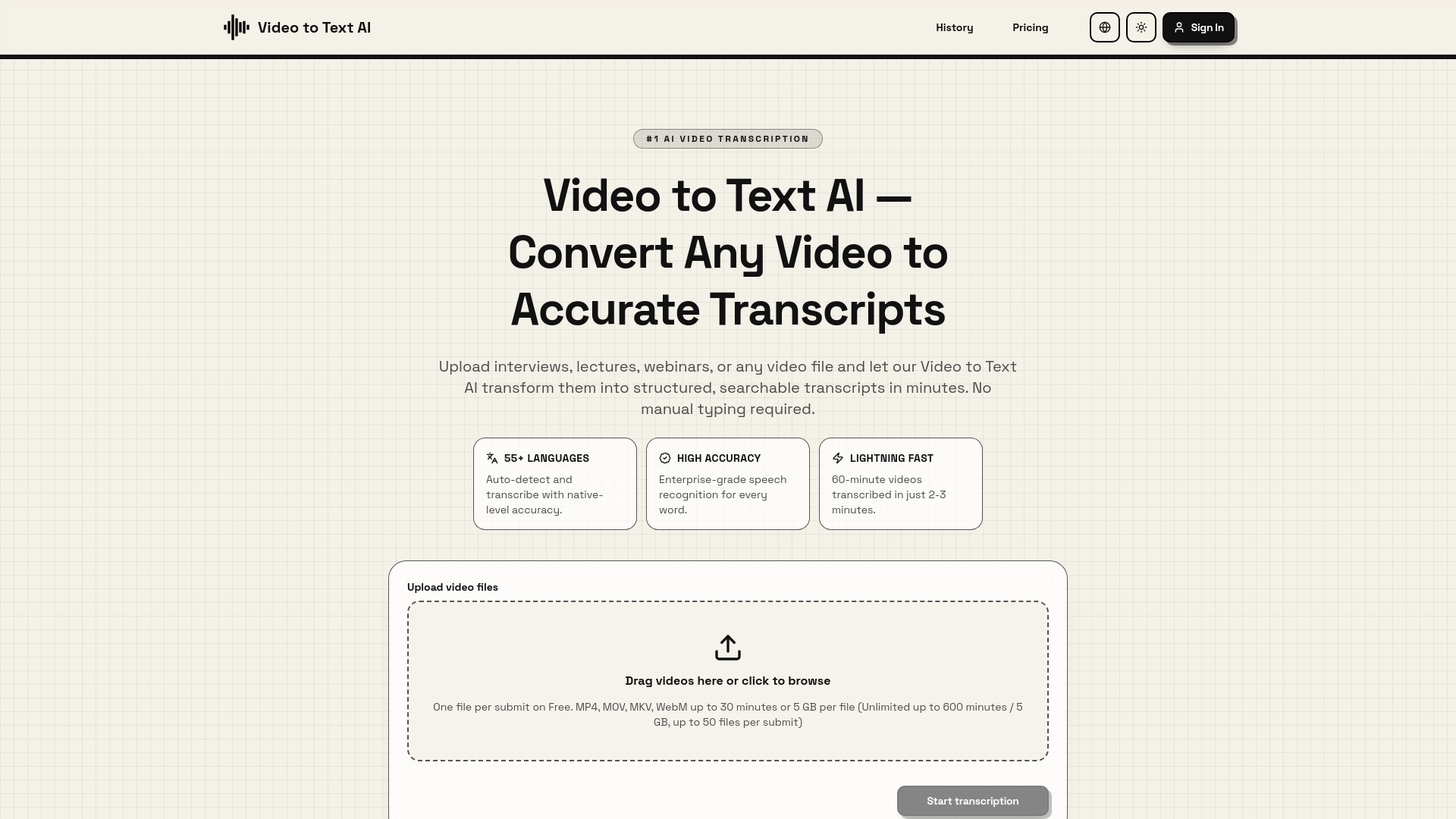
Video to Text AI is an advanced automatic transcription technology that converts spoken words in videos into accurate written text. It utilizes state-of-the-art machine learning and speech recognition algorithms to analyze audio tracks, identify different speakers, and generate time-stamped transcripts with high precision. It works with any video format, including YouTube videos, podcasts, meeting recordings, and educational content.
How to use Video to Text AI
- Upload Your Video: Upload video files (MP4, MOV, MKV, WebM) or paste a YouTube URL. The tool accepts files up to 2GB and videos up to 4 hours long. You can drag and drop or click to browse.
- AI Processes Your Content: The Video to Text AI engine analyzes your audio using speech recognition. It automatically detects the language, identifies speakers, and generates accurate timestamps.
- Download Your Transcript: Within minutes, the conversion is complete. Download in multiple formats: plain text, SRT for subtitles, or VTT for web videos. You can also edit online or export directly.
Features of Video to Text AI
- 55+ Languages Supported: Auto-detects and transcribes with native-level accuracy.
- High Accuracy: Enterprise-grade speech recognition for every word.
- Lightning Fast: Transcribes 60-minute videos in 2-3 minutes.
- Content Accessibility: Generates accurate captions compliant with accessibility standards.
- SEO Boost: Creates searchable transcripts to improve content discoverability.
- Content Repurposing: Enables creation of blog posts, social media snippets, and more from video transcripts.
- Multiple Export Formats: Supports plain text, SRT, and VTT.
- Online Editing: Allows for editing transcripts directly on the platform.
Use Cases of Video to Text AI
- Content Creators & YouTubers: Transform video content into blog posts, show notes, and social media snippets; repurpose content across platforms and improve SEO.
- Researchers & Academics: Transcribe interviews, lectures, and research recordings with academic-grade accuracy, preserving technical terminology and providing timestamps for citation.
- Business Professionals: Convert meeting recordings, webinars, and training videos into searchable documents for documenting decisions and building knowledge bases.
- Accessibility & Compliance: Make video content accessible to deaf and hard-of-hearing audiences by generating accurate captions that meet ADA, WCAG, and other accessibility standards.
FAQ
- How accurate is Video to Text AI transcription? The webpage highlights "High Accuracy" with "Enterprise-grade speech recognition for every word."
- What video formats does Video to Text AI support? Supports MP4, MOV, MKV, WebM.
- How long does Video to Text AI take? 60-minute videos are transcribed in 2-3 minutes.
- What languages does Video to Text AI support? Supports 55+ languages, including English, Spanish, French, German, Italian, Portuguese, Chinese (Mandarin & Cantonese), Japanese, Korean, and many more. It also features automatic language detection.
- What export formats are available? Plain text, SRT, and VTT.
- Can I edit the transcript after processing? Yes, transcripts can be edited online.
- Is there a file size or duration limit? Accepts files up to 2GB and videos up to 4 hours long. Free tier mentions limits of up to 30 minutes or 5 GB per file, with unlimited up to 600 minutes / 5 GB, up to 50 files per submit.
- Can I transcribe YouTube videos directly? Yes, you can paste a YouTube URL.
- Does Video to Text AI add timestamps? Yes, it generates time-stamped transcripts.
- What if the audio quality is poor? The webpage mentions "Enterprise-grade speech recognition for every word," implying robustness, but does not detail specific handling of poor audio quality.
- Do I need to create an account? The webpage mentions "Loading session" and an "AuthButton," suggesting account creation or login may be required for full functionality.