What is Vidney
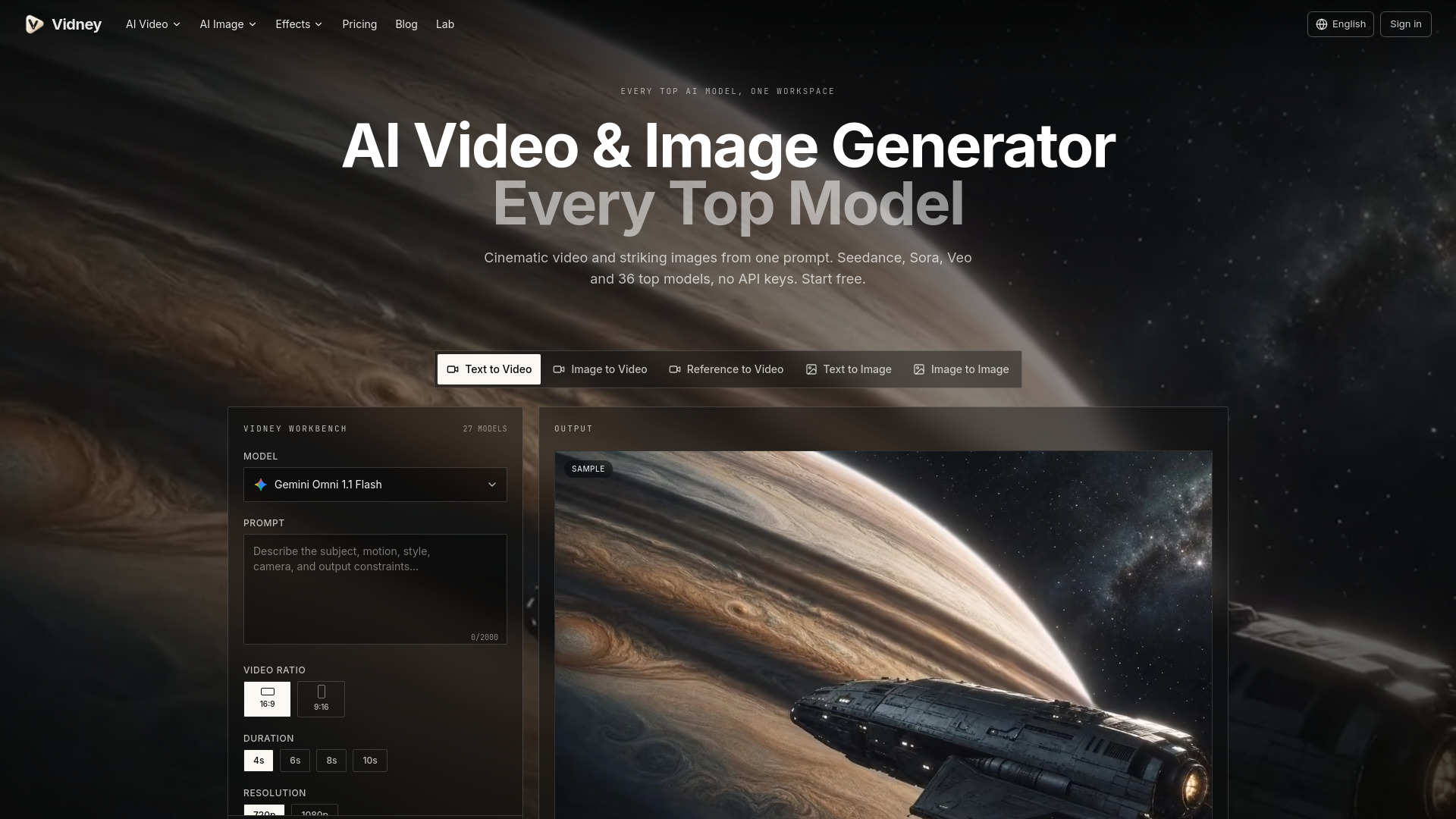
Vidney is a unified AI video and image generation platform that brings together the best AI models in one place. It allows users to create cinematic AI videos and striking images using top models such as Seedance, Sora 2, Veo 3.1, Kling, and 39 others. The platform requires no API keys or setup, and offers free credits to start.
How to use Vidney
- Type a prompt describing the video or image you want to generate.
- Pick a model from the available options (e.g., Sora 2, Veo 3.1, Kling, etc.).
- Get your clip or image generated by the selected AI model.
Features of Vidney
- Access to 22 AI video models including Grok Imagine, Gemini Omni 1.1 Flash, MiniMax H3 Max, Wan 3.0, Seedance 2.5, Sora 2, Veo 3.1, Kling 3.0, and more.
- Access to 17 AI image models including GPT Image 2.5, Muse Image, Midjourney V8.1, Qwen Image 3.0 Pro, and more.
- Text to Video: Turn a prompt into video across every top model.
- Image to Video: Bring a still to life, or morph first frame to last.
- Text to Image: Generate images from a single line of text.
- Image to Image: Restyle, edit, or extend an image you already have.
- No API keys required.
- Free credits to start.
- All models available in one workspace.
Use Cases of Vidney
- Generating cinematic AI videos from text prompts.
- Creating striking images from text descriptions.
- Animating still images into videos.
- Restyling, editing, or extending existing images.
- Morphing between first and last frames for video transitions.
- Experimenting with multiple AI models without needing separate API keys or setups.
FAQ
Do I need an API key to use Vidney?
No, Vidney does not require API keys.
Is there a free trial?
Yes, Vidney provides free credits to start.
What models are available?
Vidney offers 22 AI video models and 17 AI image models, including Sora 2, Veo 3.1, Kling, Seedance, and many others.
Can I use Vidney for both video and image generation?
Yes, Vidney supports both AI video and image generation.