What is Vidsembly
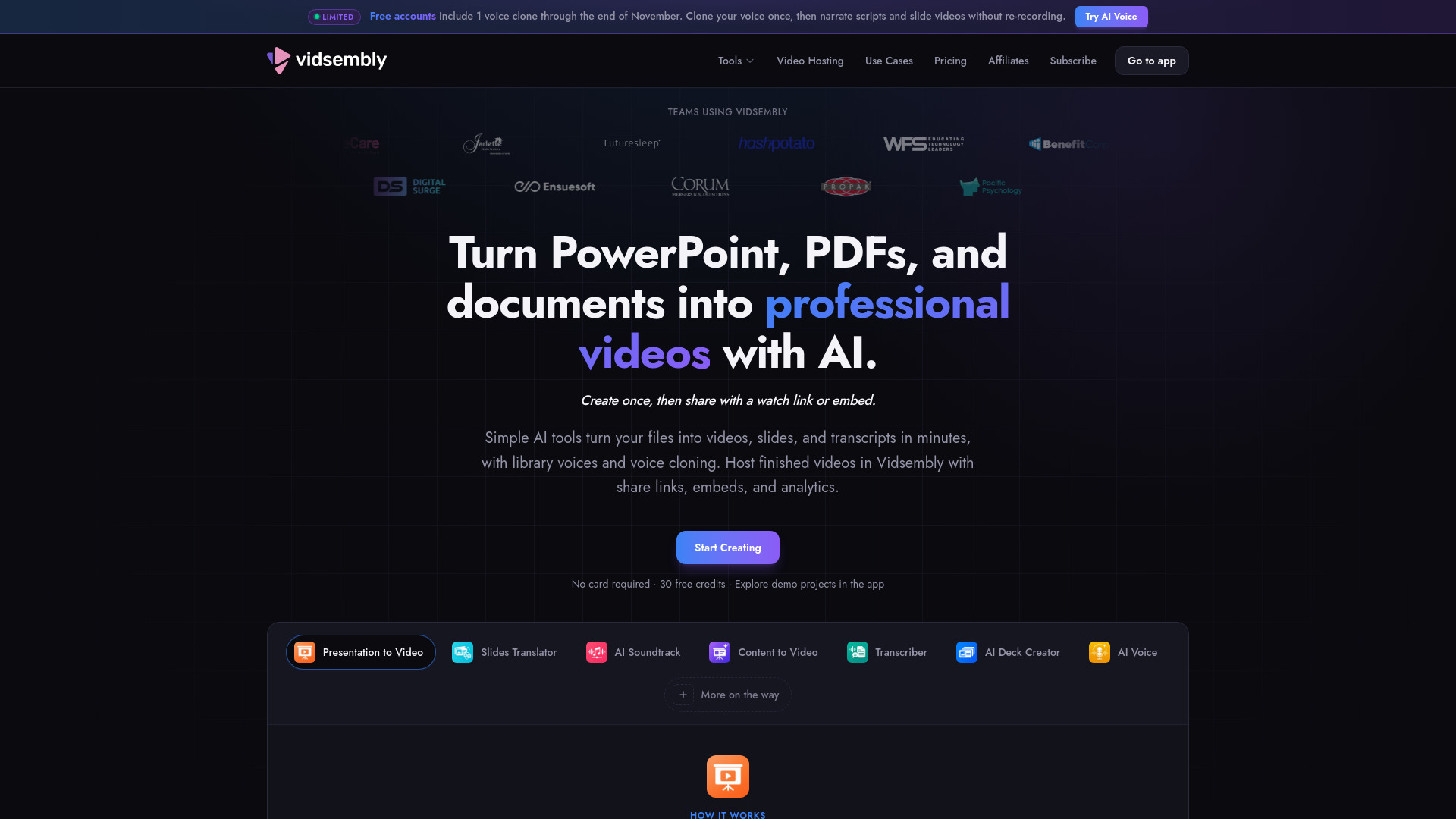
Vidsembly is an AI video creation toolkit that turns PowerPoint presentations, PDFs, and documents into narrated videos. It also creates slides, clones voices, and hosts videos. The platform is designed for teams that need to produce training, education, sales, and internal communication content at scale.
How to use Vidsembly
- Upload your file: Drop in a PPTX or PDF. Vidsembly keeps your slide layout ready for narration.
- Generate or import your script: Import speaker notes from your PPTX or generate narration for each slide, then refine the copy before you voice it.
- Select a voice: Choose a library AI voice or your cloned voice, and preview each voice option before you commit.
- Preview and export: Preview the finished video, then download a shareable MP4 or regenerate with a new voice or script.
Features of Vidsembly
- Presentation to Video: Convert existing PowerPoint or PDF files into narrated videos with original-resolution export, library voices or voice clones, and support for 12 output languages.
- Content to Video: Generate a slide deck and narrated video from a document or notes using AI.
- AI Soundtrack: Create an original instrumental soundtrack from a video.
- Slides Translator: Translate PowerPoint or PDF slides into another language while preserving the design.
- Transcriber: Convert audio or video into a searchable transcript.
- AI Deck Creator: Turn notes or a document into an editable slide deck.
- AI Voice: Generate voiceover clips from a script using library voices or voice cloning.
- Video Hosting: Host finished videos with share links, embeds, and analytics.
- Multi-language support: Output videos in English, Spanish, Chinese, Hindi, German, Italian, Arabic, French, Dutch, Japanese, Korean, and Portuguese.
Use Cases of Vidsembly
- Training Teams: Create onboarding, compliance, and internal training videos.
- Educators: Turn presentations and lectures into accessible video content.
- Sales Enablement: Convert decks and scripts into polished sales videos.
- Internal Communications: Repurpose updates, recordings, and documents into clear communication assets.
Pricing
Vidsembly offers a subscription with credits used for generating videos, voiceovers, music, and other AI-powered outputs. Paid-plan voice cloning also uses credits.
- Free: $0 – includes 30 one-time credits, 50 MB Videos library storage, standard library AI voices, original-resolution video, and watermarked exports.
- Pro: $6.99/month (or $69.99/yearly) – includes 300 credits/month, 50 GB Videos library storage, top-up credits, premium voices, 3 voice clones, 720p & 1080p re-render options, and no video watermark.
- Elite: $21.99/month – details truncated in the provided content.
FAQ
What types of files can I upload?
You can upload PowerPoint (PPTX) and PDF files to convert into narrated videos.
Can I use my own voice?
Yes, Vidsembly offers voice cloning. Free accounts include 1 voice clone through the end of November, and paid plans include multiple voice clones.
What languages are supported for output?
Vidsembly supports 12 output languages: English, Spanish, Chinese, Hindi, German, Italian, Arabic, French, Dutch, Japanese, Korean, and Portuguese.
Do I need video editing skills?
No, Vidsembly automates the process from file upload to narrated video export without timeline editing.
Is there a free plan?
Yes, the Free plan includes 30 one-time credits and basic features with watermarked exports.