LogoTopAIHubs
icon of ViNano AI

ViNano AI

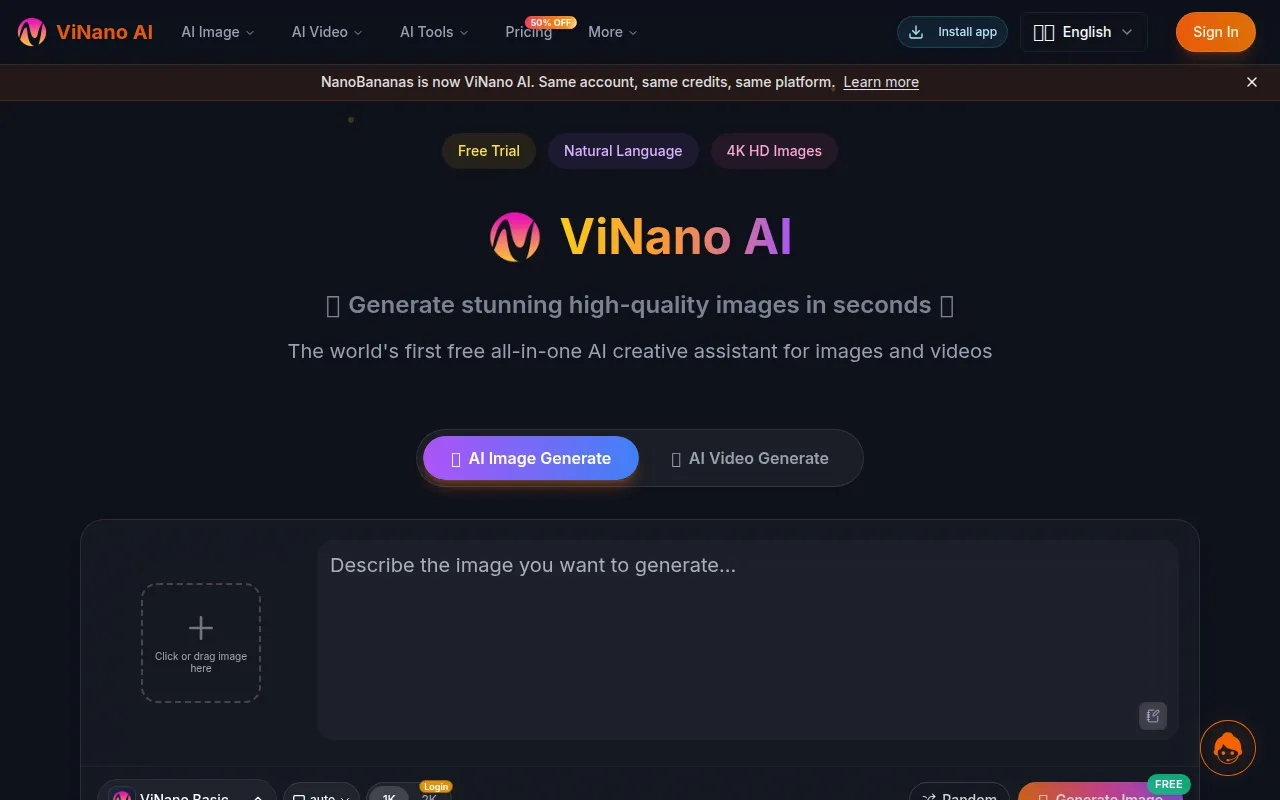
A browser-based AI creative suite for generating, editing, and enhancing images and videos with simple prompts.

Introduction

What is ViNano AI

ViNano AI is a browser-based AI creative assistant for generating, editing, and enhancing images and videos. It integrates advanced AI models like VideoAI 3.1 and Seedance, allowing users to create stunning visuals from simple text prompts or by editing existing images.

How to use ViNano AI
  1. Generate Images: Describe the image you want in the text area. You can also upload an image to use as a reference or for editing.
  2. Edit Images: Use the built-in editor to inpaint, erase, replace regions, swap backgrounds, upscale, and adjust composition.
  3. Generate Videos: Utilize text-to-video or image-to-video capabilities to create video content.
Features of ViNano AI
  • Browser-based AI creative suite
  • Generates, edits, and enhances images and videos
  • Uses simple text prompts for creation
  • Supports image-to-video and text-to-video generation
  • Integrates VideoAI 3.1 and Seedance models
  • Offers character consistency and scene preservation
  • Provides one-click editing and multi-image context
  • Includes AI UGC creation capabilities
  • Features a built-in editor for inpainting, erasing, upscaling, and more
  • Offers a free tier with credits and paid plans for advanced features
Use Cases of ViNano AI
  • Creating stunning high-quality images in seconds.
  • Generating viral memes, anime-style figures, and character art.
  • Designing unique wallpapers and concept art.
  • Editing specific areas of images with AI precision (inpainting).
  • Creating videos from text prompts or existing images.
  • Animate still photos or extend scenes.
  • Producing professional-quality images for social media, marketing materials, and personal projects.
  • Building mood boards and drafting concept directions quickly.
  • Generating product photography and mockups.
Pricing

ViNano AI offers a free tier with credits. Paid plans provide more generation credits, higher resolution outputs, priority queues, and commercial usage rights. Specific pricing details are available on the Pricing page.
FAQ
  • What is ViNano AI and how does it work? ViNano AI is an all-in-one AI image and video creation platform. Describe what you want in plain language or upload a reference image, and the model produces high-quality results in seconds. Everything runs in the browser — no setup, no installs.
  • Do I need technical skills to use it? Not at all. The interface is built for creators, not developers. If you can type a sentence, you can generate. Power users still get depth in the parameter controls, but nothing is required to get started.
  • What kinds of images can I create? Portraits, landscapes, product shots, illustrations, concept art, UI mockups, and more. The platform covers both text-to-image and image-to-image editing, so you can start from scratch or refine an existing asset.
  • Do you support AI video generation? Yes. VideoAI 3.1 and Seedance are both built in, covering text-to-video and image-to-video. Animate a still photo, extend a scene, or generate a short clip directly from a prompt — all in one place.
  • How long does video generation take? It depends on the model and length. Seedance typically finishes in 30–60 seconds, while VideoAI 3 runs in 1–3 minutes. You'll see live progress and get a notification once the clip is ready.
  • What resolution do videos come out at, and can I use them commercially? We export at 720p and 1080p with clean, stable motion. Generated videos can be used in commercial work — ads, social, marketing — without a watermark, and copyright stays with you.
  • How fast is image generation? Most images finish in under 10 seconds. Larger or higher-detail renders may take a bit longer, but the feedback loop is fast enough to iterate freely during a creative session.
  • Can I edit the images after generating them? Yes. The built-in editor lets you inpaint, erase, replace regions, swap backgrounds, upscale, and adjust composition without leaving the app.
  • How do I get support? Reach out by email and our team will get back within one business day. If you're on a paid plan, you also get a priority support channel inside the app.
  • How much does it cost? There's a free tier so you can try the tools before paying. Paid plans add more generation credits, higher resolution, priority queues, and commercial usage. Full pricing lives on the Pricing page.
  • Can I use the output for commercial projects? Yes — content generated on a paid plan can be used commercially, subject to our terms of service. Please review the terms for restrictions on specific use cases like trademarks or public figures.
  • Is it beginner-friendly? Very. Most new users land their first solid result within five minutes. We also ship example prompts and tutorials in the console if you'd like a starting point.
  • Can I share my creations to social media? One-click downloads and shareable links make it easy to post to Instagram, TikTok, X, or anywhere else. You can also copy the direct image URL for use in design tools.
  • How do you keep generated images unique? Every generation is seeded from your specific prompt, reference, and parameters. No two sessions produce the same output, and you can tweak the seed manually for reproducible variations.

Newsletter

Join the Community

Subscribe to our newsletter for the latest news and updates