What is Viralkey
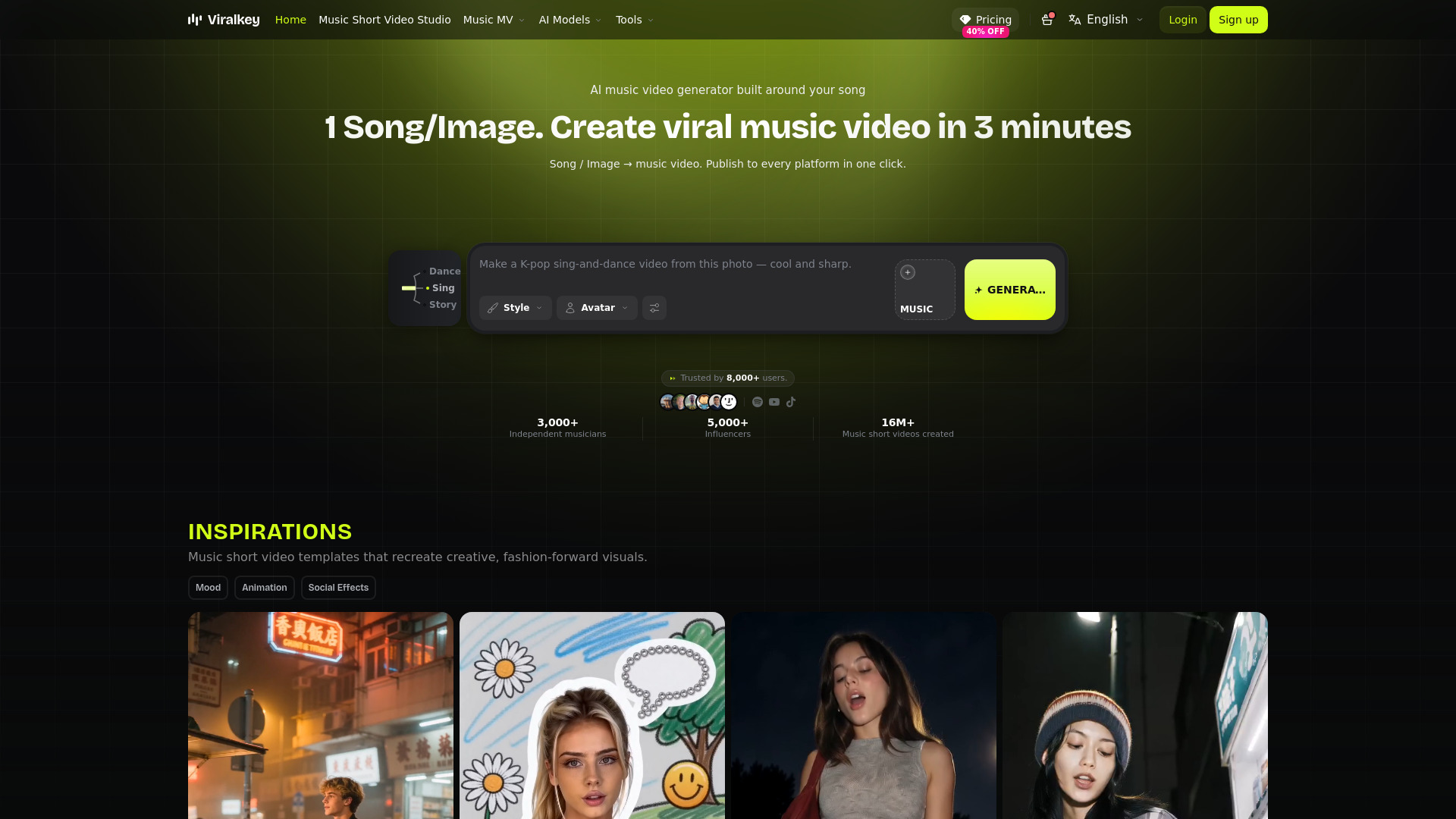
Viralkey is an AI music video generator that turns a song, a photo, or both into a multi-shot music video in about three minutes. It analyzes the music's BPM, beat points, drops, emotion curve, and structure to create beat-synced edits. Users can choose from various motion modes, maintain face consistency across scenes, and publish directly to multiple platforms.
How to use Viralkey
- Choose a mode: Select either "Image to Music Video" (upload a portrait) or "Song to Music Video" (upload a track).
- Upload your media: Add your song and/or a photo of the main character.
- Select a template: Pick from story, lyric, beat-sync, animation, social, or hybrid templates.
- Generate: The AI assembles the video automatically, usually ready in 3–5 minutes, with no manual timeline editing.
- Review and publish: Check the generated scenes, then publish to every platform in one click.
Features of Viralkey
- AI music video generation from a single song and/or photo.
- Music analysis: Detects BPM, beat points, drops, emotion curve, and song structure.
- Beat-synced editing that follows the track's musical moments.
- Dynamic lyric subtitles and lyric sync.
- Character consistency across scenes, with photo upload and face merge to prevent face drift.
- Template families: Story, performance, mood, concept, beat-sync, animation, lyric, hybrid, and social/effect templates.
- Commercial use of generated videos is supported.
- One-click publishing to multiple platforms.
Use Cases of Viralkey
- Musicians and artists can create music videos for their songs without video editing skills.
- Content creators can generate short-form videos for TikTok and other social platforms.
- Marketers can produce promotional music videos for campaigns.
- Anyone can turn a personal photo and a favorite song into a personalized music video.
FAQ
What Does This AI Music Video Generator Create? ViralKey turns a portrait or a song into a short-form, multi-shot AI music video. Clips can lean performance, story, or VFX — with lip-sync, expression, and rhythm built for TikTok and other short-form platforms.
How Does ViralKey Work? Two modes: Image to Music Video (one portrait + your track), or Song to Music Video (upload a song and let AI build around rhythm and emotion). Upload and generate — usually ready in 3–5 minutes, with no manual timeline editing.
Can I Use ViralKey Videos Commercially? Commercial use of generated videos is supported. You are still responsible for having the necessary rights to any music and photos you upload. Review ViralKey's current terms for the exact ownership and licensing conditions that apply to your account and output.
Does ViralKey Support Face Consistency (No Face Drift)? Yes. An uploaded portrait guides the main character and helps keep face consistency — no face drift — as scenes, looks, and styles change. The same face can power performance / story / VFX, plus 100+ AI MV styles. Because AI results can vary, review the finished scenes before publishing.
Can I Use My Own Song With This AI Music Video Generator? Yes. In Song to Music Video mode, upload your track and ViralKey builds around rhythm and emotion — not a stock soundtrack. You can also add a portrait for a performance-ready AI MV.
Do I Need Video Editing Skills? No. Upload a person and music, then generate — zero editing skills required. ViralKey handles assembly; you do not need to build the MV on a manual timeline.