What is VlogMe
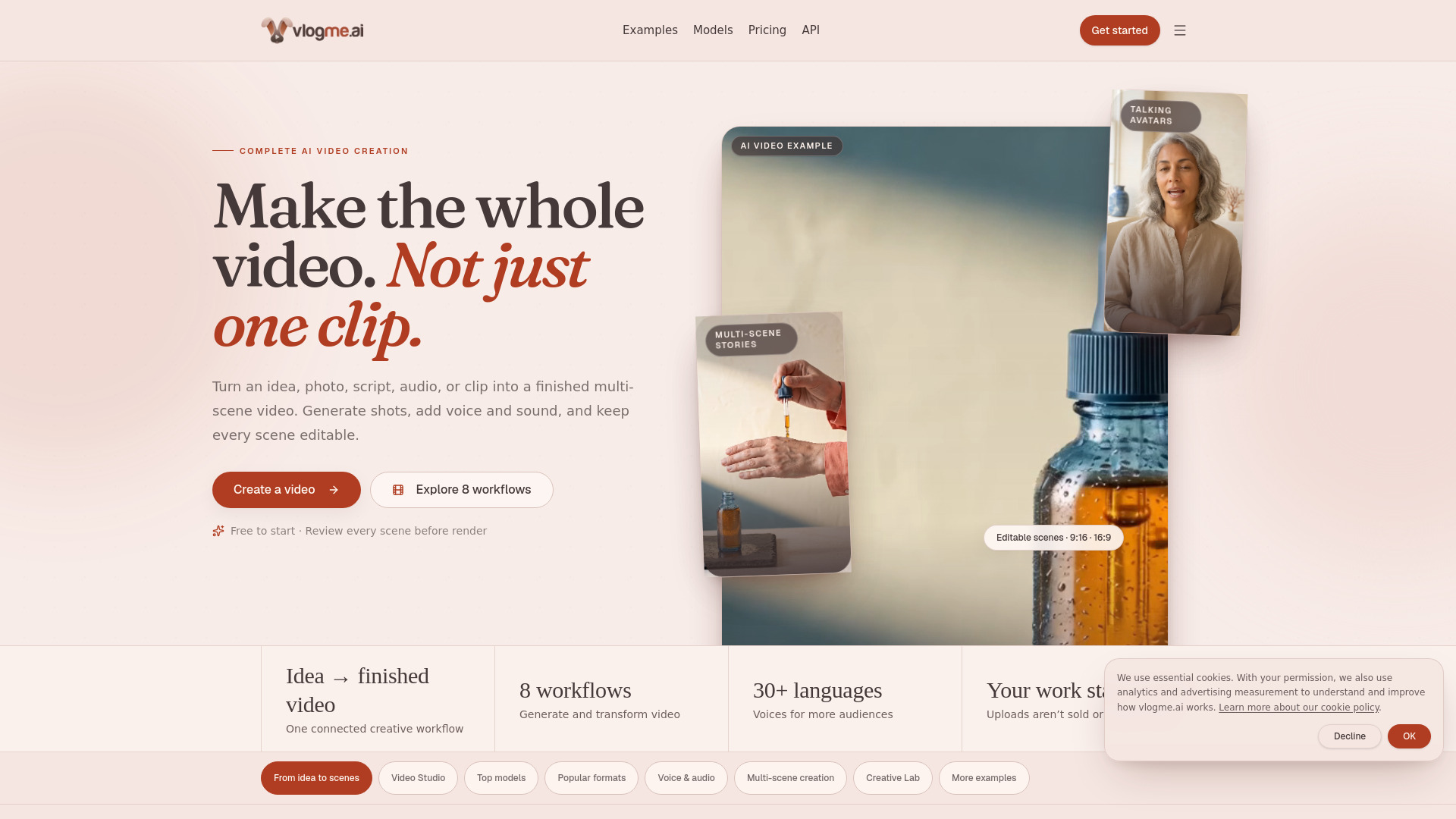
VlogMe is a complete AI video creation platform that turns ideas, scripts, photos, audio, and existing clips into complete, editable videos. It features an AI director that helps plan multi-scene stories, a Video Studio with eight workflows (image to video, text to video, talking avatar, video restyle, upscaler, lip sync, copy movement, and start/end frames), an Audio Studio for voiceovers, voice cloning, sound effects, and subtitles, and a Lab for organizing assets. It supports top AI models like Gemini Omni, Seedance, Kling AI, Veo, and Grok Imagine, and outputs in 9:16 portrait and 16:9 landscape formats.
How to use VlogMe
- Start with an idea: You can begin with a project brief, script, photo, audio, or existing video.
- Use Project Chat: Discuss your idea with the AI director. It prepares a script and editable scene plan for your review.
- Approve the plan: Review the script, scene order, media, voice, music, and production tasks. Ask for changes if needed.
- Generate the video: Once approved, VlogMe renders the complete video with shots, voice, music, captions, and effects.
- Edit scene-by-scene: You can change one part without starting over.
- Export and publish: Use the Lab to manage your assets and export the final video.
Features of VlogMe
- AI Director (Project Chat): Discuss goals, audience, format, and constraints in natural language. The AI prepares a script and scene plan.
- Video Studio: 8 workflows including text-to-video, image-to-video, talking avatar, video restyle, upscaler, lip sync, copy movement, and start/end frames.
- Audio Studio: Voiceovers, permission-based voice cloning, speech-to-speech voice changing, ElevenLabs sound effects, licensed music uploads, transcription, SRT/VTT subtitle preparation, and voice cleanup. Supports 30+ languages.
- Top AI Models: Access to Google Gemini Omni, ByteDance Seedance, Kuaishou Kling AI, Google Veo, xAI Grok Imagine, and more.
- Multi-scene creation: Build and edit multi-scene videos with avatar speech, generated clips, b-roll, photos, pauses, music, and audio ducking.
- Lab: Private workspace for images, video, audio, music, voices, exports, and story results. Search, reopen, or recreate assets with saved settings.
- Formats: Create for Reels, Shorts, product ads (9:16), cinematic multi-scene stories (16:9), and presenter/tutorial videos.
- REST API and MCP tools: For AI video and talking-avatar workflows.
- Enterprise AI livestream: Custom setup available via contact-sales.
Use Cases of VlogMe
- Product ads: Create 30-second launch reels from a product photo with hook, demo, proof, and CTA scenes.
- Social media content: Generate Reels, Shorts, and vertical videos for platforms like Instagram, TikTok, and YouTube.
- Cinematic stories: Produce multi-scene narrative videos with transitions, voiceover, music, and captions.
- Tutorials and explainers: Use talking avatars to present information with text, voice, or uploaded audio.
- Presenters and characters: Turn a portrait into a talking avatar for presentations or character-driven content.
- Video transformation: Restyle existing footage, upscale resolution, lip-sync, or transfer movement.
- Audio production: Create voiceovers, clone voices with permission, add sound effects, transcribe speech, and generate subtitles.
Pricing
VlogMe offers multiple plans with monthly credits:
- Free: 60 monthly credits for AI images, voices, and audio.
- Basic: $9/month, includes external fast and balanced video models plus 600 monthly credits.
- Higher tiers available up to $270/month (5 plans total). Prices in USD.
FAQ
What can I start with? You can start with an idea or project brief, a script, one or more photos, audio, or an existing video.
What are the eight Video Studio workflows? Image to video, start and end frames, talking avatar, text to video, video restyle, video upscaler, lip sync, and copy movement.
Can I build and edit a multi-scene video? Yes. Create supports editable scenes with avatar speech, generated or transformed clips, b-roll, multiple photos, pauses, music, and audio ducking. Project Chat can help refine the script, media, audio, music, and production tasks before final render.
What can I create from a photo? You can animate a still image, use photos as scene material, or turn a portrait into a talking avatar with text, a supported voice, or uploaded audio.
What voice and audio tools are available? Audio Studio supports voiceovers, permission-based voice cloning, speech-to-speech voice changing, ElevenLabs sound effects, licensed music uploads, transcription, SRT and VTT subtitle preparation, and voice cleanup. Supported voices cover 30+ languages.
What is the Lab? The Lab is your private workspace for images, video, audio, music, voices, exports, and story results. You can search your work, reopen it, or recreate supported assets with their saved workflow settings.
Which formats are supported, and how many credits will generation use? Supported aspect ratios, formats, models, and other constraints depend on the selected workflow. VlogMe shows the currently available options and a credit estimate before generation.
What happens to my content, and can I use the result? You retain your inputs. VlogMe does not sell your uploads or train on your photos and scripts. Only use material you are authorized to use; rights for an output, including commercial use, depend on those source rights and the applicable terms.
Does VlogMe offer AI livestreams? Enterprise AI livestream setup is available as a custom, contact-sales engagement. It is not a self-service Studio workflow.