Newsletter
Join the Community
Subscribe to our newsletter for the latest news and updates

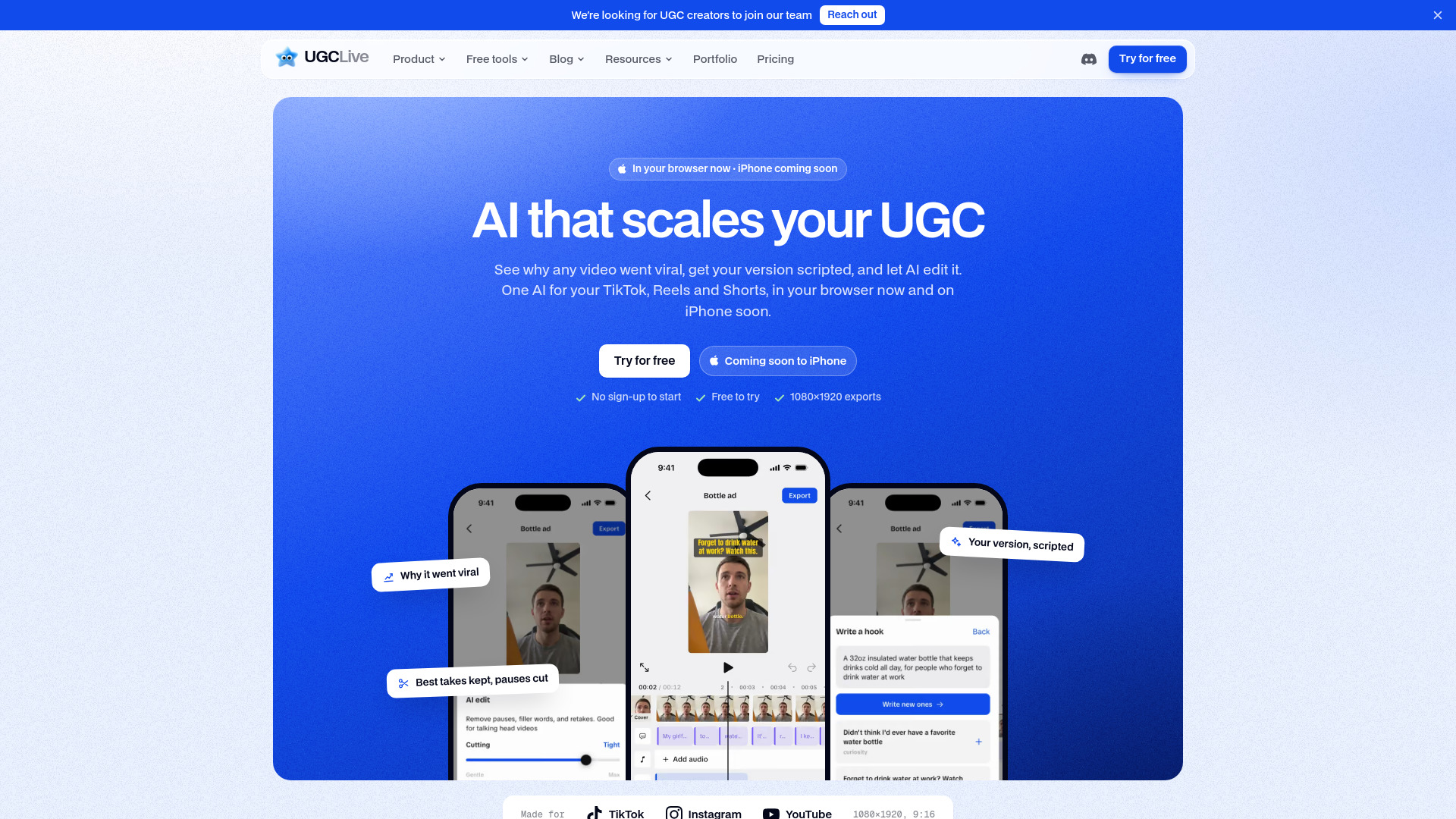
UGCLive is an AI that studies what goes viral on TikTok, Reels and Shorts, scripts your version, and edits it: retakes and pauses cut, every word captioned, A/B/C hooks.
UGCLive is an AI-powered tool for TikTok, Instagram Reels, and YouTube Shorts, available on the web and iPhone. It is designed for UGC creators and TikTok Shop sellers. The tool analyzes any video or account to reveal why it went viral, writes a script based on that pattern, edits footage with AI (cutting pauses, filler words, and failed takes, and captioning every word), and helps users grow with A/B/C hook versions, reports on their own accounts, and a public portfolio page.
What is UGCLive? An AI for your TikTok, Reels, and Shorts, on the web and iPhone. It analyzes any video or account to show why it went viral, writes your version on that pattern, edits your footage (cutting pauses, filler words, and failed takes, then captioning every word), and helps you grow with A/B/C hook versions, reports on your own accounts, and a portfolio page for brand deals. You film and press post; UGCLive does the work in between.
Is UGCLive just a video editor? No. The editor is one step. UGCLive starts before you film, with Analyze: why a video or an account works, and a script for your version of it. And it keeps going after you export, with hook versions to test, your own accounts analyzed in one tap, and a portfolio page brands can book you from.
What does Analyze do? Paste a public TikTok, Reel, or Short, an account link, or an @name. A video gets a score against the account's usual views, its rates next to the account's, why it performed, the hook, its beats, and what the comments say, plus Write my version: a script on its pattern that opens in the teleprompter. An account gets its niche, strengths, pillars, what blew up, posting, and 8 ideas. Instagram and YouTube don't show shares or saves, and the report says so. It runs in the iPhone app and the web app.
When can I get it? Now, on the web: open ugc.live/app and start free, no install. The iPhone app is coming soon.
What does it cost? Pro is $20 a month, or $12 a month billed yearly. Studio is $50 a month, or $30 a month billed yearly. You subscribe in the iPhone app through the App Store, or on the web by card.
What does AI edit do? It transcribes your talking-head clip and cuts long pauses, filler words like “um”, and retakes where you said a line twice, keeping the last take. A Cutting slider sets how tight the edit is, and every cut stays editable on the timeline.
Does it work for TikTok Shop videos? Yes. Videos export at 1080×1920 for TikTok, Instagram Reels, and YouTube Shorts, and hooks are written from your product brief. Product links are added in TikTok itself.
Can UGCLive post for me? Not by itself: you post, in one tap. When an export is ready, tap TikTok, Instagram, or YouTube and the app copies your caption and opens that app with the video. Instagram opens its composer with the video picked; in TikTok and YouTube it's your newest video. More opens the share sheet for any other app.
What is the portfolio page? A public page at ugc.live/your-handle with your finished videos, rates, and contact details. AI writes the first draft from your exports, you edit any part, and it stays unpublished until you share it. Without a plan it shows Made with UGCLive; Pro removes that, adds more accent colors, and shows how many people viewed it.
Do I need editing experience? No. AI edit does the first pass, and the timeline handles the rest: trim, split, speed, zoom, crop, text, stickers, and music.
Is there an Android app? Not yet. On Android, use UGCLive in your browser at ugc.live/app.