Newsletter
Join the Community
Subscribe to our newsletter for the latest news and updates

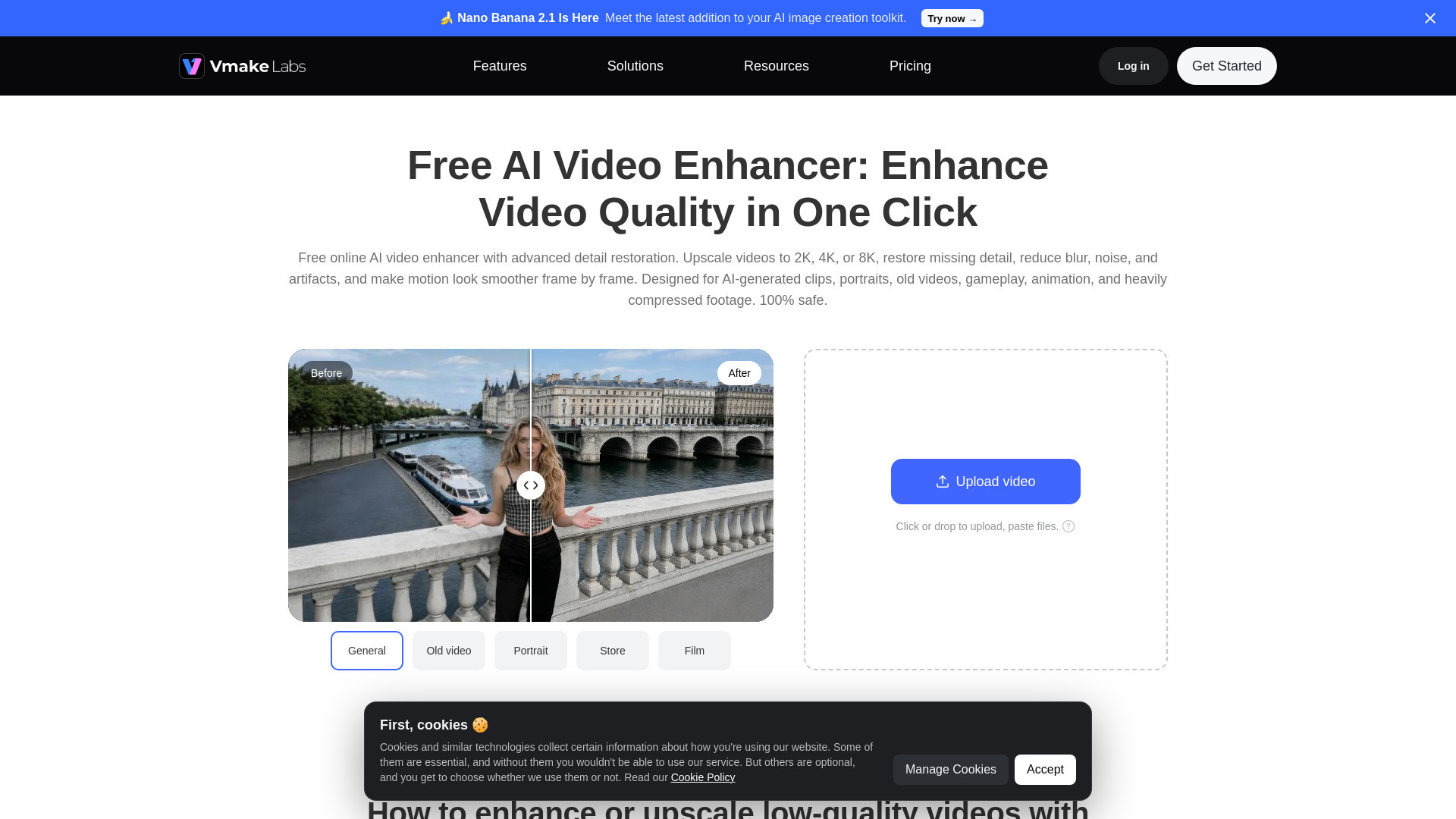
Vmake Labs Video Enhancer uses AI to improve video quality, restore details, reduce blur, and upscale videos to 8K.
Vmake Labs Video Enhancer is a free online AI-powered tool that enhances video quality by upscaling to 2K, 4K, or 8K, restoring missing details, reducing blur, noise, and artifacts, and making motion look smoother frame by frame. It is designed for AI-generated clips, portraits, old videos, gameplay, animation, and heavily compressed footage. The tool is 100% safe and browser-based, requiring no editing skills.
Vmake Labs Video Enhancer is free to use. The SoftwareApplication schema indicates an offer price of 0 USD.
What is 8K video enhancement, and how is it different from 2K or 4K? 2K, 4K, and 8K refer to different video resolution levels. The higher the resolution, the more detail the video can show. 2K is good for basic cleanup, 4K gives you a much sharper and more polished result, and 8K is best when you need extra detail for close-ups, product shots, large screens, or high-quality exports. With Vmake Labs, you can improve low-resolution footage and enhance it up to 8K when your video needs a clearer, more detailed finish.
How does a video enhancer work? Vmake Labs video enhancer operates by using intuitive AI technology to increase the resolution of a video. You can upscale to 4K+, restore details, reduce artifacts, improve low-light footage, and make AI-generated videos look more natural.
How does it help remove the “AI look”? Vmake Labs reduces the overly smooth, plastic feel and repeated textures that often show up in AI-generated footage. It also stabilizes edges and cleans up artifacts, so the result looks more natural and consistent frame to frame.
Does it work for night or low-light videos? Yes. Vmake Labs helps reconstruct shadow details, reduce noise and flicker, and auto-balance brightness and contrast for better visibility.
What apps can I use to enhance my video quality? Vmake Labs AI video enhancer is a browser-based app for improving the quality of your footage. Using our tool, you can adjust the sharpness of your video without needing any editing skills.
Can I use an AI video enhancer for my business training materials? Yes, you can use the Vmake video enhancer to boost the quality of your business training materials. Our AI video enhancer ensures the clarity of your business training videos.
What do Fast, Detail, and Cinematic mean? Fast, Detail, and Cinematic are different enhancement levels for different needs. Fast is best when you want a quicker result for everyday video cleanup. Detail gives you higher quality with stronger detail recovery, better clarity, and smoother results. Cinematic is designed for the best possible enhancement, especially for low-resolution footage, AI-generated videos, portraits, product videos, and clips that need more advanced repair. Choose Fast for speed, Max for balanced quality, and Ultra when you want the strongest result.