What is WAV AI
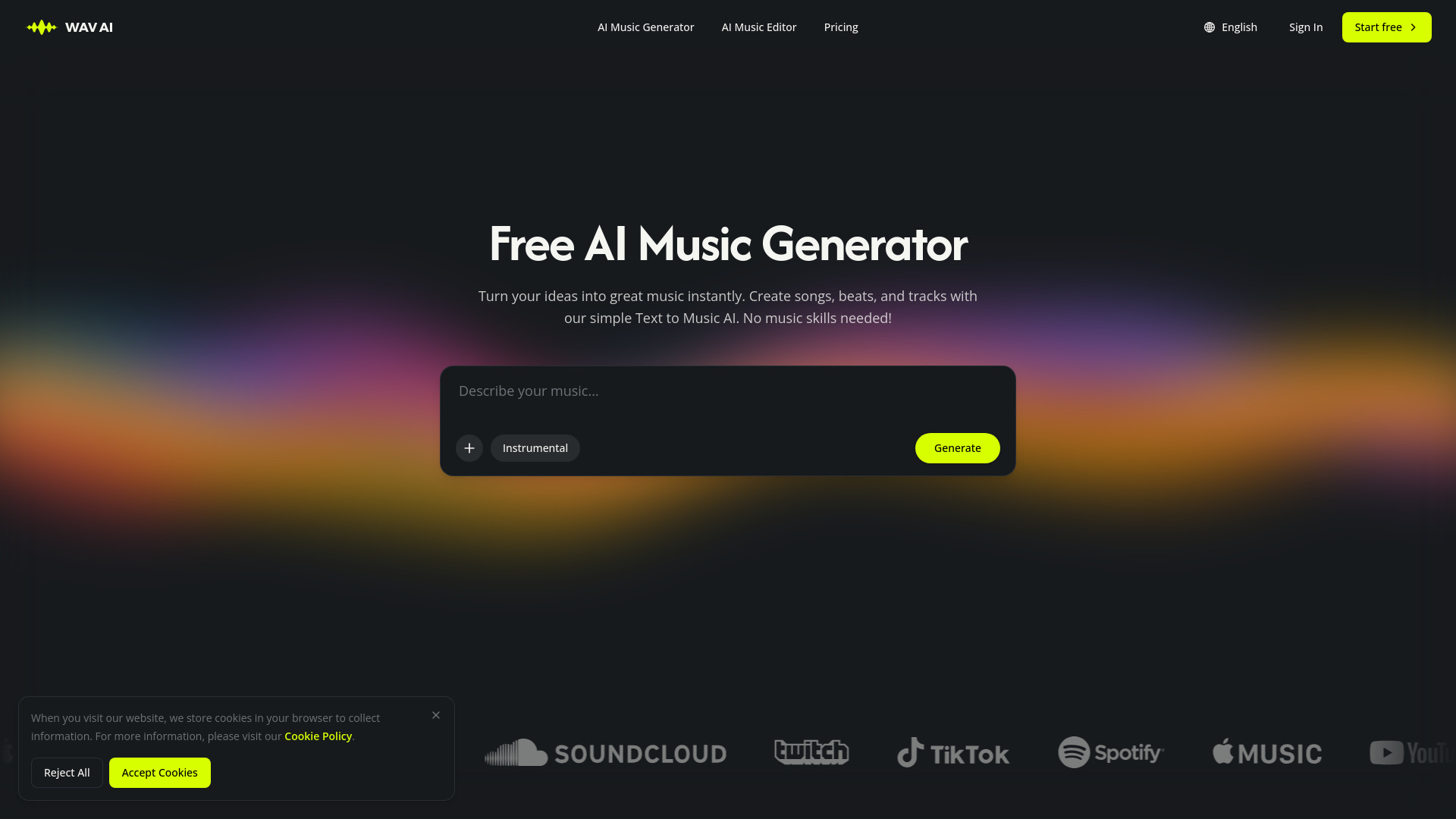
WAV AI is an AI-powered music platform that enables users to generate, edit, remix, and master music. It provides a free AI music generator that creates songs from text, lyrics, and images, along with tools for writing lyrics, remixing tracks, extending music, splitting stems, and mastering audio. The platform is designed for users of all skill levels, requiring no music skills to get started.
How to use WAV AI
- Describe your music idea in the text prompt (e.g., genre, mood, tempo, instruments).
- Optionally, use custom mode to add specific instructions or upload your own audio (vocal recordings or instrumental tracks).
- Click the "Generate" button to create your song.
- Use the AI music editor to further refine, remix, extend, or master your track.
- Export your finished track in high-quality formats like MP3 or lossless WAV.
Features of WAV AI
- Text to Music AI: Generate songs, beats, and tracks from text descriptions.
- Lyrics writing assistance.
- AI remixing and extending tools to build on original ideas.
- Stem splitting for audio separation.
- Audio mastering.
- Custom mode to control style, mood, and structure.
- Instrumental toggle for creating instrumental tracks.
- Support for uploading vocal recordings or instrumental tracks.
- Export in MP3 and lossless WAV formats.
Use Cases of WAV AI
- Creating original music for videos, ads, games, and podcasts.
- Remixing and extending existing tracks.
- Generating background music for content creation.
- Writing and producing songs with lyrics.
- Mastering audio for professional quality.
- Distributing songs on streaming platforms like Spotify and Apple Music (with commercial license).
Pricing
WAV AI offers a free starting point with free credits to test the AI Music Generator. Paid plans are available, though specific pricing details are not listed on the page. Commercial use and distribution rights are granted according to the chosen plan.
FAQ
Is WAV AI free to use?
Yes, you can get started for free. Free credits are provided to test the AI Music Generator before paying for a plan.
Can I control the style, mood, and structure?
Absolutely. You can define genre, mood, tempo, and instruments to match your creative direction.
Can I upload my own audio to modify?
Yes. You can upload vocal recordings or instrumental tracks and use AI remixing and extending tools to build on your original ideas.
Can I use the generated music for commercial purposes?
Yes. Music you generate can be used in videos, ads, games, podcasts, and other commercial projects according to your plan.
Who owns the copyright to music made with the AI song generator?
You own the tracks you generate and can keep using them after export, subject to the applicable license terms.
Can I distribute my songs on Spotify and Apple Music?
Yes, with the commercial license you can distribute your creations across major streaming platforms.
What export formats are supported?
Standard high-quality audio formats are supported, including MP3 and lossless WAV formats.
What happens to my music rights if I cancel my subscription?
Canceling your subscription does not revoke rights to music generated during your active subscription period.