What is Workforce AI
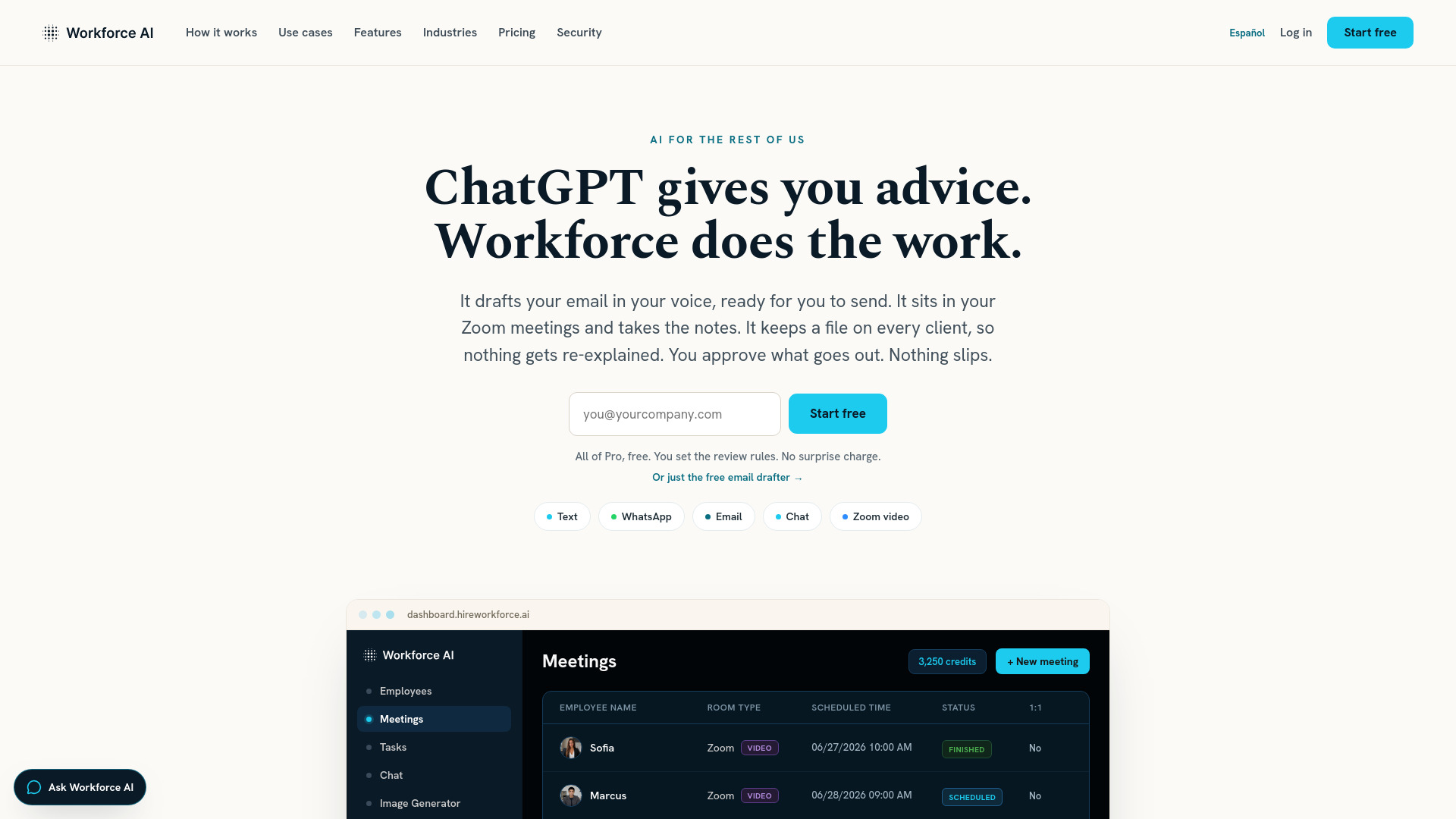
Workforce AI provides human-looking conversational AI employees for small businesses. These AI employees handle email drafting, follow-ups, scheduling, recurring work, and Zoom meetings—with built-in approval rules, client memory, and human oversight. The AI turns plain-English goals into step-by-step plans, executes them, and shows results. It asks for approval before releasing actions covered by review rules.
How to use Workforce AI
- Sign up for a free trial (no credit card required) at the website.
- Connect your tools—email, calendar, CRM, chat, and 60+ other integrations in a few clicks.
- Configure an AI employee by giving it a name and setting review rules for client-facing actions.
- Assign tasks in plain English: tell it what to do (e.g., draft an email, join a meeting, follow up with a client).
- Review and approve any actions that require your OK before they are sent or released.
- Monitor via the dashboard where you can see meetings, tasks, chat, and settings.
Features of Workforce AI
- Zoom Meeting Avatar: Joins Zoom calls as a real, talking face with its own voice. Answers questions live, takes notes, and after the call delivers a searchable transcript, summary, and action items.
- Email Drafting: Drafts emails in your voice, ready for you to send.
- Client Memory: Keeps a file on every client so nothing gets re-explained.
- Follow-ups & Recurring Work: Automates follow-ups and recurring tasks, running them on its own.
- Approval Rules: Configurable rules that require your approval before client-facing actions are released.
- Multi-channel: Works across email, text, WhatsApp, chat, and Zoom video.
- Integrations: Connects to 60+ tools including email, calendar, drive, CRM, and chat.
- Security: Encrypted in transit and at rest, isolated per customer. SOC 2 Type II examined.
Use Cases of Workforce AI
- Small business owners who are bottlenecks for every task—AI handles follow-ups, meeting notes, and email drafting.
- Agencies, advisory firms, staffing companies that need to manage client communication and recurring work.
- Professionals who want to reclaim time from meetings, inbox management, and routine tasks.
- Teams that need a virtual teammate to join Zoom calls, take notes, and draft follow-ups.
Pricing
- Free email drafter available with no credit card.
- All of Pro, free during trial—you set the review rules, no surprise charge.
- Specific pricing tiers are not detailed on the homepage; visit the pricing page for more information.
FAQ
Does it actually do the work, or just suggest things? It does the work. It turns a plain-English goal into a step-by-step plan, runs the steps, and shows you each result. It runs recurring tasks on its own and asks for your approval before releasing an action covered by an approval rule.
I'm not technical. Where do I even start? If you can hire someone and tell them what to do, you can run Workforce AI. Tell us what eats your week and we'll point you at the one job to hand over first. No prompts to engineer.
Which meeting tools does it work with? Zoom is live for meeting join. Microsoft Teams and Google Meet are on the roadmap. It connects to 60+ other tools.
What if it makes something up? Configured workflows can use connected business data. Supported approval proposals and decisions are written to a reviewable history.
Will it send to a client without me? That depends on the workflow configuration. When an enabled approval rule applies, the covered client-facing action waits for review before release.
Is my client data safe? Encrypted in transit and at rest, isolated per customer. Your memory is yours, never shared or used to train shared models. Workforce AI has completed a SOC 2 Type II examination.