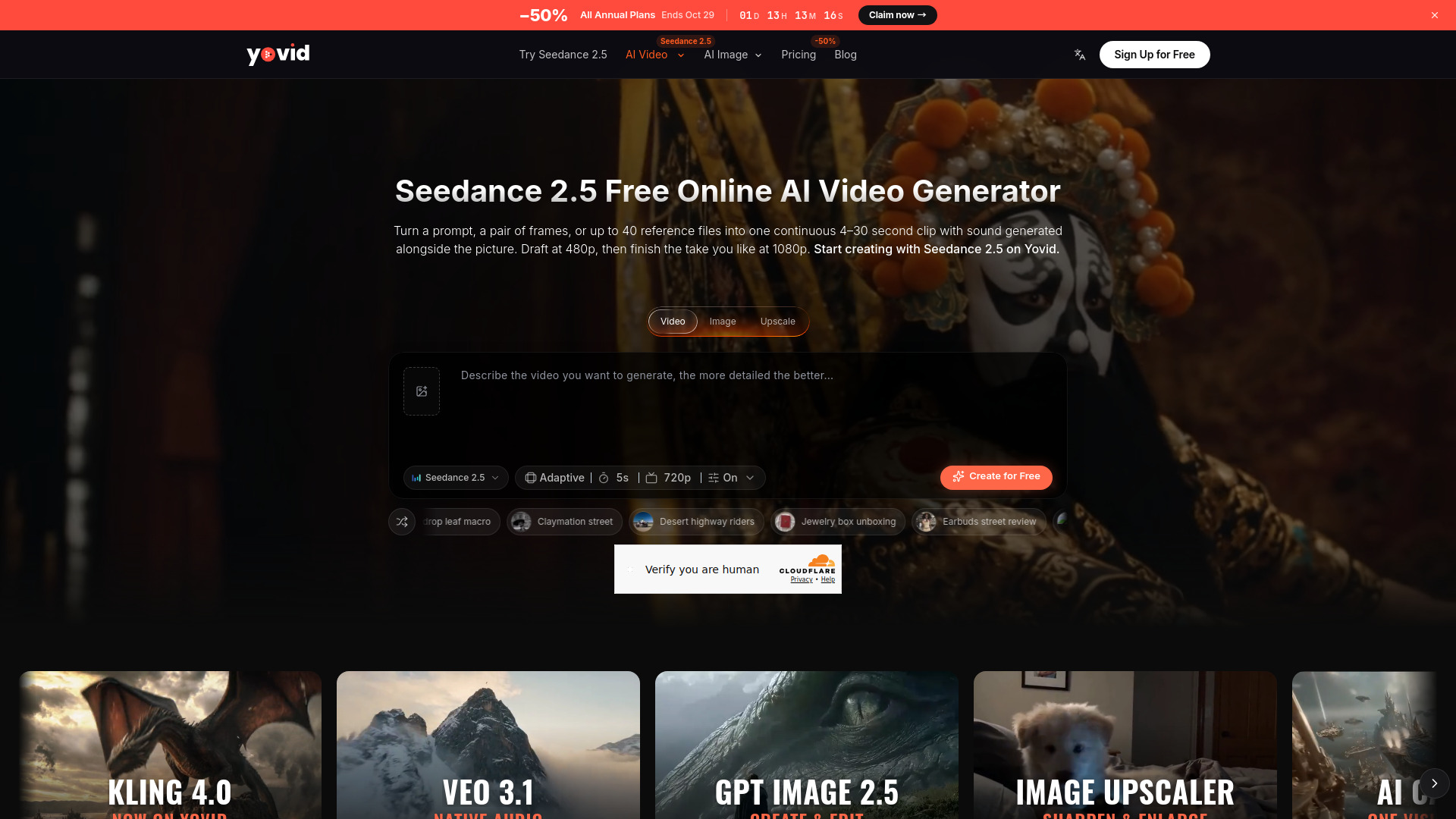
What is Yovid – Seedance 2.5 AI Video Generator
Yovid – Seedance 2.5 is an AI video generator that creates continuous 4–30 second clips with native audio from text prompts, image references, or video inputs. It allows drafting at 480p and finishing at 1080p, and supports up to 40 reference files in the browser (50 via API).
How to use Yovid – Seedance 2.5 AI Video Generator
- Open the video generator; Seedance 2.5 is preselected, or choose it from the model menu.
- Write a prompt describing the scene, attach a first frame or up to 30 images and 10 clips, then set length, aspect ratio, and resolution.
- Generate the video, review the clip, upgrade a 480p draft to 1080p if desired, and download the MP4.
Features of Yovid – Seedance 2.5 AI Video Generator
- 30-Second Takes in One Generation: Generate continuous clips from 4 to 30 seconds without stitching fragments.
- Sound and Dialogue Generated with the Picture: Speech, ambience, and effects are produced in sync with the action; sound can be turned off.
- Up to 40 References in the Browser, 50 via API: Combine up to 30 images and 10 video clips; API adds up to 10 audio files.
- Edit a Clip by Describing the Change: Upload a video and describe replacements, removals, or restyling while keeping the rest unchanged.
- Extend a Shot Without Breaking It: Continue an uploaded clip with consistent characters, set, and props.
- Draft at 480p, Finish at 1080p: Preview cheaply at 480p, then upgrade the chosen take to 1080p with the same content.
- Turn Green Screen and Previz into Finished Shots: Use green-screen plates or grey-box animatics as blueprints for final shots.
- Every Setting in One Place: Seven aspect ratios, three resolutions, sound on/off, and text, frame, or reference inputs.
Use Cases of Yovid – Seedance 2.5 AI Video Generator
- Creating short narrative films with dialogue and sound, such as a barbershop's last night or a seaside conversation.
- Generating character-driven scenes with multiple references, like a paper puppy interacting with a real puppy.
- Editing existing footage to change backgrounds, props, or outfits without reshooting.
- Extending a scene seamlessly for longer storytelling.
- Converting green-screen footage or previz animatics into finished visual effects shots.
- Producing stylized content like stop-motion, black-and-white couture dance, or action sports clips.
Pricing
- 480p draft: About 3 credits per second (e.g., 5-second draft ≈ 15 credits).
- 720p: About 6 credits per second (e.g., 5-second clip ≈ 31 credits).
- 1080p final: About 15 credits per second; available on Pro, Premium, and credit packs. Lite plan tops out at 720p.
- Upgrade window: About 24 hours from when the draft finishes.
FAQ
What is the maximum video length?
Up to 30 seconds per generation, with a slider from 4 to 30 seconds.
Can I generate sound and dialogue?
Yes, sound is on by default and includes dialogue, room tone, and effects synced to the action. You can switch it off.
How many references can I use?
Up to 40 files in the browser (30 images + 10 videos); via API, up to 50 (including 10 audio files).
Can I edit an existing video?
Yes, upload a clip and describe the changes; the edit mode keeps the camera move, timing, and unmentioned elements.
What resolutions are available?
480p (draft), 720p (default), and 1080p (final). 1080p requires Pro, Premium, or credit packs.
How long do I have to upgrade a draft?
About 24 hours from when the draft finishes.