What is Zens AI
Zens AI is an AI customer support system designed for SaaS teams. It connects customer feedback to product workflows, turning user conversations into actionable insights for tools like Codex, Slack, Linear, and GitHub. It provides a trusted context layer that includes user identity, account state, current page, product events, and conversation history, enabling support teams to resolve issues faster and product teams to iterate based on real customer evidence.
How to use Zens AI
- Install the SDK on your website or in your product to start capturing conversations and user context.
- Configure your support channels (e.g., website chat, in-product widget) to route conversations through Zens AI.
- Set up AI responses with a review-first default, where AI drafts replies and summaries that your team can approve or automate.
- Connect your workflow tools (Slack, GitHub, Linear, Multica, etc.) to receive feedback briefs and task assignments.
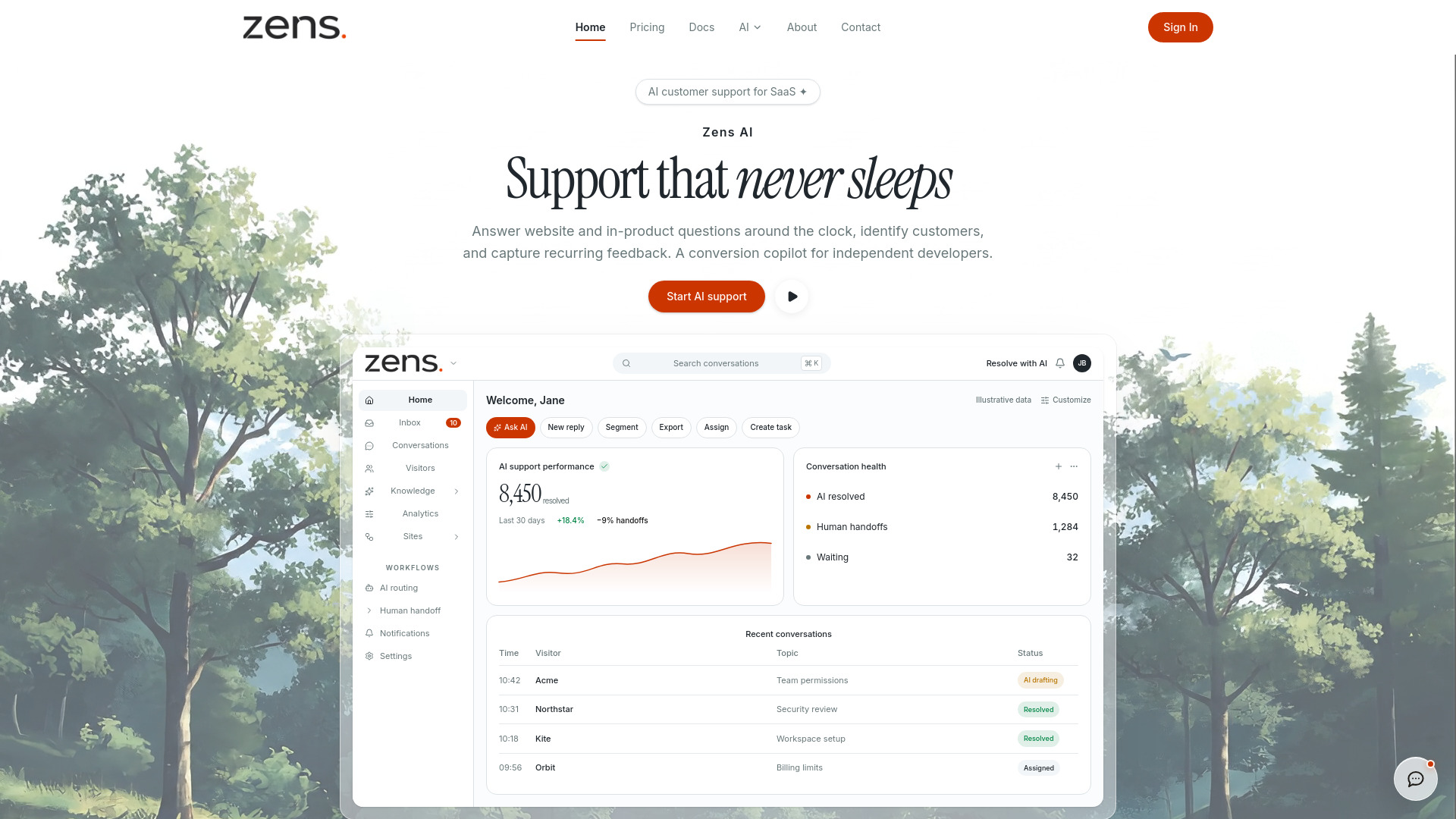
- Use the dashboard to monitor AI support performance, conversation health, and recent conversations.
- Leverage agent actions to search conversations, assemble evidence, and create implementation briefs for coding agents like Codex.
Features of Zens AI
- AI Customer Support: Answers website and in-product questions 24/7, reducing response times and improving conversion.
- Context Layer: Combines user identity, account state, current page, product events, and conversation history for a complete view.
- Feedback Capture: Automatically identifies recurring feedback and clusters it into actionable insights.
- Workflow Integration: Connects to Slack, GitHub, Linear, Multica, and other tools to turn feedback into tasks.
- Agent Actions: Provides tools for coding agents (Codex, Claude Code, Cursor, etc.) to create implementation briefs with evidence.
- Review-First Automation: AI drafts replies and summaries, but human approval is the default for sending.
- Search and Analytics: Find customer context instantly and track AI resolution rates, handoffs, and conversation health.
- Identity and Permissions: Supports signed-in users, account traits, session timelines, and role-based context trimming.
Use Cases of Zens AI
- Support Leads: Spot repeated questions from high-value accounts, prepare human handoff context, and turn support quality into weekly reports.
- Product Managers: Use customer feedback to prioritize product improvements and create clear requirements.
- Growth Teams: Capture objections and feature requests to inform onboarding and conversion strategies.
- Founders: Get a 24/7 AI support agent that captures feedback and drives product iteration.
- Agent Developers: Provide coding agents with customer evidence to start implementation tasks.
- Success Teams: Monitor account health and proactively address issues based on conversation insights.
FAQ
How is Zens AI different from a regular live chat tool? Zens AI brings user identity, account state, current page, product events, and conversation history into one trusted context layer, so support replies, product feedback, and agent tasks all work from the same evidence.
Which teams is Zens AI built for? Zens AI is built for SaaS teams that want support conversations to drive product improvements, especially founders, support leads, product managers, growth teams, and engineering teams adopting agent workflows.
Will AI replies be sent to customers automatically? Review-first is the default. AI can draft replies, summaries, and recommendations, while your team controls what can be automated and what must be approved by a human.
Can Zens AI connect to Codex or other agent workflows? Yes. Zens AI can turn repeated feedback into Codex-ready briefs and send context to Slack, Linear, GitHub, Multica, or other team agents.
Will customer data be used for model training? Customer conversations are not used for model training by default. Zens AI emphasizes signed identity, role controls, private fields, and data minimization so agents only receive the context needed for the task.