What is AgileHero
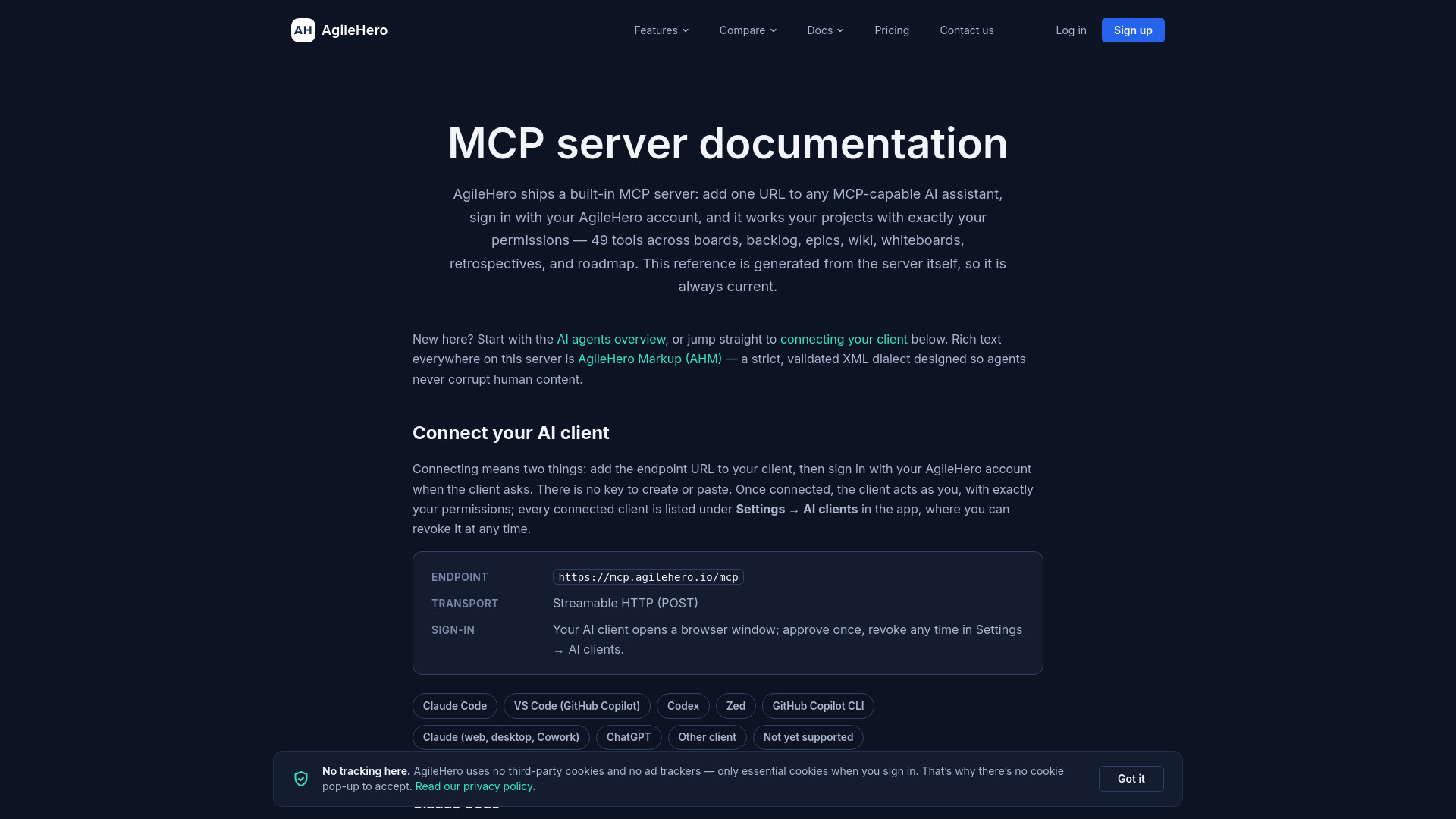
AgileHero is an agile project management platform that combines kanban boards, epics, roadmap, retrospectives, whiteboards, and a wiki in one workspace. It includes a built-in MCP (Model Context Protocol) server that exposes 49 tools for AI agents, allowing AI assistants to interact with projects using the user's permissions. The MCP server supports OAuth sign-in and works with various AI clients such as Claude, ChatGPT, VS Code, Codex, Zed, and GitHub Copilot CLI.
How to use AgileHero
To connect an AI client to AgileHero's MCP server:
- Add the endpoint URL
https://mcp.agilehero.io/mcpto your MCP-capable AI client. - Sign in with your AgileHero account when prompted by the client (OAuth flow).
- Once connected, the client acts on your behalf with your permissions.
- Manage connected clients under Settings → AI clients in the AgileHero app, where you can revoke access at any time.
Specific client setup instructions:
- Claude Code: Run
claude mcp add --transport http --scope user agilehero https://mcp.agilehero.io/mcp, then authenticate via/mcporclaude mcp login agilehero. - VS Code (GitHub Copilot): Add to
.vscode/mcp.jsonwith"type": "http"and the URL, then start the server and sign in via browser. - Codex: Run
codex mcp add agilehero --url https://mcp.agilehero.io/mcpandcodex mcp login agilehero. - Zed: Add to
~/.config/zed/settings.jsonundercontext_serverswith the URL, then restart Zed and approve sign-in. - GitHub Copilot CLI: Add to
~/.copilot/mcp-config.jsonwith"type": "http"and the URL; requires version 1.0.83 or newer. - Claude (web, desktop, Cowork): Add as a custom connector in Settings → Connectors with the URL and sign in.
- ChatGPT: Create a connector in Developer mode with the URL and OAuth authentication.
- Other clients: Use Streamable HTTP transport with OAuth sign-in.
Features of AgileHero
- Kanban boards: Manage cards, lists, and workflows.
- Epics: Organize work into epics with descriptions, colors, and dates.
- Roadmap: Schedule epics with slots, assignees, and date ranges.
- Retrospectives: Create and manage retrospective meetings with standard columns (Kudos, Liked, Disliked, Questions, Discussion, Actions).
- Whiteboards: Create diagrams, mind maps, and visual elements with server-side layout.
- Wiki: Create and edit wiki pages using AgileHero Markup (AHM), a strict XML dialect.
- MCP server: Exposes 49 tools for AI agents to interact with boards, backlog, epics, wiki, whiteboards, retrospectives, and roadmap.
- AI client integration: Supports OAuth sign-in for Claude, ChatGPT, Claude Code, VS Code, Codex, Zed, GitHub Copilot CLI, and others.
- Search: Global full-text search across cards, epics, wiki pages, and projects.
- Metrics: Track cards needing attention (stuck, blocking, overdue).
- Labels: Create and manage labels for categorization.
- Comments: Add and delete comments on cards.
- AgileHero Markup (AHM): Strict XML format for rich text, ensuring agents never corrupt human content.
Use Cases of AgileHero
- Agile project management: Plan sprints, manage backlogs, and track progress with kanban boards and epics.
- AI-assisted workflows: Use AI assistants to create cards, update descriptions, manage whiteboards, and generate retrospectives.
- Roadmapping: Schedule epics over time and assign team members.
- Team collaboration: Use whiteboards for brainstorming and wiki for documentation.
- Retrospective meetings: Facilitate team retrospectives with structured columns and action items.
- Metrics and monitoring: Identify stuck, blocking, or overdue cards to keep projects on track.
- Content creation: Convert whiteboard elements (sticky notes, frames, mind maps) into backlog items.
Pricing
AgileHero offers the following plans:
- Free: 500 tool calls per day per user per workspace; one custom connector in Claude.
- Pro or trial: 5,000 tool calls per day per user per workspace; access to Pro-pillar tools (wiki, whiteboards, retrospectives, roadmap, metrics).
- Team and Enterprise: Available for Claude connectors; an Owner adds the connector, and members sign in with their own AgileHero accounts.
Daily limits reset at 00:00 UTC. get_ahm_spec and list_projects calls are never counted.
FAQ
What is the MCP server endpoint?
The endpoint is https://mcp.agilehero.io/mcp.
What transport does the MCP server use?
Streamable HTTP (POST).
How do I sign in?
Your AI client opens a browser window for OAuth sign-in. Approve once, and you can revoke access anytime in Settings → AI clients.
Which AI clients are supported?
Claude Code, VS Code (GitHub Copilot), Codex, Zed, GitHub Copilot CLI, Claude (web, desktop, Cowork), ChatGPT, and other clients that support OAuth with Client ID Metadata Documents.
Which clients are not yet supported?
Cursor, OpenCode, Gemini CLI, Cline, Google Antigravity, Amp, Raycast AI, Kiro, Warp, JetBrains AI Assistant, and Continue.
What is AgileHero Markup (AHM)?
AHM is a strict, validated XML dialect for rich text (wiki pages, card/epic descriptions, comments). It is the only rich-text format AgileHero accepts; markdown and HTML are rejected.
How do I edit rich text?
Rich-text edits are two-step: first call preview_wiki_page_update or preview_description_update to get a preview token, then call the matching update tool with that token.
What are the daily limits?
Tool calls are metered per user per workspace: 500/day on Free, 5,000/day on Pro or trial, resetting at 00:00 UTC.
Can I use AgileHero with multiple AI clients?
Yes, every connected client is listed under Settings → AI clients, where you can revoke access individually.