What is AI 3D Model Generator
ModelGenerator is an AI-powered tool that generates textured, export-ready 3D models from text prompts or images. It is designed for production pipelines, including game engines, AR/VR, and product design workflows. The tool produces meshes with PBR materials and exports them in GLB format, compatible with Unity, Unreal Engine, and Godot.
How to use AI 3D Model Generator
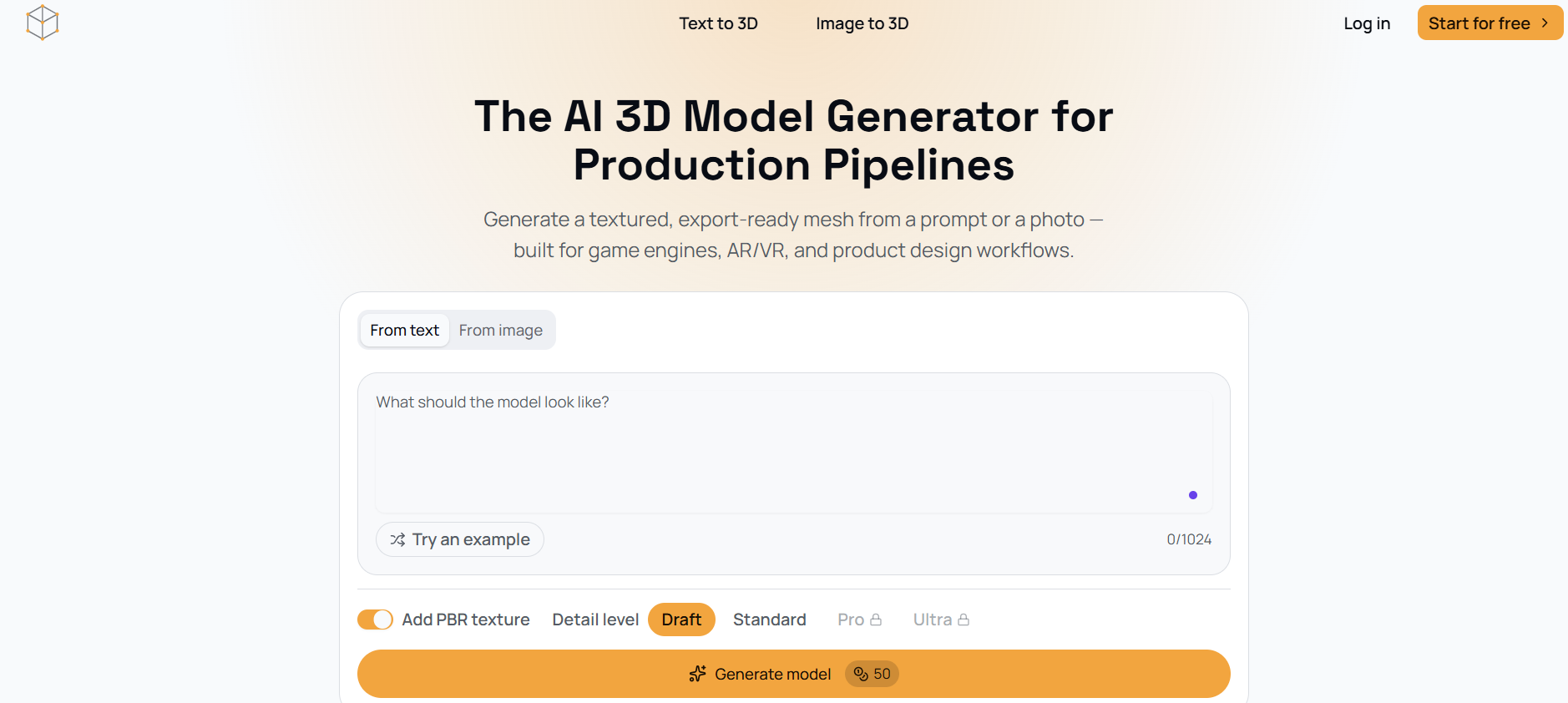
- Choose between From text or From image tabs.
- For text-to-3D: Enter a description of the model you want to generate (up to 1024 characters). Optionally, click Try an example to load a sample prompt.
- For image-to-3D: Upload a reference photo.
- Toggle Add PBR texture on or off (enabled by default).
- Select a Detail level: Draft, Standard, Pro (locked), or Ultra (locked).
- Click Generate model.
- After generation, you can drag to rotate and inspect the mesh before exporting.
- Export the model as a GLB file for use in your target pipeline.
Features of AI 3D Model Generator
- Generate 3D models from text prompts or images.
- Produces textured, export-ready meshes with PBR materials.
- Exports in GLB format, compatible with Unity, Unreal Engine, and Godot.
- Four density presets (Draft, Standard, Pro, Ultra) to trade off file size against surface detail.
- Includes a rendered preview for each export to verify before deploying.
- Reconstructs geometry and color from a single product photo.
- Fast generation: first-pass mesh in seconds, not a multi-day CAD cycle.
- No manual retopology pass required for game engine import.
Use Cases of AI 3D Model Generator
- Game development: Generate game props, characters, and assets ready for Unity and Unreal Engine pipelines.
- AR/VR: Create lightweight assets optimized for real-time performance in AR and VR viewers.
- Product design: Prototype 3D concepts from reference photos or written specs to review proportions early.
- 3D printing: Generate models suitable for 3D printing.
- Furniture and vehicle concepts: Produce 3D forms for design exploration.
Pricing
ModelGenerator offers both free and paid plans. The free plan allows starting for free, while paid plans unlock additional features such as higher detail levels (Pro and Ultra). Specific pricing tiers and costs are not detailed on the page.
FAQ
What export format does ModelGenerator support?
Models are exported as GLB files, which are compatible with Unity, Unreal Engine, and Godot import pipelines.
Can I generate a 3D model from a photo?
Yes, the image-to-3D feature reconstructs geometry and color from a single product photo.
Do the generated models include textures?
Yes, PBR materials are included on every generation by default, with an option to toggle them off.
What detail levels are available?
There are four density presets: Draft, Standard, Pro, and Ultra. Pro and Ultra are locked and likely require a paid plan.
How long does it take to generate a model?
A first-pass mesh can be generated in seconds, significantly faster than a multi-day CAD cycle.