LogoTopAIHubs
icon of AI Photo Editor - 1

AI Photo Editor - 1

Free online AI photo editor for fast image enhancement and restyling.

Introduction

What is AI Photo Editor - 1

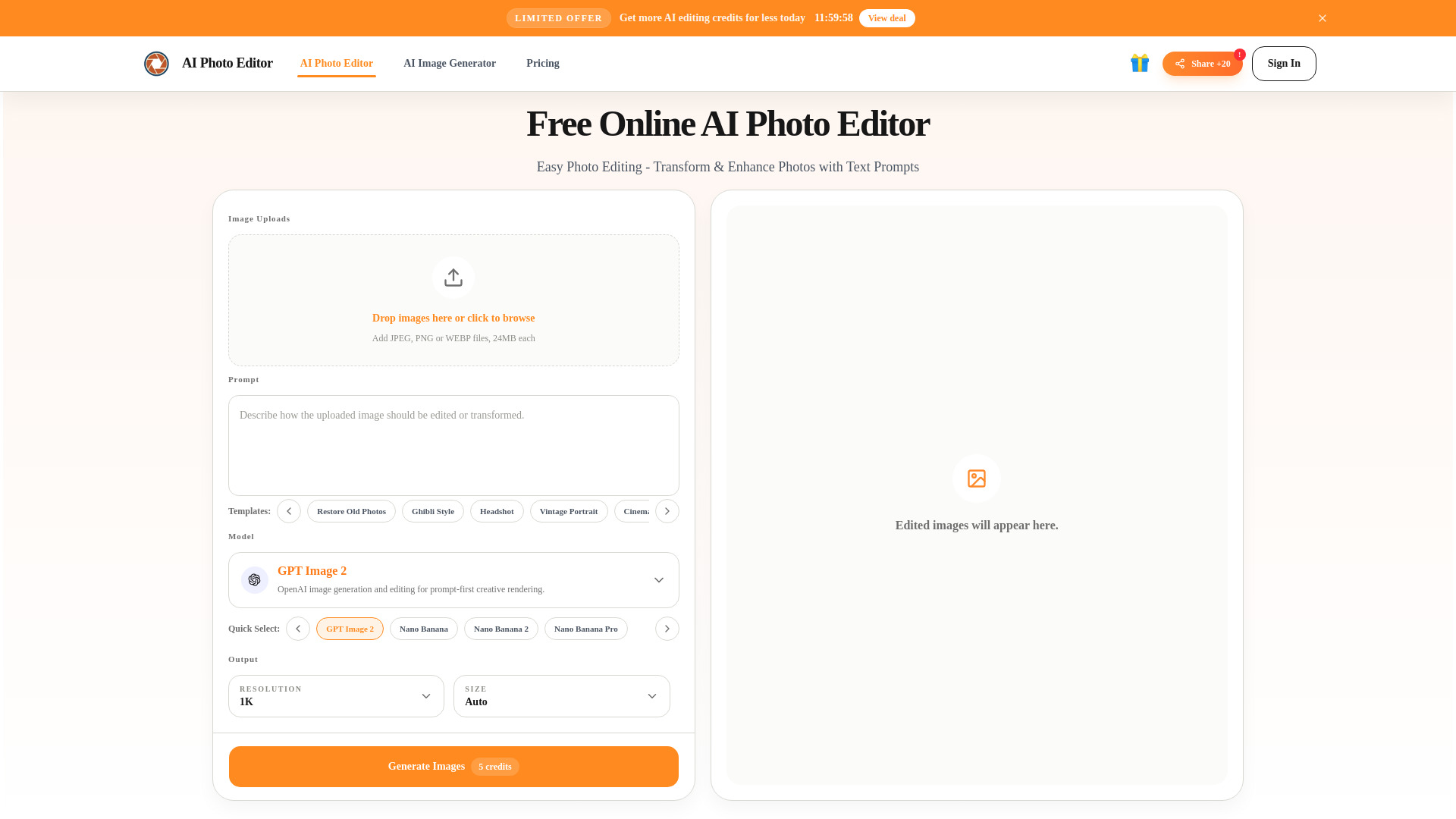
AI Photo Editor is a free online tool that allows users to enhance and restyle images quickly using artificial intelligence. It offers a user-friendly interface that does not require layers, masking, or advanced Photoshop skills, making it accessible for beginners.
How to use AI Photo Editor - 1
  1. Upload your image: Add a JPG, PNG, or WebP file to start. Clear photos yield better results.
  2. Describe the change: Use a short prompt to tell the editor what to remove, fix, replace, or change. Simple words are effective.
  3. Generate and download: Review the edited image, download the result, or refine the prompt and try again for better outcomes.
Features of AI Photo Editor - 1
  • Fast Image Enhancement and Restyling: Quickly improve and transform photos.
  • Text Prompt Editing: Edit images by describing desired changes in text.
  • Object Removal: Remove unwanted objects, people, or distractions from photos.
  • Background Replacement: Change image backgrounds using text prompts.
  • Detail Improvement: Enhance lighting, skin texture, and overall image clarity.
  • Multiple Reference Images: Use several images to unify style or borrow composition ideas.
  • Stylization: Transform photos into various visual looks like Ghibli style, vintage, or illustration styles.
  • Support for Common Formats: Accepts JPG, PNG, and WebP files.
  • Commercial Use: Edited images can be used for commercial projects.
  • Free Credits: Offers 20 free credits every 24 hours for editing and generation.
  • Multiple AI Models: Supports models like Nano Banana, Nano Banana 2, and Nano Banana Pro.
Use Cases of AI Photo Editor - 1
  • Travel Photo Cleanup: Fix messy backgrounds, remove distractions, and improve everyday captures.
  • Ecommerce Product Images: Enhance hero images, detail visuals, and campaign assets for online stores.
  • Portrait and Headshot Polish: Improve profile photos, professional headshots, and personal branding visuals.
  • Marketing Asset Updates: Quickly create and iterate on visuals for ads, social media, and campaigns.
  • Stylization Experiments: Transform photos into different artistic styles for creative content.
FAQ
  • Do I need an account to use the AI photo editor? Yes. You need to sign in using your Google account for one-click authorization.
  • Is this AI photo editor free to use? Yes. You can claim 20 free credits every 24 hours. More credits can be purchased.
  • How does this AI photo editor work? Upload an image, enter a prompt describing changes, and click Generate. The AI-edited image appears in the preview window.
  • Why is this AI photo editor good for beginners? It simplifies editing workflows, eliminating the need for layers, masking, or Photoshop skills. Users can upload, prompt, and get polished results quickly.
  • Which file formats does this AI photo editor support? It supports common formats including JPG, PNG, and WebP.
  • Which models power this AI image editor? Models include Nano Banana, Nano Banana 2, and Nano Banana Pro, each offering different balances of speed, detail, and consistency.
  • Can I use edited images for commercial work? Yes. Images created can be used for e-commerce, marketing, social media, websites, and other commercial projects.
  • Can AI image editor change photos from a text prompt? Yes. Prompt-based editing allows users to describe desired changes like removal, improvement, replacement, or restyling.
  • Will AI image editor keep photo quality? Yes. It is designed to preserve key details, ensuring the final image remains sharp and natural.
  • Is my data safe in the editor? Uploads are handled through secure workflows, and access is limited to what is necessary for service operation. Refer to the privacy policy for details.
  • Can the editor remove objects from photos for free? Yes. Describe the object to be removed, and the AI will rebuild the background automatically.

Newsletter

Join the Community

Subscribe to our newsletter for the latest news and updates