What is AI Video Enhancer
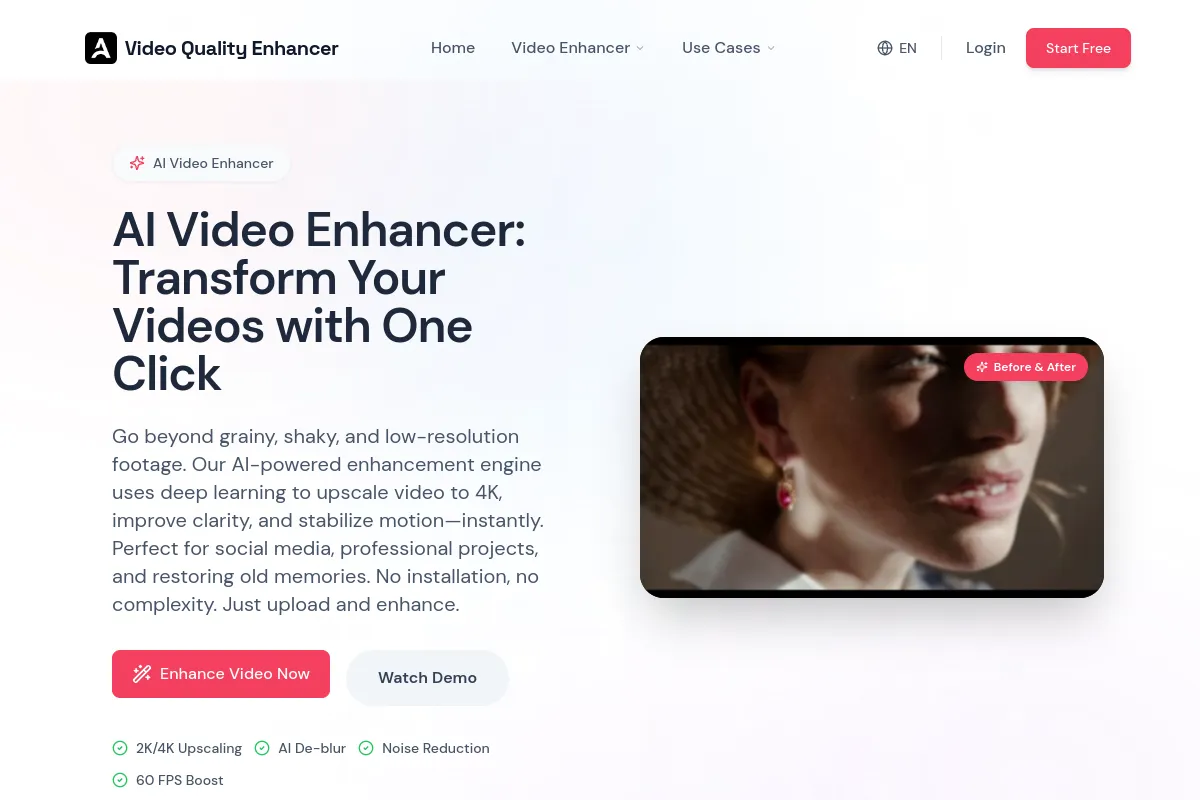
AI Video Enhancer is a cloud-based tool designed to transform video footage by leveraging artificial intelligence. It offers features to upscale video resolution to 4K, fix blurry video, reduce noise, and smooth motion. The service aims to improve video clarity and quality for creators and professionals without requiring software installation.
How to use AI Video Enhancer
- Upload Your Footage: Navigate to the online dashboard and upload your video file. The system supports major formats like MP4, MOV, AVI, and MKV.
- Select AI Enhancement Quality: Choose the desired enhancement, such as upscaling resolution, deblurring, or sharpening. Select specific AI models based on your content type (e.g., 1080P, 2K, 4K).
- Preview and Download: Initiate the processing. After the AI analyzes the video, preview the enhanced result. If satisfied, download the high-definition output.
Features of AI Video Enhancer
- 2K/4K Upscaling: Upscales video resolution from SD or HD to 4K, generating new pixels for enhanced detail.
- AI De-blur: Fixes motion blur and out-of-focus shots by reconstructing edge details and estimating original sharpness.
- Noise Reduction: Removes digital noise and grain, particularly from low-light footage, while preserving fine details.
- Color Enhancement & Correction: Automatically balances colors, adjusts saturation, and corrects white balance for vibrant, true-to-life colors.
- AI Frame Interpolation (Smooth Motion): Converts choppy frame rates (e.g., 24fps, 30fps) to smoother rates (e.g., 60fps or higher) by generating intermediate frames.
- Face Recovery: Optimizes for human-centric content by reconstructing facial features, removing blemishes, and refining skin tone.
- Anime & Animation Enhancement: Specifically trained to denoise anime without blurring artistic lines.
- Classic Film & Old Video Restoration: Removes scratches, stabilizes shaky footage, and enhances old video quality.
- Text & Document Clarity: Sharpens text regions in videos like lecture recordings or screen captures.
- Low-Light & Night Mode Optimization: Brightens shadows and reduces the "muddy" look in low-light clips.
- Eliminates "AI Flicker" and Temporal Instability: Uses temporal consistency algorithms to smooth out fluctuations in AI-generated videos.
- Fixing Distorted Faces and Artifacts: Refines specific areas like eyes or fingers in AI-generated content.
- Background Separation and Depth Enhancement: Understands depth to process foreground and background distinctly.
- Cloud-Based Processing: Utilizes powerful cloud servers for faster processing compared to local hardware.
Use Cases of AI Video Enhancer
- Content Creators & YouTubers: Upscale content to 4K for better bitrate treatment and sharper thumbnails.
- Marketing & Advertising Agencies: Reuse legacy commercials as high-definition assets for modern campaigns.
- Archivists & Families: Restore and preserve old video footage from VHS tapes or camcorders.
- Anime & Gaming Enthusiasts: Enhance gameplay footage or classic anime episodes, preserving art styles.
- E-Commerce Sellers: Improve product video clarity to build customer trust and increase conversions.
FAQ
- Is there a truly free AI video enhancer? Yes, a free tier is available for previewing enhanced results. Downloading watermark-free high-resolution files requires a subscription. Free users can increase video quality online for preview purposes.
- How does the AI video upscaler work? It uses Generative Adversarial Networks (GANs) to predict and generate new pixels, adding detail rather than just resizing existing ones.
- Can I use this for commercial purposes? Yes, subscribers own the rights to their enhanced videos and can use them for commercial projects like documentaries, commercials, and monetized channels.
- Can it fix extremely blurry videos? It is powerful for out-of-focus shots or motion blur. For completely unrecognizable videos, AI has limitations. A trial is recommended to test its effectiveness.
- Is my data safe? Videos are encrypted during upload and automatically deleted after processing. Private videos are not used for model training without permission.
- Does it work on old black and white videos? Yes, it can reduce film grain, stabilize jitter, and sharpen details for digital archiving.
- How long does it take to process? Processing time varies by resolution and duration. A 1-minute video typically takes 2-3 minutes to upscale to 4K using cloud-based GPUs.
- Can I enhance anime videos? Yes, a dedicated model exists to reduce compression noise in anime while keeping line art sharp.
- What file formats do you support? Supports MP4, MOV, AVI, MKV, and WEBM.
- Why is AI better than traditional software? AI uses deep learning to understand context and generate realistic details, unlike traditional software's mathematical interpolation.