What is APIKO
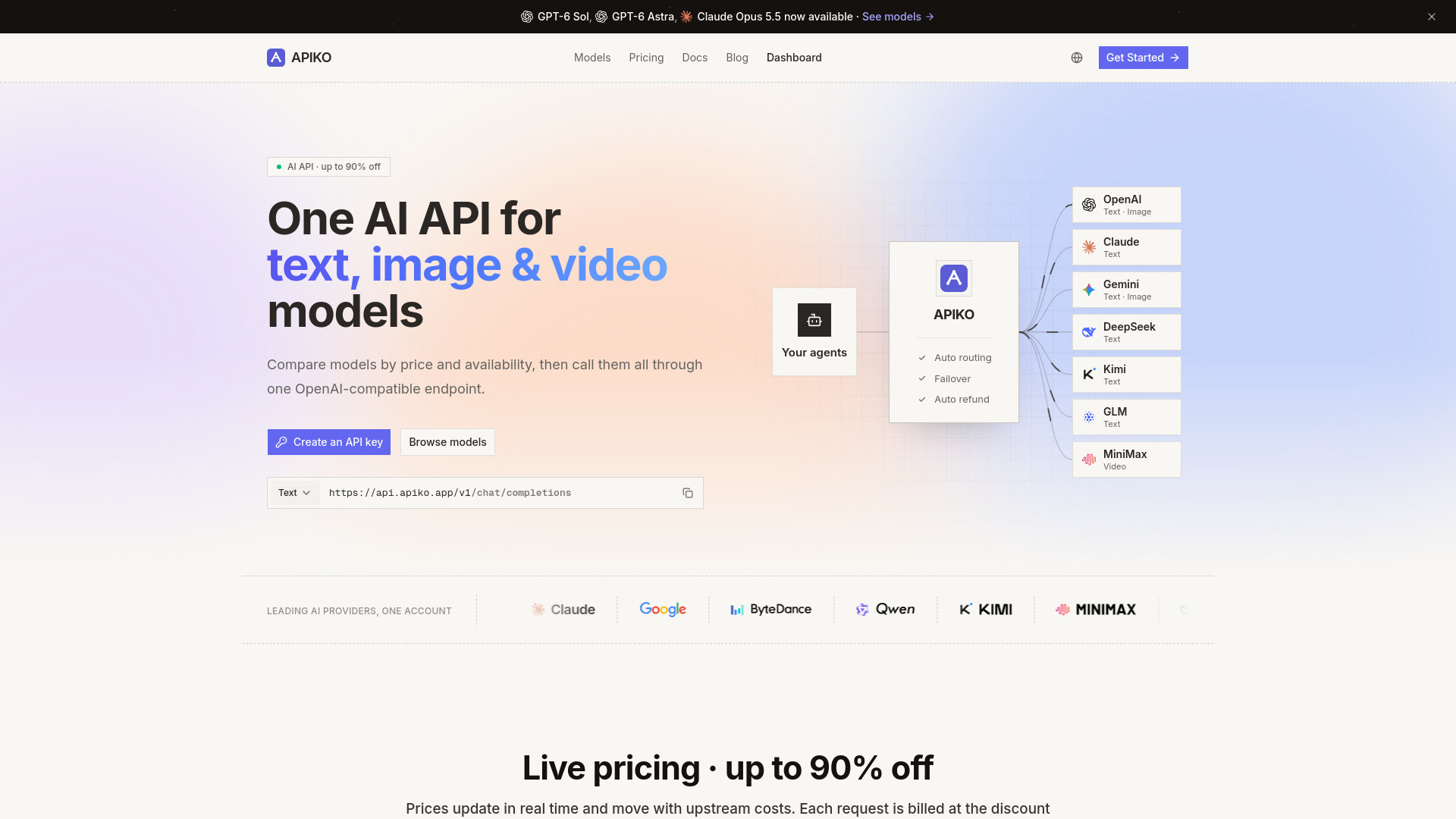
APIKO is a unified API gateway that provides access to text, image, video, and audio AI models from multiple providers through a single OpenAI-compatible endpoint. It allows developers to compare models by price and availability, call them with one API key, and pay only for successful requests.
How to use APIKO
- Create an API key: Sign up and generate a key from the console. The full key is shown once and never stored in plaintext.
- Point your base URL: Change one line in your existing OpenAI SDK setup to
base_url = "https://api.apiko.app/v1"and keep the rest of your integration intact. - Call a supported model: Pick a model your key can access from the catalog and call it. Track usage and spend in one dashboard.
Features of APIKO
- Unified API: One API key and one balance for all supported models.
- OpenAI-compatible endpoint: Works with official SDKs, LangChain, LlamaIndex, or plain HTTP.
- Automatic retry & failover: Requests retry across provider channels on temporary failures.
- Health-aware routing: Failing credentials are disabled quickly, routing traffic only to healthy channels.
- Per-request logs: Tokens, latency, provider outcome, and exact cost are recorded for every call.
- Live pricing: Prices update in real time and move with upstream costs; discounts up to 90% off.
- Pay-as-you-go billing: Buy one-time quota packs; no monthly fee or subscription.
- Auto refund: If a call fails upstream, the pre-held quota is automatically refunded.
- Multiple model types: Supports text, image, video, and audio models.
- Model catalog: Compare models by price and availability, with ready-to-run request examples.
Use Cases of APIKO
- Developers building AI applications: Integrate text, image, video, and audio AI capabilities into apps using a single API.
- Cost optimization: Compare prices and availability across models to choose the most cost-effective option.
- High-availability systems: Leverage automatic retry and failover to ensure reliable AI service.
- Multi-model workflows: Use different models for different tasks (e.g., chat, image generation, video generation) through one gateway.
- Usage tracking: Monitor token usage, latency, and costs per request for budgeting and optimization.
Pricing
APIKO operates on a pay-as-you-go model with one-time quota packs. There is no monthly fee or subscription. Key pricing details:
- Cost of failed calls: $0 – upstream failures are automatically refunded.
- Billing basis: Real usage – text requests settle from token usage; image and video requests use per-model pricing.
- Wallet: One balance for every model, and it never expires.
- Quota packs: Available from $5 up to $2000.
- Discounts: Up to 90% off list prices, with live pricing updated in real time.
- Billing units: Text priced per 1M tokens (input and output separately); images and video priced per request or per second.
FAQ
What is an AI API? An AI API lets your app send a prompt, image, or other input to an AI model over HTTP and get the result back. APIKO is one AI API for text, image, video, and audio models: one key and one balance for every model.
Do chat, image, and video models use the same endpoint?
No. Chat requests use /v1/chat/completions, image generation uses /v1/images/generations, and video generation uses /v1/videos. Check the model documentation and confirm access with authenticated GET /v1/models before making a request.
Which AI model API should I use? It depends on the job. Each AI model API has its own strengths, speed, and price. Compare them in the model catalog and pick one your key can access. Every model page includes a ready-to-run request example.
Will I be charged if a call fails? No. We hold an estimate when the request starts and charge only for what the provider actually used. If the call fails upstream, the hold is refunded automatically.
How is usage billed? Text is priced separately for input and output tokens, and some models tier the price by the request's context length. Images and video are priced per request or per second. Each model's rates are on its model page, and every charge is itemized under Usage in your console.
Which SDKs are compatible? Anything that speaks the OpenAI API works: official SDKs, LangChain, LlamaIndex, or plain HTTP. Point the base URL at APIKO and keep your code.
Does my balance expire? No. Pay-as-you-go credit stays on your account until you use it.
How do I add credit? Sign in and open the Billing page. You can top up any time with a quota pack from $5 up to $2000, and the credit shows up in your account right after checkout.