What is ArchOne AI
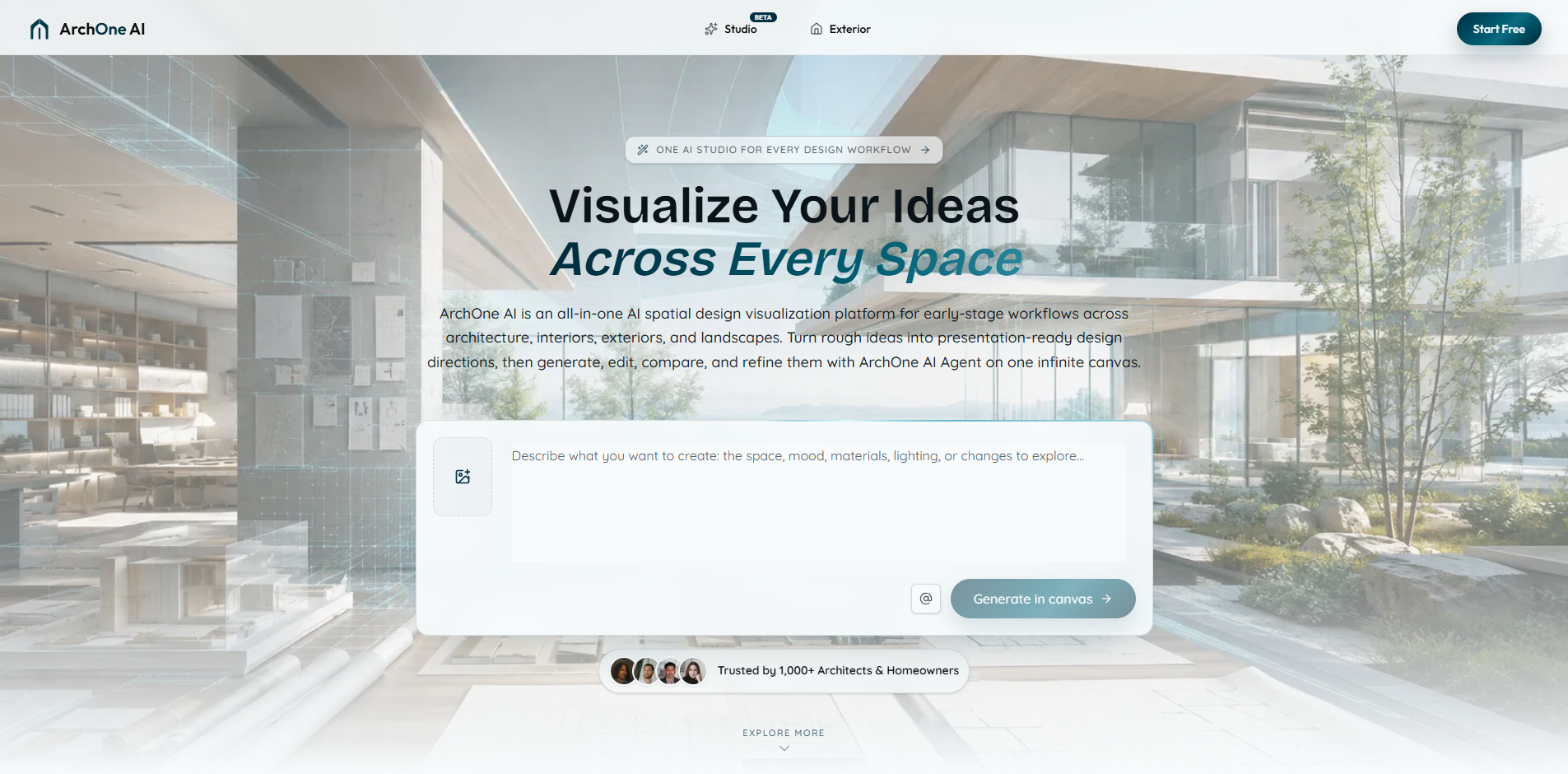
ArchOne AI is an all-in-one AI spatial design visualization platform for early-stage workflows across architecture, interiors, exteriors, and landscapes. It helps users turn rough ideas into presentation-ready design directions by generating, editing, comparing, and refining visual concepts. The platform is built for architects, interior designers, landscape designers, small studios, and design consultants, but also serves homeowners and property teams.
How to use ArchOne AI
- Start with an input: Choose a starting point such as a photo, sketch, render, reference image, or written brief. For floor plan concepts, provide property type, gross area, floor count, room counts, and layout notes.
- Describe your goal: Use the prompt editor to describe the space, mood, materials, lighting, or changes you want to explore.
- Generate in canvas: Click "Generate in canvas" to create visual options. New users receive 2 free credits after email verification for a first 1K watermarked preview.
- Refine with ArchOne AI Agent: In Studio, use the Agent to generate new visuals, edit selected results, create variations, compare directions, and carry out multi-step workflows. The Agent shows proposed steps and credit estimates before proceeding.
- Continue in Studio: Open any completed result in Studio to place it on the canvas with its source context, then develop variations or make changes without starting over.
Features of ArchOne AI
- 17 Studio Tools: Includes render, edit, furnish, enhance, perspective, material, lighting, and upscale tools inside one canvas.
- 13 Design Starting Points: Links to interior, exterior, landscape, room-specific, outdoor, and floor plan starting points.
- 5 Input Types: Start from photos, sketches, renders, reference images, or written briefs.
- ArchOne AI Agent: Automates multi-step workflows, generates variations, and compares design directions while keeping work organized on an infinite canvas.
- Infinite Canvas: Studio combines source images, references, generated results, and revisions in one visual workspace.
- Focused Workflows: Dedicated tools for interior design, exterior design, landscape design, floor plan generation, and perspective changing.
- Free Credits: 2 credits after email verification for a first preview.
Use Cases of ArchOne AI
- Interior Design: Start with a room photo, sketch, render, or reference image to compare materials, lighting, furniture, and style directions.
- Exterior Design: Use a house or facade image to explore materials, colors, entry updates, and curb appeal while preserving key elements.
- Landscape Design: Start with a yard or site image to compare planting, hardscape, paths, lighting, and outdoor spatial directions.
- Floor Plan Concepts: Generate early 2D plan-style and 3D-style concepts from property details, room counts, area, and layout notes.
- Perspective Changing: Explore new camera angles and viewpoints from architectural renders or space images for early design review.
- Client Presentations: Deliver visuals directly to clients for option comparison and design communication.
FAQ
What is ArchOne AI Studio? ArchOne AI Studio is the visual workspace inside ArchOne AI. It combines an infinite canvas with ArchOne AI Agent, so you can keep source images, references, generated results, and revisions together while exploring and comparing design directions.
What can ArchOne AI Agent do? ArchOne AI Agent turns a design goal into connected actions inside Studio. It can generate new visuals, edit selected results, create variations, compare directions, and carry out multi-step workflows while keeping the work organized on the canvas.
How much control do I have over ArchOne AI Agent? You choose the starting images, references, selected canvas items, design direction, and what should remain unchanged. When a request requires a multi-step plan or confirmation, ArchOne AI Agent shows the proposed steps and credit estimate before it proceeds. You can review the results, stop an active workflow, or ask for another direction.
Is ArchOne AI an interior design app or an architecture tool? It supports both. ArchOne AI connects early-stage workflows across architecture, interiors, exteriors, landscapes, and floor plan concepts in one platform.
Who is ArchOne AI built for? ArchOne AI is built primarily for architects and architectural designers, interior designers, landscape designers, small studios, and design consultants. Homeowners, property teams, builders, and remodeling teams can also use its concept workflows.
Is ArchOne AI free to try? Yes. Verify your email to receive 2 credits. Use them for one 1K watermarked preview in Studio, Floor Plan, or Perspective Changer, or for two standard 1K Direct tool images. Complex Studio requests are combined into one preview; full multi-step workflows require a Starter, Plus, or Pro subscription.
What happens to the photos I upload? Uploaded images are processed to create the design concepts you request. Third-party AI providers may process the content needed for that request. We do not use private uploaded project content to train public AI models unless you give permission. See the Privacy Policy for storage, deletion, and other details.
Can designers use the results for client presentations? Yes. The visuals can be delivered directly to clients for presentations, option comparison, and design communication. They are not technical deliverables for construction, permitting, purchasing, or implementation.
How accurate are AI design concepts? AI design concepts are useful for early visualization and option comparison, but they are not guaranteed to preserve every real-world detail. Do not treat them as exact measurements, CAD or BIM files, construction documents, code-compliant plans, or proof of feasibility. Have qualified professionals review decisions related to structure, compliance, purchasing, or implementation.