What is AutoDub
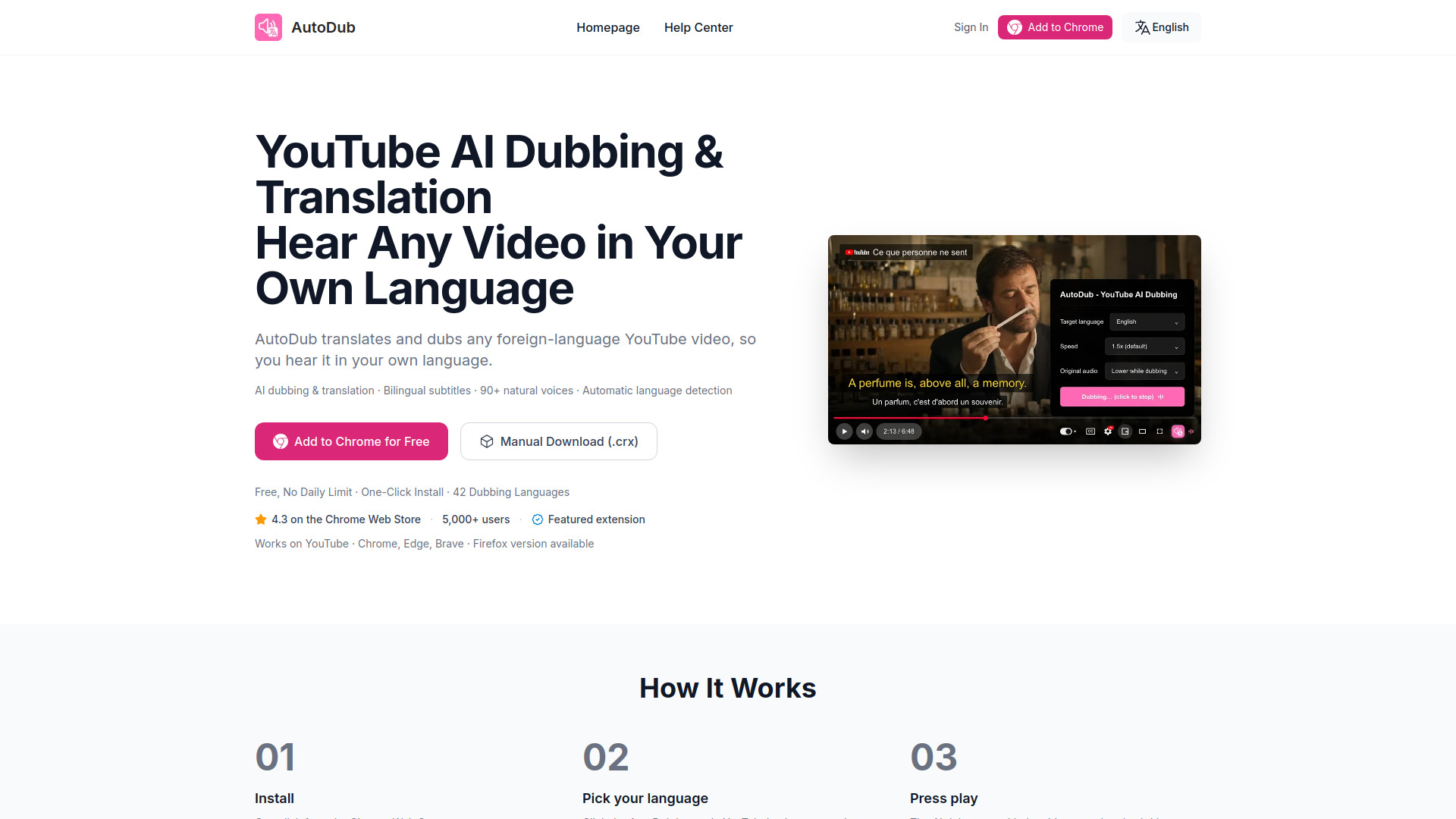
AutoDub is a browser extension that translates and dubs YouTube videos, allowing you to hear them in your own language. It provides bilingual subtitles and supports 42 dubbing languages. The extension works on Chrome, Edge, Brave, and Firefox.
How to use AutoDub
- Install the extension from the Chrome Web Store or Firefox Add-ons.
- Open a YouTube video with a subtitle track (auto-generated captions count).
- Click the AutoDub button in the YouTube player controls; the original language is detected automatically.
- Pick your desired language from the panel.
- Press play; the AI dub starts with translated subtitles on screen.
Features of AutoDub
- AI dubbing & translation
- Bilingual subtitles
- 90+ natural voices
- Automatic language detection
- Supports 42 dubbing languages
- Works on Chrome, Edge, Brave, and Firefox
- Free for personal use with no usage limits
- Optimized to have almost no impact on video playback
- Privacy-focused: no account required, data not sold, results cached per video
Use Cases of AutoDub
- Programming tutorials: Learn from channels like Fireship, ThePrimeagen, Traversy Media in your language.
- Educational content: Watch Veritasium, Kurzgesagt, 3Blue1Brown dubbed.
- Lifestyle vlogs: Travel, cooking, and lifestyle content from creators worldwide.
- Business & finance: Y Combinator talks, startup advice, market analysis.
- Podcast interviews: Long-form interviews from Lex Fridman, Joe Rogan, and more.
- Documentaries & films: Watch documentaries, short films, and video essays.
Pricing
AutoDub is free for personal use with no usage limits. If optional paid features are introduced in the future, they will be announced clearly in advance.