What is ButterKit
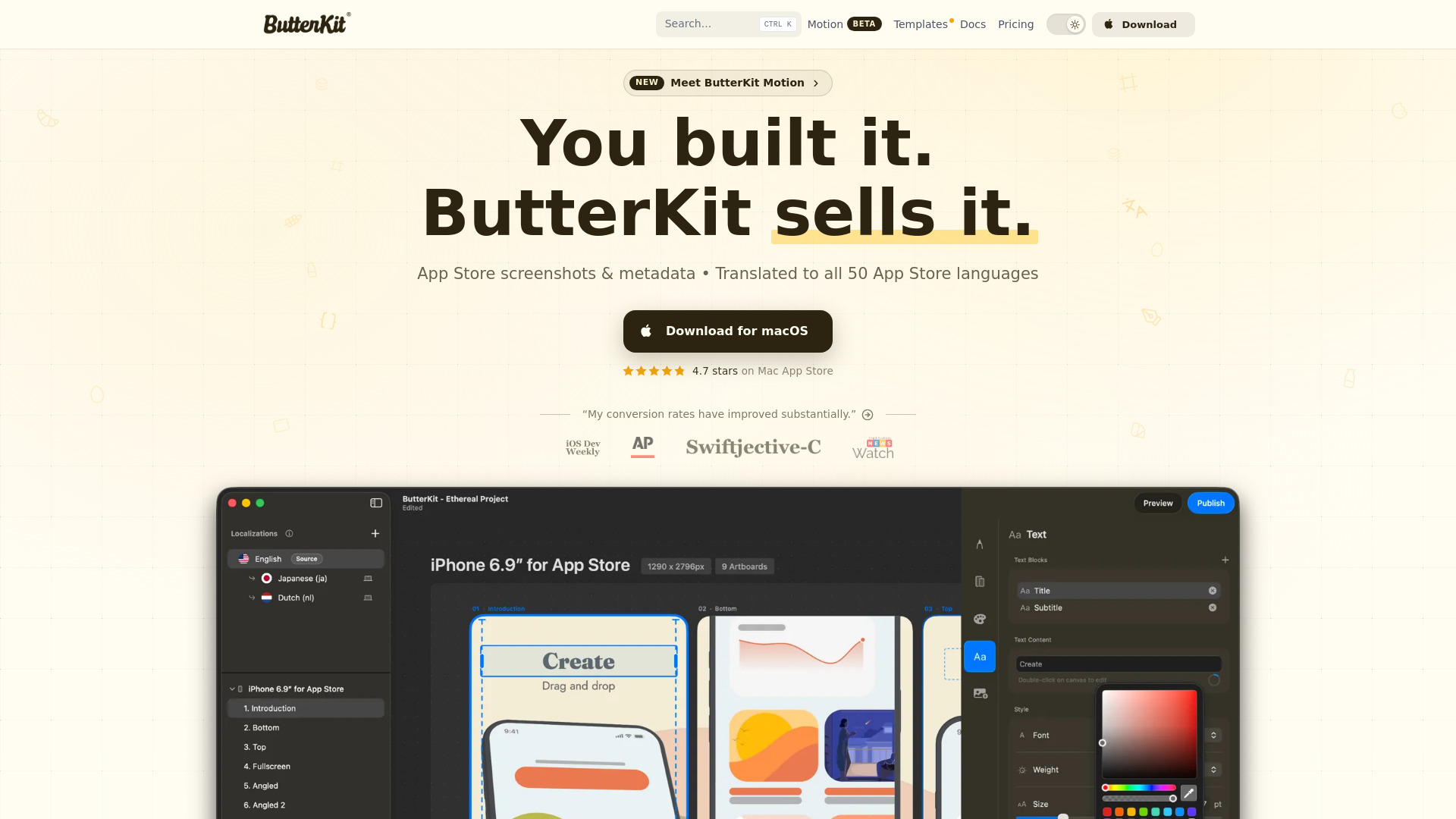
ButterKit is a native macOS app for designing, translating, and publishing App Store screenshots. It serves as a complete screenshot studio that allows developers to capture screenshots from Xcode Simulator, frame them in 3D device mockups, auto-translate them into all 50 App Store languages, and bulk-export or upload directly to App Store Connect. The app is built on Metal for high performance, supporting up to 120fps editing.
How to use ButterKit
- Capture or import screenshots: Drag and drop PNG or JPG screenshot images onto 3D devices, capture directly from Xcode Simulator, or link a folder of images (e.g., from Fastlane or Xcode UI tests).
- Design and frame: Place screenshots into photorealistic 3D device frames. Adjust angles, apply professional templates, and use editing tools for fonts, gradients, and backgrounds. You can span 3D devices across multiple artboards and create seamless panoramic backgrounds.
- Translate: Automatically translate screenshots and metadata into all 50 App Store languages.
- Publish: Bulk-export screenshots or upload them directly to App Store Connect in one click, with all localizations in order.
Features of ButterKit
- Capture screenshots directly from Xcode Simulator
- Drag and drop images onto 3D devices
- Link to Fastlane or image folders for automatic syncing
- Real 3D device frames with adjustable angles
- Auto-translate to 50 App Store languages
- AI/MCP automation support for AI agents to build, update, and localize
- Professional design tools: fonts, gradients, backgrounds, and templates
- Seamless panoramic backgrounds across multiple artboards
- Bulk export and direct upload to App Store Connect
- Native macOS app with Metal-powered editing up to 120fps
- Bundled high-quality templates and access to a growing community marketplace
Use Cases of ButterKit
- App developers who need to create and localize App Store screenshots for multiple languages
- Teams using Fastlane or Xcode UI tests to generate screenshots and wanting to streamline the design and publishing process
- Designers looking to create polished, photorealistic App Store screenshots with 3D device mockups
- Developers who want to automate screenshot creation and localization using AI agents via MCP support
- Anyone needing to quickly iterate on screenshot designs directly from Xcode Simulator
Pricing
- Free: Full-featured with watermark on exports, $0
- Lifetime Pro: One-time purchase, no watermark, cloud translation support, $49
FAQ
What operating system does ButterKit require?
ButterKit requires macOS 26 or later.
Does ButterKit support automation?
Yes, it supports Fastlane automation and AI/MCP automation for AI agents.
Can I try ButterKit before purchasing?
Yes, there is a free version available with full features but a watermark on exports.
How many languages can ButterKit translate to?
ButterKit can auto-translate to all 50 App Store languages.
Is there a community for templates and add-ons?
Yes, there is a growing community marketplace for templates and add-ons.